Windows Defender Offline Beta: Create Bootable Anti-Malware Disk/USB

While normal anti-virus programs provide real-time protection, a system can get infected with malware when you connect a CD, DVD, or other media device, crippling your defences. In such a case, the only solution appears to be a wipe and load re-installation. Windows Defender Offline Beta is an application that can help you in such a situation. Using this tool, you can create a bootable USB, CD or DVD, and remove malware from your system, even when your system is unable to log on to the installed operating system. Read More

ThreatFire Protects Your PC From Zero-Day Attack / Exploit

Viruses, Trojans, Worms, Spyware and other malicious agents are continuously increasing in number, hence making malware attacks more frequent than ever before. We normally use Antivirus programs to protect our computers, but the problem is that an Antivirus only detects known threats which it can identify after going through a virus definition update. This leaves a significant amount of time for malware to invade your PC (before your Antivirus is updated). ThreatFire is an anti-malware application which, in contrast to traditional Antivirus programs, acts differently. It continuously protects your PC against zero-day attacks by detecting malicious instances instead of relying merely on definition updates. For example, it looks for applications which may be trying to capture your keystrokes or logging the steps you're taking. ThreatFire is not necessarily meant to replace your Antivirus suite; it can work seamlessly in conjunction with your existing Antivirus application. The most distinctive feature of ThreatFire is its ability to detect zero-day exploits. Zero-day attacks are amongst most lethal ways of exploiting root access of system, as they are programmed to slip through security cracks of installed applications. Read More

ESET Mobile Security For Android Fights Viruses, Spyware, Spam & Theft

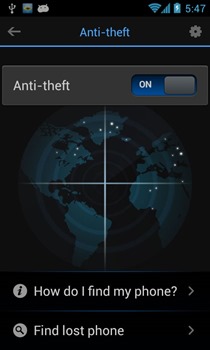
ESET couldn’t have picked a better time to make a debut in the Android Market. Currently under yet another malware onslaught, the Market needs more major players from the system security genre to step into the foray. ESET Mobile Security is a comprehensive security suite for Android that includes an on-demand (user-requested) and on-access (event-triggered) scanner for viruses or spyware, SMS and MMS spam blocker, SIM authorization, remote control via SMS commands from an authorized phone number (or from Business Edition of ESET Smart Security and ESET NOD32 Antivirus), security audit, built-in task manager, automatic and manual security database updates and password protection for mentioned features. As of this writing, the app is in beta and available for free on the Android Market. However, there is no indication as to whether the final release will be free as well. Read More

Check Any Website For Viruses, Malware, And Phishing Scam With URLVoid

Many a time we come across websites that can contain malware and phishing scams. Although, there are a number of extensions available to provide some sort of security, they require visiting the website for them to work. By then it can be too late if the malware infects your system. Moreover, a website can be infected by a virus when one transfers a file to the FTP server for deployment and by many other means. URLVoid is a free web service that scans any specified website with a number of diagnostic tools such as Browse Defender, Google Diagnostics, hpHosts, Malware Patrol, McAfee SiteAdvisor, Norton SafeWeb, etc and provides a detailed scanning result. Read More

Free PC Safety Scan With Microsoft Safety Scanner

For long, Microsoft’s Windows Live OneCare Scanner has been an excellent resource to check for malware on systems. It has been particularly useful during important dates such as April the 1st. For instance, once a malware infected a PC, it was only detectable with Microsoft’s Security Scanner. It was widely telecasted on news channels like BBC that the malware agent had infected systems months back and was to initiate according to a set date. Many common anti-malware software failed to detect this threat, so Microsoft launched a warning to use the OneCare Scanner to identify and remove this threat. It has helped people avoid the inconvenience of keeping their systems at a back date to avoid malware initiation after a large scale threat warning. Microsoft has recently launched something brand new called Microsoft Safety Scanner. It is a free downloadable security tool which scans and remove viruses, spyware, and other malicious agents from your system. It does not conflict with your existing antivirus software and is not meant for its replacement. It is pretty much as useful as the OneCare Scanner, i.e. for on-demand scanning and removal of malware. As in the case of the OneCare Scanner, it can be useful to perform a scan near dates when malware are widely released, such as, April and May (almost every year). Read More

JottiQ – Virus Scanner That Uses Jotti Malware Scan, Alternative to VirusTotal

We all know about VirusTotal which is an online service that scans files from multiple antivirus applications. JottiQ is another freeware, developed by one of the coder named worseje who participated in DonationCoder's NANY2011 (New Apps for the New Year) challenge, that uses Jotti's malware scan service to verify the integrity of selected files and currently running executables from the best antivirus services. This can be particularly useful for checking suspicious files and to verify if an installed program has been infected. JottiQ is available with an installer package and in portable format. Read More

Repair Task Manager, Registry, And More After Malware Attack [Windows]

By now, you would be well aware of the plethora of problems that virus and malware attacks leave in their wake. Disabled Task Manager, Registry Editor vanishing, Command Prompt barred, Folder Options nowhere to be found, just to name a few. While many anti-malware applications are good enough when it comes to removing the infection, they cannot exactly repair the collateral damage that your system had suffered. Hence a utility like Quick Disaster Recovery comes into play. Read More