Cloudii: One App To Access & Sync Dropbox, Google Drive, SkyDrive & Box On Android

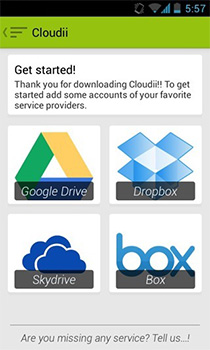
Names like Dropbox, Google Drive, Box and SkyDrive have become synonymous to cloud storage. Each with their own appeal and distinct features, these services sport their own dedicated apps for both desktop and mobile platforms. If you happen to use more then just one of these services regularly, it is always more convenient to manage your accounts and data through a single app. Cloudii is just that app that allows you to to setup all four aforementioned cloud storage services on your Android device under one roof, and gives you some powerful settings for synchronizing and managing your files. The app gives users the ability to add multiple accounts for each supported service as well, along with some nifty additional features.The app requires Android 4.0 or above. Right after the jump, we take a look at what it has to offer and what makes it worthy of a mention. Read More

Auto-Save Gmail Attachments To & Attach Files From Cloud With Kloudle

Earlier this year, we covered a Chrome extension called Cloudy that allows you to attach files in Gmail from multiple cloud storage services or your Facebook account directly, without having to download them to your desktop first. Kloudle is a similar service that can connect with Box, Dropbox, and Google Drive, and lets you attach files to your emails in a way similar to Cloudy. Kloudle supports far fewer services than Cloudly but coupled with its Chrome extension, the service does something else as well that can be really useful - it allows you to save files from your Gmail account to any one of your cloud drives. Files are saved automatically based on ‘rules’ that you create, and you can create up to ten rules. Think of it as the famous service IFTTT, working entirely in your email. Read More

Hands-On With The Official Windows 8 App For Popular Cloud Service Box

Cloud services are a great way to keep your important data safe and within reach all the time. Popular services such as Dropbox, Google Drive, SkyDrive and Box, all provide you with both free and paid storage options to upload, sync and retrieve your data. With online cloud storage, you no longer need to take your portable mass storage devices to access the data while on the go. For instance, if you are going for an important presentation to another city, instead of saving the presentation to your thumb drive, you can upload it to your online storage account for easy access. Usually, cloud services have a web portal that allows you to upload, download and manage files and folders, but some of them also offer clients for desktop and mobile platforms. With the Windows Store slowly expanding, it seems it won't be long before we have official Windows 8 apps for all popular cloud services. In what follows, we're going to take the official Windows 8 app of famous cloud storage service Box for a spin. The app lets you upload and delete files, add descriptive comments to them, sort them into folders and pin them as tiles to the Start Screen. Read More

Edit & Save Any Web Page Directly To Box, Dropbox & Google Drive [Chrome]

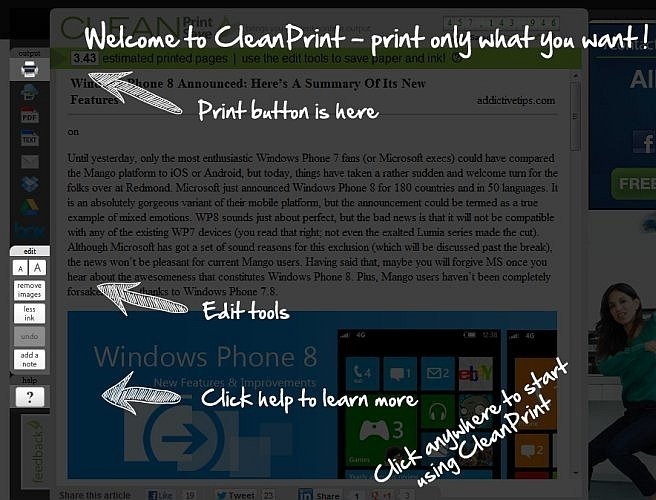
Do you often feel the need to save web pages while surfing for quick access later, or to archive important information? Or maybe, you are a teacher who wishes to refer articles to students in a convenient manner? Whatever the case may be, you definitely need to install Save Content to Box, Google Drive & Dropbox, a handy extension for Google Chrome users that allows you edit and save web pages as PDF or text file to your Box, Google Docs or Dropbox account directly from Chrome. No more copy and paste needed, and unlike a bookmark, you have your own copy of the content, preserved in the form that you saw it in. It not only gives freedom to save web pages to these services, but also helps you to clean (remove unwanted content) the web page before saving. You may also utilize social media platform to share the articles on Facebook, Twitter, Google+ and LinkedIn directly from the extension, too. Read More

Box For Android Gets Facelift, All Users Now Get The 50GB Offer

It’s been quite a while since the famous cloud storage service, Box, announced a humongous 50GB of online storage space to iOS and Android users (for selected brands only). While the offer was exclusively available to Android users with an LG or Sony Ericsson device, users who owned devices from other manufacturers were also able to get their hands on the offer via several unofficial means, but you need not rely on any alternative methods anymore. With the latest update of its Android client, the service has decided to open said offer to all Android users; albeit for a limited time period only. Any Android user who registers for a new Box account within the next month (till March 23), gets a free 50GB cloud storage space that would remain valid for as long as your account remains active. Along with this announcement, Box also updated its Android client with a handful of goodies. For starters, app’s gets the Android 4.0 Ice Cream Sandwich, App2SD and multi-lingual support. You can now also invite users whom you wish to share your Box folder with, and view as well as comment on files. In addition, the app now offers an enhanced uploading experience with option to upload files from the SD card in batch. Read More

Task Management App Nozbe Updated With New UI, Provision For Free Local Usage [Android]

Task and project management Android apps are abound in the Google Play Store. As with every other app category, the candidates belonging to this particular genre also keep constantly vying for the top spot. Then there is the ever-increasing threat of competition, meaning that the existing players simply cannot rest on their laurels. The only way to move is upwards, and for that, new features must be frequently added to the mix. The official Android client of the well-known web-based task-management service, Nozbe, has been updated to v2.0 with a complete UI overhaul and a bunch of improvements, such as better syncing and integration with content stored on Evernote, Dropbox and Box, easier access to your personal notes, to-do lists, inbox, projects, errands, reminders and lots more. In addition, the app has received quite a few much needed bug fixes and is now much more stable than previous versions. Read More

Get 50 GB Free Cloud Storage On Box From Any Android Device [How To]

Popular online storage service Box recently announced that it would be offering a mammoth 50GB of free cloud storage space to all mobile users who register for a new account using their Android-powered LG smartphones till March 31, 2012. As per the announcement, the offer is currently only available to LG users, but Sony Ericsson devices too will be included in the offer soon. But what if you don’t own a device by either manufacturer, and yet want to avail said offer? The folks over at XDA have carved an effective method of grabbing the offer via any rooted Android device regardless of its manufacturer and model. Read on past the break to know how. Read More

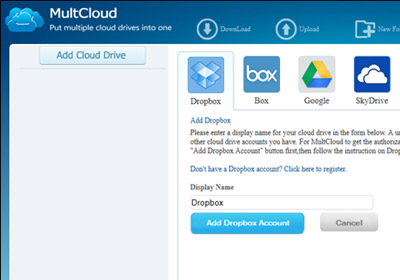
Now Manage Multiple Dropbox, Google Docs, Box.net Accounts With Joukuu Plus [Giveaway]

A while back, we covered Joukuu which brings the utility of managing 3 widely used cloud storage services, namely, Dropbox, Google Docs, and Box.net on desktop. Back then, we reviewed the Lite version which was in beta testing phase and had a lot of account management related issues. Now the product is finally out of beta, providing stable and relatively more responsive environment to manage your uploads. The Lite version is mainly targeted toward those who have a single account on supported services and don't want extra features other than basic file management, including, add and remove files and folders, backup files, move files between added services via drag & drop. Read More

Otixo – Access All Online Files Across Different Services From A Single App

Cloud storage is taking the load off our local drives; not only does it allow us to backup and sync our files, but it also lets us worry less about viruses destroying data. Cloud storage being the great concept that it is, there are lots of different companies offering the service and no doubt you’re already using more than one. Otixo is a web service that syncs your files on different clouds and FTP servers and lets you access them from a single account. It currently syncs with Dropbox, Google Docs, Box.net, MobileMe and FTP servers. The service lets you move files between all supported services, upload new files, download files, delete and rename existing files and folders and create new folders. Read More

Upload Screenshots, Screencasts And Files To Box.net From Desktop

Box.net, despite being one of the best online storage drive for personal documents, media, and other files, doesn’t offer desktop application to upload and synchronize files across all PCs. This leaves free account holders with no other option than to to find alternatives which can upload files directly from desktop to their box.net accounts. Box SimpleShare is desktop application powered by box.net which gives both free and subscribed users a simple solution for uploading screenshots, screencasts and files right from the desktop. It allows users to quickly take screenshots and record screencasts and upload them to their accounts, so they can share them with others. The file uploading option will immensely come handy for free users, as they can upload multiple files to their accounts without having to open web browser. Read More

Joukuu Manages Dropbox, Box.net, And Google Docs Backup Files

If you’ve signed up with multiple cloud based services for backing up and sharing data with your friends and colleagues, you might be looking for an application which serves as a centralized place for managing all the subscribed cloud services. Since managing each service is tedious, Joukuu brings a mashup of Drobox, Google Docs, and Box.net cloud services in a simple user interface (inspired by Metro UI). The basic idea behind its development was to facilitate those users who extensively use all these services, so they can easily manage all the uploaded files, move files from one service to another, and directly upload files and folders from a single platter. With Joukuu, managing files and folders is easy, you can simply drag & drop files to save them, create backups, and edit documents right from your desktop, and, most importantly, upload files and folders from Windows right-click context menu. Joukuu compiles a list of all the files and folders which are saved on added accounts. You wont need to open the account in separate windows to manage underlying files and folders. It can show the file and directory listings from all the accounts in multiple categories which are based on file types, such as, documents, music, images, and videos. Optionally, you can choose to pick up any of added service to organize folders and files. For instance, if you wish to view all the data contained in Box.net account, just select the service to add or remove folders and to move and edit files. Read More

Cloud Save Saves Files And Images To The Cloud From Chrome

As more users turn to the cloud and use it as their primary storage, it becomes clear that saving files directly to an online storage is a better solution than downloading it first to the desktop and then uploading later, as many users do. Cloud Save is a newly released extension for Google Chrome from the developer of drag2up, which can upload images (or any type of files) from websites directly to different cloud services, such as, Picasa, Flcikr, Dropbox, CloudApp, Box.net, Min.us, Droplr, Posterous, and Twitpic. For files it only supports Dropbox, CloudApp, Box.net, Min.us, and Droplr. Read More

Save/Send Documents Directly To Your Box.net Account

In March we reviewed an awesome add-on for Firefox called Open It Online which allowed users to save/edit documents online without having to download it. Recently the developer has updated it and also included Box.net support as well. Now you don’t need to select Box.net from the list when saving/editing documents, spreadsheets, and presentations, just select Save IT Online to Box.net and it will save it to your account instantly.

Read More

Top 10 Free File Hosting Services To Store Your Files

If you've ever had an email inbox clogged with attachments from friends or coworkers, you've probably experienced an inbox slowdown or run up against its storage limit. Maybe you've  send or receive large files through email, but the system wouldn't even allow your oversized attachment to be delivered. Web services that let you avoid these problems have arrived on the scene, and some of them don't require any tech-savvy skills and won't cost you anything. Here are the 10 best file hosting services for you and your friends. Read More