How To Set One Wallpaper For All OS X Desktop Spaces At Once

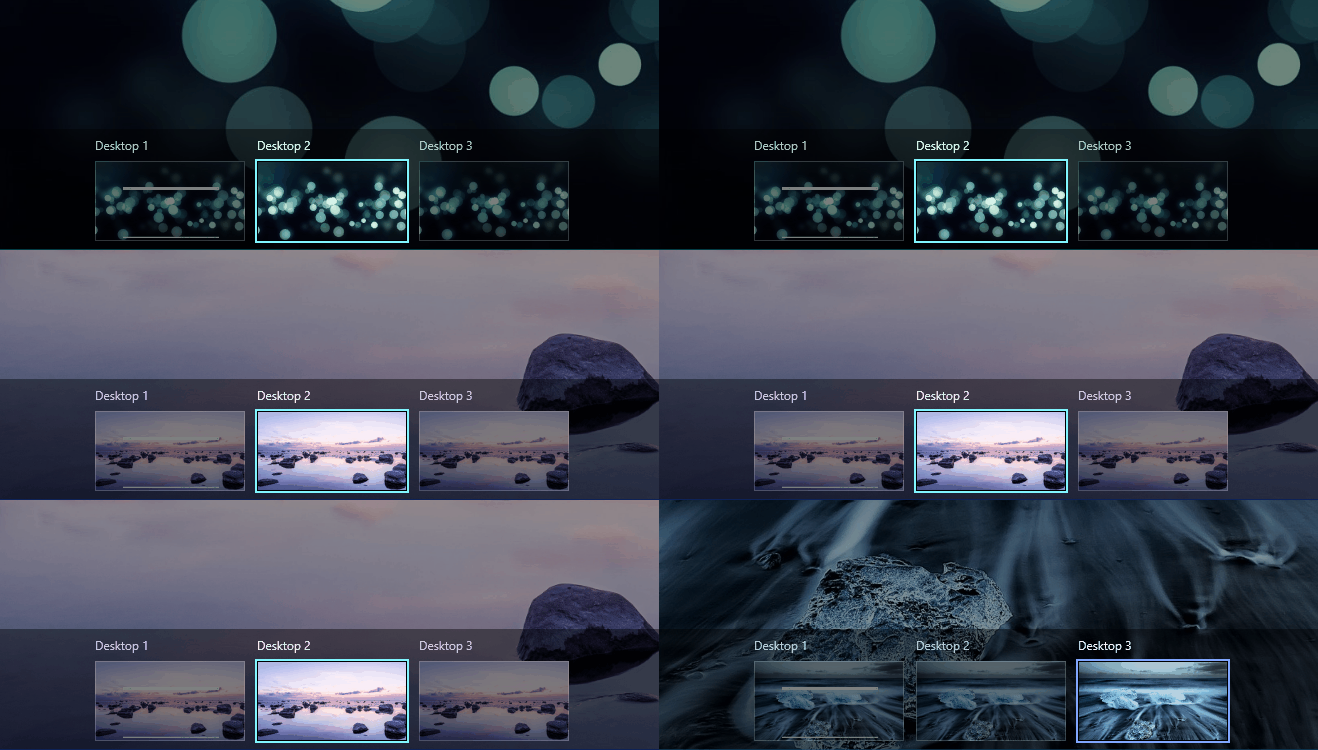
First introduced in OS X Lion, Desktop Spaces provide an excellent platform for window management. Since then, the feature has become one of the most popular additions in OS X, though it is considerably limited in some areas. It’s the closest you get to a virtual desktop available system wide, so you won’t see too many complaints. At present, each desktop space operates somewhat independent of the other. You get the same desktop icons no matter which space you’re on, but you can keep windows and apps separate. You can also, by default, make the wallpaper for each space different. This might seem useful, but a fair number of users would prefer the same background across all desktops, and that isn’t possible in two clicks or less in OS X. It lacks any way to change the background for all desktop spaces at once, which is why you might need an app or script for that. We haven’t yet found an app that does so, but a simple script does the trick fairly well. The process of creating the script is simple, but a little lengthy, so we’ll break it down as best as we can to make it easier to follow. Read More

John’s Background Switcher: Desktop Wallpaper Utility With Built-In Collage/Mosaic Creator & More

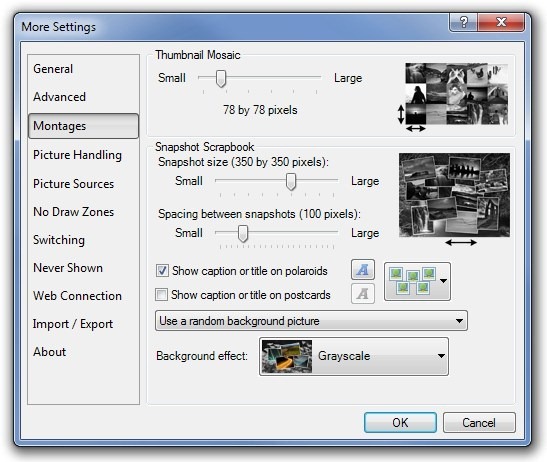
With the introduction of Windows Vista, users were presented with an intuitive wallpaper utility, as Microsoft went in and revamped the whole wallpaper personalization properties window. One of the most welcomed features that it contained was auto-switching of background wallpapers and you could manually adjust the time interval. Obviously, this fancy way of playing with wallpapers made its way to Windows 7 as well. However, we have discovered another wallpaper switching tool, which includes more wallpaper switching options than the default background personalization tool. The application is called John’s Background Switcher. It packs some exquisite features such as auto-changing desktop backgrounds, multi-monitor support, ability to apply a different wallpaper on each monitor, Snapshot Scrapbook, creating thumbnail mosaics and more. The application not only lets you specify your local wallpapers directory, but also allows you to grab images from numerous online sources like Flickr, Facebook, Google Images, Picasa, Phanfare, Vladstudio wallpapers, SmugMug, Webshots and Bing etc. More details after the jump. Read More

How To Switch To A New Desktop Background Using A Hotkey In Windows 7 & 8 [Tip]

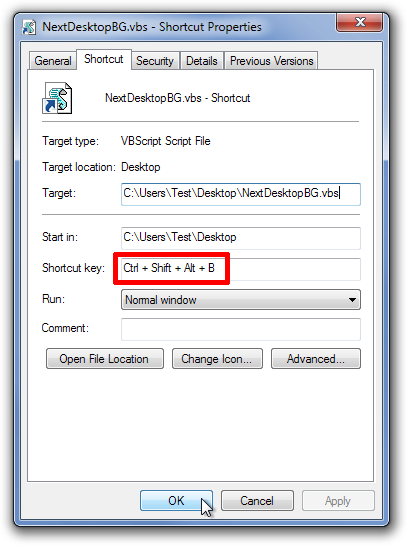
The themes in Windows 7 and Windows 8 usually contains a number of images in each theme. Other elements remain the same, but the image changes to a new one after a specified amount of time. This time interval can be changed by opening Personalization settings and selecting the Desktop Background option. The time interval can be set from 10 seconds to one day depending on the user’s preference. If you are fond of using a large collection of wallpapers, you can set a lower time interval. However, having a large collection means that sometimes, an image may appear on your background that might not be according to your mood at the time and you might want to change it. By default, the desktop context menu of Windows 7 and Windows 8 contains an option called Switch To next Desktop Background, which - as the name suggests - allows you to switch to the next desktop background available in the image list. In this post, we will show you how to switch to the next desktop background using a keyboard shortcut rather than accessing the right click context menu of Windows desktop. Read More

Bing Desktop: Daily Change Your Desktop Wallpaper To Bing Homepage

While some people like to keep a single wallpaper or a set of wallpapers as their desktop background, others like to keep changing their wallpaper to new, unseen ones. Wallpapers help you in two simply ways. First, they provide aesthetics and secondly, they set your mood according to whats you're doing. I have always emphasized on the importance of wallpapers to one's everyday computer work. While Windows stock wallpaper application pretty much does the job in changing (and even automating) wallpapers, there are various third-party tools that offer much more. Previously, we have covered some good wallpaper changing applications that automatically decorate your desktop background everyday, or after a specified time, such as Kuvva, an application that automates the process of searching for wallpapers and changing them each day on your computer as well as your Twitter account, and Color Desker, that refreshes your desktop background after a specified time interval. Recently, Microsoft released a similar application called Bing Desktop based on their Bing search engine. This miniscule tool automatically applies the Bing homepage image to your desktop background each day. Moreover, it provides you with easy access to the Bing search box, letting you search directly from your desktop. Read More

Color Desker Lets You Automatically Switch Between 300+ HD Wallpapers

It is recommended that you change the wallpaper of your desktop after some time, as one can get bored by looking at the same picture each and every day. However, changing the wallpaper requires you to first find a good wallpaper. High quality wallpapers can be downloaded from the internet, but you have to manually change it every day from the Personalization options. Last week, we covered an application named Kuvva, an application for Windows that automatically changes the wallpaper of your desktop and Twitter account, based on your preferences. Today, we have another application called Color Desker, which automatically downloads and updates your local desktop wallpaper from an online library of more than 300 HD wallpapers. It is a Windows application that periodically changes your desktop background after a specified time interval. The application provides you with beautiful, high quality wallpapers for your desktop. You can set the application to either change the wallpaper automatically, or take over the control yourself for manually changing it. More on Color Desker after the break. Read More

Automatically Change Desktop And Twitter Backgrounds Daily With Kuvva

Desktop customization is rather important for so many good reasons, such as for one to work productively and efficiently. While working, a good wallpaper can have very pleasant and positive effect on you, which leads to an even greater productivity. Other than that, the wallpaper you choose showcases your personality, and a new wallpaper gives you computer screen freshness. Windows 7 has integrated auto wallpaper change option, which keeps cycling through the selected directory. However, the wallpapers can be selected only from your local directory, which means you may get bored of viewing same wallpapers again and again. If you are fond of changing wallpapers of your computer screen each day, and want some refreshing background that you have never come across before, then check out Kuvva. It is an application that automates the process of searching for wallpapers and changing them each day. It is connected to the Kuvva website, and automatically downloads and sets a new wallpaper each day from the website’s database. You can configure Kuvva to daily change the desktop background, as well as the background of your Twitter account. Details to follow after the jump. Read More

WallMagician: Customize & Rotate Wallpaper And Hide Desktop Icons

WallMagician is a wallpaper manager that provides many advanced options to help overcome the shortcomings of the Windows default wallpaper management utility. It not only enables you to automatically change your desktop wallpaper at specific intervals, but also allows customizing each wallpaper to use a specific style (tile, center, fit or custom). You can also export a thumbnail gallery of selected wallpapers to PDF or HTML format, and create a printable index page. It also provides the option to select a filtering method (for stretching images), hiding desktop icons, enabling random wallpaper selection and performing manual wallpaper updates. Read More

Wally – Automatically Download & Rotate Wallpapers From Online Sources

Wally is a cross-platform wallpaper rotator which allows automatically downloading and switching your desktop wallpaper from multiple sources. Other than changing the current wallpaper from a local folder, it also grabs photos from  FTP server, remote folders, as well as, online sources such as Google, Flickr, Yahoo, Panoramio, Pikeo, Ipernity, Photobucket, Buzznet, Picasa, Smugmug, and Bing. The wallpapers are downloaded according to a user specified keyword and online source. For example, if you were to select deviantArt as your source and enter the keyword as Ocean, Wally would fetch ocean images from deviantArt and rotate them periodically. Wally includes an option to define the precise criteria for setting and downloading desktop background images including everything from the wallpaper size, desktop area, image rotation settings, allocated disk space for downloaded pictures, from image storage history, etc. These features are quite similar to formerly reviewed, FlickrEdit and Pulse. However, Wally is more feature-rich than both of these applications. Wally is a Qt4 based application, available for Windows, Mac and Linux based operating systems. Read More

Rotate Your Desktop Background With Flickr Images With FlickrWall

A good wallpaper can mean the difference between a gloomy and a bright outlook of the desktop and perhaps also our mood. Now you can rotate your desktop background with astounding Flickr images from personal and public galleries with FlickrWall. This application changes desktop backgrounds with selected or random Flickr imagery, depending on your preferences. Read More

ZapDev Customizes Desktop Wallpaper

ZapDev is an open source application which lets you scroll through specified pictures to illuminate desktop background. Put extra imaging effect on your favorite photos and get customized wallpapers easily. It helps when you get bored of same desktop wallpaper after some time, select the change background interval from its interface and you'll view a different background after specified time. Read More

Auto Change Windows Desktop Background

Those looking for a nifty little user-friendly desktop background changer should give DesktopSlides a try. What makes it stand out from the rest of similar tools is that it is free of any bloatware, takes minimum system resources, and allows user to filter wallpapers by screen ratio or screen resolution.

Read More