Create Stylized Thumbnail Preview Sheets For All Images In A Folder

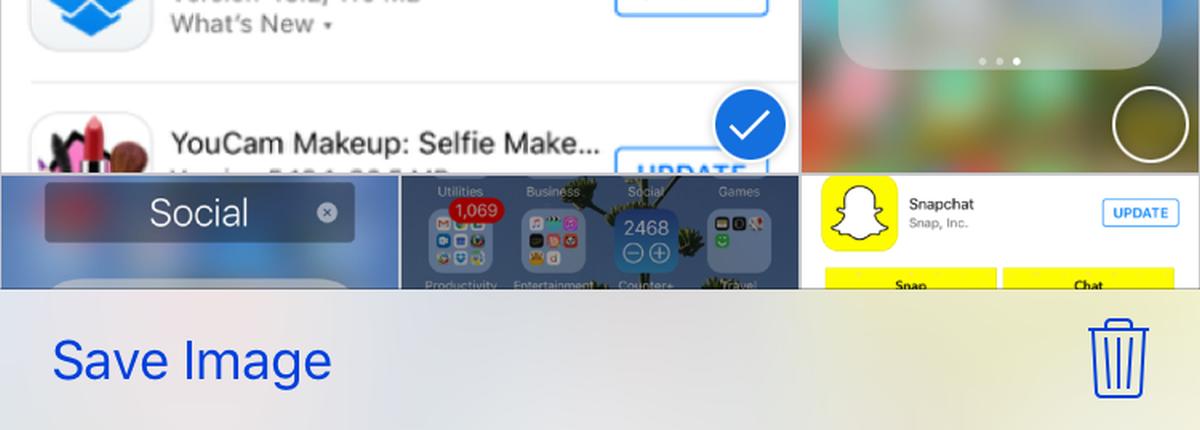
Among the many advantages of internet is the platforms it offers to artists or photographers to sell their work independently without having to sign on to a label or publication. It’s a good practice that not only lets others buy media for their own websites, blogs and magazines at affordable rates, but also rewards the sellers with decent compensation in return for their hard work. If you’re an artist, photographer or designer who wants to share their work by giving others a glimpse of their creativity without really showing their full work due to the fear of plagiarism, Snap2IMG can come pretty useful. This portable application allows you to create thumbnail sheets of images and can come handy under various scenarios such as viewing a photo collection, publishing image thumbnails on photo sharing websites, or simply taking preview printouts for huge albums. Read More

View Related Wikipedia Images For Selected Text On Webpage

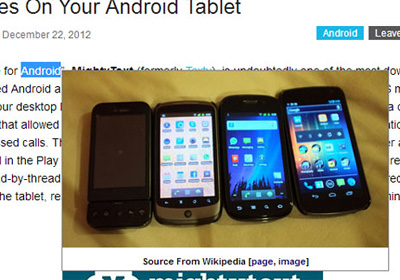
Wikipedia’s knowledge base isn’t just all text; you will find other types of helpful media on it as well, like images and sound clips. For many people, Wikipedia will often form the basis of knowledge on a topic that they can then expand on, and the images provided are obviously useful. In the past, we’ve covered a lot of extensions that let you select and send text to a particular website/search engine but for the most part, we haven’t found much that specializes in images, until now. Image Dictionary is a Chrome extension that lets you select text and send it to Wikipedia to search it for images related to that text, and shows them in a pop-up on the same tab. Read More

Edit Image File Timestamps And Add Date & Time To Their Names With EXIF Date Changer

Most users sort their files according to date and time information in order to easily differentiate between different versions without much hassle. Timestamps found in the properties of files contain information regarding when the file was created, when was it modified the last time and the most recent date and time it was accessed by someone. This allows you to quickly search a certain cluster of files that were created, modified, or accessed at a particular date, as well as group them together. By default, Windows only permit removing the metadata items one by one using the File Properties dialog, and you have to use third-party applications for updating file access, creation, and modification date and timestamp information in a batch. EXIF Date Changer is one such application for Windows that allows you to easily change the date and time stamp of images. You can adjust the time to a value of your choice, or increment the current date and time with a specified amount, down to a specific date, hour, minute and second. Read More

Browse The deviantART Gallery In Windows 8 With PicTRO

deviantART is a famous online gallery where anyone can publish there work for others to see. Other than artworks, you will find photography, literature, films, cartoons, comics, and tools for customizing the operating system, such as themes and UI tweaks. The website allows you to view the posted content according to categories, authors, popularity, etc. Apps for a lot of popular websites, such as Snoo for Reddit, and the official app for TuneIn Radio have started to pop up in the Windows Store. Today, we have a third party app for deviantART called PicTRO that allows you to browse through the entire artwork database. You can view the images according to categories, including Photography, Digital art, Traditional, Artisan, Manga, etc. Images in every category can be viewed in the form of a Slideshow. While viewing an image, you can check out other images from the same author, and share the current one through Email, Facebook, and Twitter. Read More

Download All Images From Any Website & Save To Dropbox & Google Drive [Chrome]

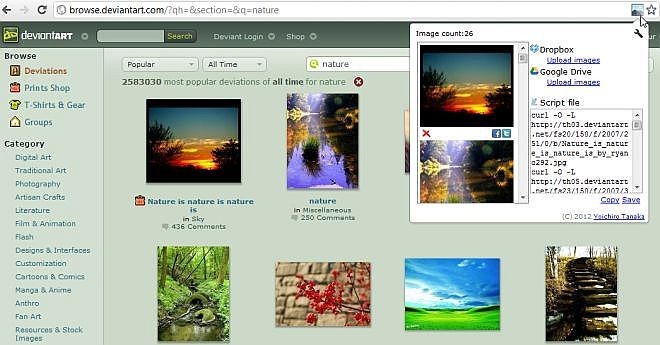
Did you ever experience a moment when you wanted to download all images on a web-page instantly? While looking for unique quality images, we often explore different image hosts and libraries, such deviantART, Picasa, PhotoBucket etc. However, executing searches on all these sites and downloading images separately can be quite inconvenient. We have already covered a desktop application called Image Collector for image collection enthusiasts who may be interested in getting hold of exotic images from online galleries such as Picasa, deviantART, imgur, PhotoBucket and 4Chan. However, the caveat was that it was restricted to only these few websites. Image Collector Extension for Google Chrome, however, solves your problem for all webpages. This extension allows you to retrieve the script file to grab gorgeous images on the page you're just visiting and to save them to your PC, or upload them directly to your Dropbox or Google Drive. Read More

Get Relevant Google Search Images For Each Pinterest Photo [Chrome]

If you love Pinterest but want something more out of it, then Pin Search | Image Search On Pinterest can be a super handy tool for you. This Chrome extension not only offers you with detailed information for images found on Pinterest, but also lets you view other similar images from the internet using Google search for images. This nifty little tool basically adds a Search button to all images on Pinterest, which, when clicked, scours  the Google search engine for your selected image, so you can discover other similar images or find where else the exact replica has been used. Then, it might help find useful information pertaining to the image in question, for instance, you can find details about the photographer, chef, designer or location for a particular item. Details to follow. Read More

Thingsly: A Universal Wish List For Online Content [Web, Chrome]

Thingsly is a smart web application (with a powerful Chrome extension) that lets you collect, arrange and organize your favorite links and imagesfrom all over the web. It lets you connect to various communities that share similar tastes, and allows you browse through their discoveries. The service uses images to bookmark content, only requires a simple sign up, and offers visual bookmarking, which you can use to save content for later use or create wish lists for products or items you love. The Chrome extension for the service grabs all images from a website and displays them in a neat pop-up. Selected images can then be added to existing or new collections. Additionally, you can browse the Feed category that comes with a massive collection of images, or you can find people who have similar interests. More after the break. Read More

Loupe: Create Awesome One-Click Collages With Your Facebook, Twitter & Instagram Photos [Web]

Loupe is a free web application that lets you create gorgeous collages of shapes using photos from your Facebook, Twitter, Tumblr, Instagram accounts and other online sources. The tool is as simple and elegant as they come; it allows you to pick photos from multiple albums and social networks and shape your collages as hearts, butterflies, a variety of symbols, logos and more, all in a few clicks. Once your collage is ready, you can share it with your friends and social networks. More after the break. Read More

Glue: Personal Clipboard For Online Content With Tag Support [Chrome]

Glue, a Chrome extension, is your personal clipboard that lets you copy-paste text, images and links in a fast and elegant way. Copy-pasting items or bookmarking websites for later use can not only take time, but can also result in a lot of clutter. This nifty little tool may come useful in situations where you have to copy text and take a lot of screenshots. The Glue web application comes with a basic-looking interface, which is very easy to navigate around. With it, you can copy items from the right-click context menu, add tags and save them quickly to your personal Glueboard. A “Glued” item can be edited or deleted later with ease. Not only does the extension let you save bits and pieces of information, but also lets you instantly share them with your friends on Twitter. Moreover, Glued items are saved and displayed with auto-generated titles and source links, which you can either view or copy afterwards. Read More

Yes, Pix Me!: Real-Time, Drag & Drop Image Sharing With Desktop Notifications [Web]

Love sending pictures to your buddies and loved ones, but hate emailing or uploading them to various cloud services? If that is the case, then you really need to try out Yes, Pix Me! This simple yet useful collaboration tool lets you share pictures instantly using drag & drop functionality. The service does not require any sort of installation or registration; all you have to do is drag & drop the image from your local storage to generate a unique URL for it, which you can then share with as many people as you like. Anyone with the link will see the images or screenshots pop up on their screen as soon as you drag & drop them onto the website, and they can do the same – upload their own images for you to see. More past the jump. Read More

Flavour Map: Discover Worldwide Tastes & Eating Places; Contribute With Your Own Findings

Flavour Map is an interesting web application that provides you with a crowdsourced map of tastes and places to dine out from all over the world. Not only does it allow you find new cuisines and flavors, but also lets you pin a flavor, restaurant or street food you’ve tried out lately, using Google Street View. Moreover, you can add descriptions, attach images and write reviews. The service can be searched by location, cuisine, description etc, and serves as a worldwide guide for people looking for taste inspiration. Read More

Access Reddit History For Visited Links Without Signing In [Firefox]

Did you come across something really funny on Reddit, but now just can't find it any more? Reddit is one of the largest social news websites on the internet, with content ranging from politics and funny images to videos and loads more. The platform has a massive collection of all kinds of links/images that you can enjoy browsing, but when you want to share links that you visited at a earlier time and can't find them, it can get really annoying. Even though Reddit allows you to save links if you're logged in to the site, that only means extra clicks. This is where Reddit History, a Firefox add-on, comes in handy. This slick tool lets you view the history of all your visited links, even when you are not logged in to Reddit. It does this by integrating a new tab, labeled history, to Reddit’s interface. Under this tab, you will find a list of all your visited links that you can filter by sub-reddit and text search (regex) options. Read More

Pictotool: Create Customizable & Funny Pictograms For Use On The Web

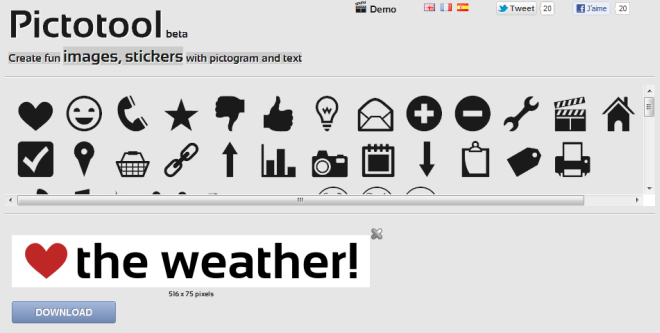
Looking for some fun images and pictograms to post on your Facebook, website or blog? Pictotool is a web tool that can create interesting and fun images with pictograms and text that you can easily customize. It’s a free and simple to use image creation tool that lets you combine text and graphics to create unique, attractive images. Once you’ve created an image, you can even change the font, background and pictogram colors. After creating the image, click GENERATE and download the image to your local system before uploading it to your desired website. Read More

Reddit Stream Displays A Slideshow Of The Best Images From Reddit [Android]

Unlike the iOS App Store, Google Play Store is lacking an official client of Reddit. That said, looking at all the various third-party clients that Android users have at their disposal to access the fast-growing Q&A based social network, one doesn't really feel desperately deprived of an official client at all. Adding to the list of unofficial Reddit clients for Android is Reddit Stream - a simple yet fun-filled third-party Reddit app for Android that fetches the best images and comments from the network, and presents them on your screen in the form of a slideshow. Sporting a minimalistic interface, Reddit Stream automatically keeps circling through the best and latest content from Reddit, complete with user comments and image descriptions. The app can be customized to fetch content from preferred subreddits, so that you can enjoy the latest Reddit photo stream from topics that interest you, at an interval and with an image quality of your choice. Then there is also an option to prevent your device’s screen from timing out for as long as the app is running, so that you don't have to worry about keeping the device awake or unlocking the screen constantly; this can prove to be pretty useful if you use a dock. If you love Reddit for the thousands of hilarious images that are shared on the network every day, then you’re certainly going to love this app too. Read More

Sync Photos Between Computers & Online Accounts Using SocialFolders

Social networking websites have become really popular in the last few years. There was a time when MySpace was the only big social network, but then others like Orkut, Facebook, Twitter and the latest one from Google, Google+, took over. One of the major reasons for using social networking websites is the ability to easily share pictures with your friends and family. Other websites, like Picasa and Flickr are solely built for the purpose of sharing photos with friends and family, as well as general public. However, it is always advisable to keep a backup of your pictures in your computer, in case something goes wrong on the server. On the other hand, downloading them one by one can be a tedious task. SocialFolders is an application for Windows and Mac that allows you to sync photos between you computer and online accounts and transfer your files between different websites. Keep reading to find out more about this useful tool. Read More

View Full Size Wikipedia Images In The Same Page [Chrome]

Wikipedia is easily one of the most popular sites online and while most people are there for a quick overview of a topic or perhaps just to get them jumpstarted on a paper. Wikipedia isn’t doesn’t just give you the bare details; the community that writes these articles and builds the database add additional media like pictures, graphs, charts, tables etc. wikipedia image preview is a simple but useful extension for Chrome that allows you to view images on Wikipedia in a fast and simple way. Normally, when you click an image, it opens in the current tab with a whole lot of clutter around it, but with this extension, the image blurs the text and is displayed over the same page, without any text or other content around it. The extension instantly pops out the full-size images in a light box preview. In addition to that, the background color for the image can either be set to white or black. Read More

View Amazon Product Images In A Slick Gallery [Chrome]

Amazon does not provide users with the best layout or viewer for product images, as they are either too small or you have to hover your mouse over each image to view it in a larger size. ImageFlow For Amazon, a Chrome extension, offers users with high resolution customer and marketplace pictures, all in one powerful and slick gallery. With it, you can also get instant previews of product images by hovering your mouse over the thumbnails. ImageFlow inserts a Imageflow gallery to all Amazon products. It works by scanning all images and putting them in one gallery. After you’ve installed the extension, a small play button will be added to the top left of the page. Click this to launch the ImageFlow gallery to view product images easily and in a larger size. Read More

Drag & Drop Files From PC Or Web To Upload On Dropmark Sidebar [Chrome]

Dropmark Sidebar is a simple way to organize and collaborate in the cloud. This Chrome extension lets you drag & drop files right from your system or web to create an organized collection of files. Dropmark offers super simple drag-and-drop file sharing, where users can drag & drop files, images, videos and more. Moreover, the collection can be accessed from the sidebar, and a simple item with URLs and attachments can also be added to Dropmark Sidebar. To upload items from the web, simply drag and drop them onto the sidebar or the page. Read More

PhotoTime: Add Over 30 Live Effects To Images Taken With Webcam [Mac]

You’ve no doubt come across a lot of web apps that let you add color effects to your images. Some will also let you connect with your webcam and apply the effects live but often the quality is low or the apps are not very responsive. PhotoTime is a free Mac app that lets you add over 30 different effects and lets you combine two or three of them in a single image. The app uses your system’s webcam and previews the effects live. Some effects can be customized using mouse movements. In addition to the usual sepia, black & white and Kaleidoscope effects, the effects include Rainbow, Pencil, Tunnel, Line overlay, Pixelate and Edges effect. The app has a delay timer that you can customize and also an on-screen flash that you can set to any color your like. Read More