Stezza Is A Metro-Inspired iPhone Music Player Ideal For Road Trips

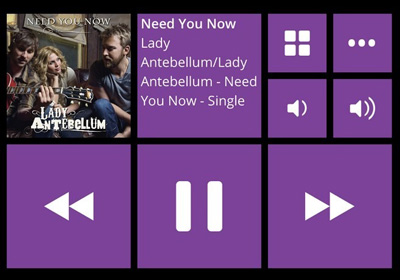
The Modern UI offered by Windows Phone and Windows 8 is not just aesthetically unique; it also makes it really easy for users to navigate between different apps. After all, it is always more convenient to tap or click a tile, rather than a small icon. You might not be in favor of having Modern UI for the entire OS but in some apps, it can undoubtedly be of use. One can certainly make a strong case for feature-rich music apps, but when you are driving or just aren't in the mood for navigating through a myriad of options to start listening to a song, a music player with a Windows Phone-like interface might be just what you need. Stezza is a music app for iPhone and iPod touch devices aimed at providing users the best way of enjoying their song collection, especially while they are driving or are busy elsewhere. Read More

Add Windows 8 Start Screen-Like Metro Tiles To Desktop Using XWidget

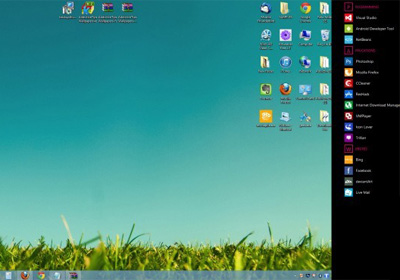
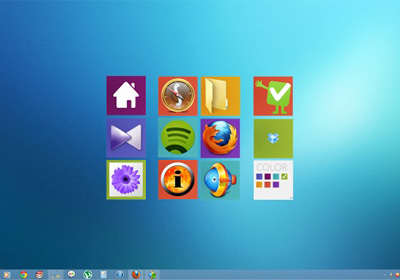
XWidget is quite a popular application that lets you add some extraordinarily beautiful widgets to your desktop screen, similar to Windows Vista’s gadgets. You can customize the widgets in a lot of ways. Although it includes some preinstalled widgets out of the box, you can download and use a truckload of additional ones developed by XWidget’s user community. One such widget that I recently came across is Windows 8 ShorCut Small by Ubeto. It lets you add Windows 8 Start Screen-like tiles to the Desktop, and can especially compliment your setup if you have followed our guide to give a Modern UI makeover to your Desktop. Read More

Firefox Nightly 21 Brings Modern UI App To Windows 8

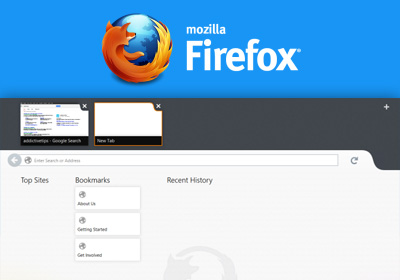
Mozilla promised a Windows 8 Modern UI Firefox app and it’s now available on the Firefox Nightly channel. The Nightly channel is Firefox’s experimental version for the very latest but potentially unstable releases, which means a stable version of the Firefox Modern UI app will not be available for a while till everything is completely sorted out. Developers and anyone just generally curious on what the app will look like can download the Nightly build now. The Modern UI app is low on features at the moment, thought the desktop version is fully functional. In its present state, it is much like Internet Explorer 10 in Windows 8, which has both desktop and Modern UI versions working independently of each other. Read More

Easily Adjust Windows 8 Modern UI Display Scaling With Metro Scaler

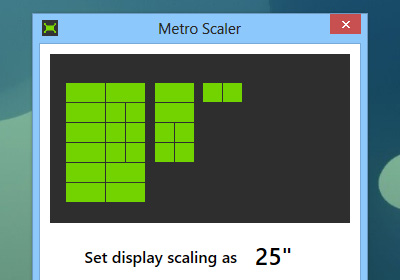
The Modern UI of Windows 8 and RT is probably the most talked about feature of the OS to date, being both lauded and loathed by the users and developers community. All the love and hate discussion aside, a great thing about Modern UI is that it’s optimized really well for all kinds of display resolutions. If you own a large display, you will be rewarded with an increased number of tile rows on the start screen. Likewise, on smaller screens of tablets, notebooks and small ultrabooks, the number of tile rows in Start Screen automatically shrinks to fit the screen size. Though if you want to manually increase or decrease the scaling of Modern UI, there's no default option for that. Fortunately, we now have Metro Scaler - a portable app that lets you adjust the scaling size of the Modern UI part of Windows 8 according to your liking. Read More

UC BrowserHD: The Best Modern UI Web Browser For Windows 8 & RT So Far

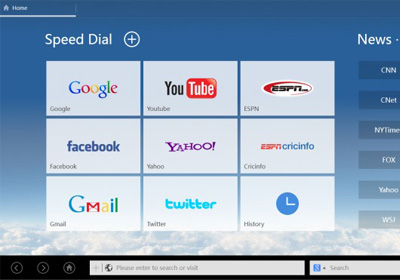
Ever since I got my Surface tablet, I’ve yet to come cross a decent web browser on Windows Store. Even though Microsoft has bundled Internet Explorer with both Windows 8 and RT, it doesn’t stand a chance against the likes of Mozilla Firefox or Google Chrome, both of which have yet to bring their Modern UI apps to the Store. Browsing through Windows Store to fight back my hard luck, I stumbled upon UC BrowserHD and couldn’t wait to give it a try. Already a big name on Android and other mobile platforms, UC BrowserHD does full justice to the Modern UI, and boasts a myriad of features that would leave anyone impressed, including smooth web browsing, bookmark syncing to the cloud, multi-tab support for simultaneous browsing, and an interesting speed dial feature to quickly access your favorite websites. Read More

How To Remove All Stock & 3rd Party Modern Apps From Windows 8, RT

Microsoft Surface with Windows RT has been shipped in two versions: 32 GB and 64 GB. However, due to reserved space for recovery tools, Windows RT itself, and some pre-installed Modern UI apps, the storage space actually usable is quite low - only 16 GB in the 32 GB version, and only 46 GB in the 64 GB variant. While some of the installed apps such as Mail and People can be quite important to many, there are others that you might never use, specially when more and more good quality third-party alternatives are coming out in Windows Store. While you can't do anything about the space consumed by Windows RT and recovery tools, you can clear up all stock Modern UI apps to free up some space. In this tip, we will explain to you how to clear all Modern UI apps - from just your user account or all users - using the built-in Windows Powershell. Read More

Social Tiles For iOS Is A Modern UI Pinboard For Twitter Profiles & Facebook Pages

Some apps don’t do much, but are so good-looking that one just gets lured into use them once in a while based on their looks alone. Social Tiles might appear to be one such app at first, but there is more to it than a shiny interface. If you are the admin of a Facebook page or just want to keep an eye on the popularity of your Twitter profile, Social Tiles can be of use. The app lets you pin any public Facebook page or Twitter profile to its home screen, where you will be shown stats portraying the account’s fame. There is no limit on the number of accounts that can be monitored via Social Tiles, and the best part is that you don’t even need to sign in to your account to use the app. Social Tiles can also offer some really good quotes that can be shared to your social network accounts with a single tap. Read More

Tile Launcher Brings The Windows 8 Start Screen To Android

Android is all about customization. From widgets and wallpapers to locks screen, custom ROMs and what not, purchasing an Android device puts hundreds of customization options at your disposal. Unlike most other operating systems, Android even allows you to customize its home screen interface itself in form of custom launchers. Previously, we have covered a wide array of Android launchers and today, we have another one for you - Tile Launcher. Based on Android 4.2 Jelly Bean’s native launcher, Tile Launcher brings elements of the Windows 8 Modern UI to Android in a fast and minimalistic package. Tile Launcher is currently in early BETA and doesn't contain as many options as you’d find in other insanely popular launchers such as Apex, Nova, GO Launcher EX, etc. However, it provides a fast and snappy user experience that favors speed over number of features. Read More

MetroTextual Is A Minimal, Elegant Text Editor With Syntax Highlighting

If you’re a programmer, web developer or even a casual user looking for a simple and minimal text editor that keeps the UI out of your way while writing code or plain text documents, Metrotextual is worth giving a shot. This easy-to-use text editor lets you do all your coding in an aesthetically pleasing interface that is bound to make you ditch notepad for good. While it is not exactly a very feature-rich program, that’s exactly what it boasts; lightning fast performance over number of options and no compromise on minimalism. In addition to being a basic text editor, the application can come really handy for software developers due its Scintilla-powered syntax highlighting for several programming, markup, scripting and database query languages. Read More

SketchBook Express For Windows Is A Great Modern UI Microsoft Paint Alternative

Yesterday, we covered a feature-rich image editing app for Windows 8 called Fotor that provides users with Instagram-like filters, borders and effects to make your images look like they are professionally shot. While it's a great photo editor, Fotor does not let you create any art on a blank canvas or provide you with brushes and other similar paint tools. Today, we have a Windows Store app that fills this void and provides you with different brushes and tools to create professional style drawings and paintings. The collection of different types of brushes offered by Autodesk SketchBook Express, such as Pen, Pencil, Paint Brush, Fill Tool, etc along with a color palette and different sizes for each brush makes both casual and serious drawing a lot of fun. Moreover, the mirror mode offered by this Modern UI app lets you mirror everything you draw or paint, both horizontally and vertically, allowing you to create beautiful mirror paintings and drawings. Keep reading to find out more about SketchBook Express. Read More

Rowi Is A Simple Yet Elegant Twitter App For Windows 8

Without a doubt, Twitter has become the undisputed leader in the world of microblogging. Since social integration is one of the key elements of Windows 8 and RT, having a dedicated Twitter app on board makes a lot of sense. We have covered plenty of Twitter apps sporting the new Modern UI including Tweetro and MetroTwit and today, we are sharing with you yet another one called Rowi. The app allows you keep a tab on the latest tweets, mentions, messages and followers on your Twitter account in an amazingly fluid UI. Read More

Launcher8 Is A Great Windows Phone 8 Style Android Launcher With Live Tiles

In LauncherWP8, we found a very effective solution to give your Android’s home and lock screen a Metro Modern makeover. Seems like our beloved launcher has just got some serious competition, as the QiHang Dev Team has just released a similar alternative to the Play Store by the name of Launcher8. Filled with Windows Phone 8 style Modern goodness, Launcher8 is a free Android home and lock screen replacement app that pips ahead of the aforementioned alternative in a number of ways. For instance, it sports live tiles for contacts as well as Gallery photos. It also has a dedicated lock tile to help you quickly lock your device without requiring to reach for the power button. Unlike LauncherWP8, this app allows you to switch the app drawer between list and grid views, and offers as many as four different themes for the lockscreen. Launcher8’s home and lockscreen is customizable in a number of ways, and to top it all, you can backup and restore the app’s themes, complete with your custom alterations. Read More

Shop At Amazon With The Official Windows 8 App

The story behind Amazon stretches back to the mid 90’s when only a select few used this electronic medium for their purchases. It's an altogether different story now, as this E-commerce giant has become the world's largest online retailer boasting a massive product portfolio in its arsenal. The latest offering from Amazon is the brand new Amazon Windows 8 app. This Modern-UI app caters to Windows 8 and Windows RT users want to browse through Amazon's huge product catalogue and shop the products without launching the Amazon website in a web browser. It allows you to sign in to your Amazon account, browse products, and make purchases right from the app itself, in a completely metro environment. Read More

Get Breaking News Of Your Favorite Sports With Official ESPN App For Windows 8

All around the year, sports fans are kept engaged with their sports, leagues and clubs such as NFL, NBA, MLB, NHL, NCAAF, NCAAB etc. Each one of these has their own loyal fan following and attracts a considerable number of people. The more fortunate fans get the opportunity to witness the action live in the stadiums; however, those who miss the live action can get their fill either by watching the replays, or just checking out the scores and reading about the exciting moments in the game. You can turn on your television and wait for the news regarding your favorite sports to be broadcasted, or just log on to the internet and search for whatever you need. ESPN is a name every sports fan is sure to recognize. Its extensive coverage of all sports in different forms including television, podcasts, and website content make it one of the most popular sources for everything sports. Today, ESPN has released its Windows 8 app that lets users browse through all the information available on the ESPN website in a Modern UI interface. You can read the leading articles, view latest scores, watch videos and photos related to different sports events, listen to podcasts and much more. The app also syncs with your myESPN account to offer you a completely personalized experience and allows you to share your favorite sports highlights with your friends. Read More

Run Modern UI Apps Within Windows 8 Desktop With RetroUI Pro

Up until now, the Start Screen replacement apps we reviewed for Windows 8 – including the ever popular Start8 from Startdock, or the more feature-laden Classic Shell – simply restore the Start Menu in Desktop mode. RetroUI Pro (previously RetroUI) is a similar application that does not merely reinstate the Start Menu, but it also keeps it persistent even in Start Screen mode. After its latest update, it now allows you to run Modern UI (Windows Store) apps in windowed mode, i.e., within the desktop environment. RetroUI packs in a plethora of features that we haven’t seen in other Start Menu alternatives. For instance, it features a TabletView window that provides quick access to some of the frequently used apps and allows you to pin your own apps and webapps of choice there too. Since it’s a paid app, we’d put it up against Stardock’s variant i.e. Start8. Read on to find out if it successfully knocks out the competition. Read More

How To Disable “Drag To Close” For Modern Apps In Windows 8

Windows 8 includes a lot of changes in the way apps are handled. Since the OS is created for both tablets and PCs, some of the UI enhancements are suitable more towards a certain device. For instance, in order to close the apps, there is no longer the famous “x” button. Instead, you have to grab the app from the top and pull it down to close it. Another major change in Windows 8 is that desktop also works as an app. So, you can close the desktop app in the same way (by dragging from the top). It is possible to close it accidentally, say, when you quickly drag your mouse to take a screenshot. In this post, we will explain how to disable the "drag to close" feature of Windows 8 to avoid accidental closure of apps. Read More

Windows 8: Enable Flash On Any Website In Modern Internet Explorer 10

A few weeks ago, the Internet community discovered that the “Modern” version of Internet Explorer 10 would only run Adobe Flash on specific websites handpicked by Microsoft. The reasoning behind this is understandable: the Modern UI Internet Explorer 10 is to run on Windows RT tablets like Microsoft Surface, and Flash was never really made with touchscreens in mind, so Microsoft’s engineers went through hundreds of websites to determine which offer Flash content that works fine on a touchscreen and doesn’t affect battery life. Read More

Create A Grid Of Custom Windows 8 Start Screen Tiles Out Of Any Image

A lot of us have condemned the usage of Start Screen, which has pretty much dominated the Windows 8 UI, although, sooner or later, we will have to embrace it anyway. Start Screen lets you pin apps, folders, webpages and other items right up front, for quick and easy access. Items that are pinned on the Start Screen appear as tiles – both static and dynamic – depending on the tile’s nature, which you may rearrange and even categorize in groups. To me, Start Screen has brought that svelte feel to the OS itself, since I always fancied the same look on Windows Phone devices. However, there is no way to add custom tiles to it for, well, any particular aesthetic reasons. Custom Tiles Maker (available at Windows Store) is a slick new app that allows you to create custom tile grids. You can create various tile arrangements from your favorite images, and pin these tiles to the Start Screen. Read More

Multimedia 8: A Feature-Rich Replacement For Native Windows 8 Media Player

There’s been a lot of discussion regarding how Windows 8 would end up as an entertainment platform. Since a media player is a keystone feature of any multimedia device, Windows 8 ships with one too (following the usual Windows Media Player norm from previous iterations). However, this time it also comes with a brand new Modern UI styled media player, even though it isn’t something astonishing. If you fancy the new Modern UI and find the default media player quite primitive for your taste, then Multimedia 8 is probably what you’re looking for. It’s a Metro Modern app that is more than capable of satisfying all your multimedia needs, and supports playback for both audio and video files. It also allows you to select from among a slew of different themes, play media files in loop, enable subtitles and trim down your favorite audio/video sections from within the player. Furthermore, Multimedia 8 contains an integrated audio and video recording feature. Read More

Browse Reddit The Windows 8 Way With Narwhal

So you like lots and lots of cat pictures, right – and dog pictures, too? You may not know (or maybe you do), but Reddit is supposedly the only place where you’d find plethora of cats and dogs pictures, and a mix of other hilarious stuff. If you’re on Windows 8 and you can’t resist using Reddit - and you also like to stay within Metro the Modern UI - then Narwhal is probably what you need. It’s a Windows 8 Reddit client that lets you browse through your Reddit subscriptions and brings all your subreddits to the front page. It fully supports both tablets and desktops, the latter of which can be controlled using the mouse. Interestingly, Narwhal lets you browse the Reddit feeds even without a user account, but if you have got one or even multiple accounts, you may simultaneously handle them all, too. Continue reading for more details. Read More