RockPlayer2 Comes To Android; Offers A Sleek UI, WiFi Media Sharing & Online Streaming

It’s been quite a while since RockPlayer2 was made available to iOS users, and now it’s time for Android fans to enjoy the revamped version of one of the most feature-rich cross-platform media playing and streaming apps for smartphones and tablets. RockPlayer2 has just been released to the Play Store with a completely redesigned UI and a whole bunch of powerful features including universal media format support, wireless media sharing across devices via RockShare, the reinvented seek bar (aka FreeSeek), native UPnP client, improved media file management, subtitles support, HDMI mirroring, fully customizable control bar, and various gesture to control media playback on your device with minimal effort. All in all, it’s a massive update considering the significant changes in terms of the revamped UI as well as the new features. Read More

Toones Is The Simplest Gesture-Based Music Player For iPhone

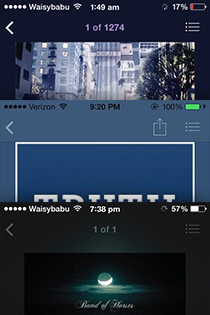
As evident from the interface of successful apps like Clear and the new Google Maps, simplicity is a trait greatly admired by iOS users. When it comes to music players, you can find a lot of feature-rich ones in the App Store but once again, the apps that have a minimalistic interface and easy navigation options rule the roost. About a month ago we covered Tunebooth, an iOS music player that had an uncluttered interface and lots of gesture controls. Although there is not much wrong with that app, you might not find it fit for daily use due to the amount of time required to master all of its controls and features. Toones, on the other hand, is a minimalistic music player for iPhone that has just the right number of gestures for easy playback control without getting too intimidating for users. The interface looks good with emphasis on album art, and everything about the app works like a charm. Read More

Last.fm’s Scrobbler Is An iOS Music Player With Recommendations & Smart Playlists

There was a time when Last.fm ranked very near the top of the list of music discovery services, but times have changed and now it faces some stiff competition. Maybe that is why the team behind it is looking to expand the service’s horizon, and have come up with Scrobbler for iPhone and iPad. Scrobbler is a standalone music player that offers recommendations based on your personal music collection. As apparent from the app’s name, everything you listen to can be shared over your Last.fm page. The interface is pretty decent, with tons of album art automatically available for all artists and albums. If you have always been too lazy to arrange your music collection into playlists, Scrobbler will solve this problem too, thanks to its ‘Smart Playlists’ feature. Read More

[Giveaway] Hypegram: Stream Unlimited Songs Gathered From Music Blogs

A big music appetite is hard to satisfy, but if your taste in music isn't particular to a specific genre, or you  find online radio stations from services like Pandora or Grooveshark aren't picking the right kind of music, try Hypegram. Hypegram is a  $4.99 Mac and Windows app that allows you to search for and listen to unlimited music. The app is essentially a client for music blog aggregation and discovery service Hype Machine. It allows you to follow blogs and view music selections from them. The app differs from other online music services because the music is selected by people and instead of following radio stations for a particular artist, you can follow music blogs. This gives you a larger variety of music to listen to. You aren't restricted to a particular genre, and you can refresh the app to get a new playlist each time. Songs can be favorited and purchased on iTunes. Read More

GOM Audio Is A Light Music Player With Themes & Web Radio Streaming

If you love testing out media players like me, then the name GOM Player would probably have crossed your path. It’s an excellent multimedia application that proudly stands amongst the likes of VLC Player, KMPlayer and Media Player Classic, to a certain extent. The folks behind GOM Player have recently released another media player labeled GOM Audio that, as its name suggests, is targetted targeted towards audiophiles. Although it’s not as feature-laden as other audio players (none have pulled me away from Winamp or iTunes so far) it’s a nice, lightweight package with a compact design and some really impressive features. For instance, features like multiple skins, internet radio streaming, A-B repeat, varying playback speeds, plugins support and a comprehensive equalizer are nothing short of praiseworthy. Does it fair well against rivaling apps? Read on to find out! Read More

Tunebooth Is A Gesture-Based iPhone Music Player With Built-In Theme Editor

The iTunes App Store offers enough variety to provide you with a new music player every day of the year, but it’s all about finding the one that suits you most. Tunebooth is one that is as different from the stock Music app as any music player can be. The app has gesture-based controls and an interface that, though more befitting of a Windows 8 app, looks and feels great. Additionally, the app handles playlists better than any iOS music player we have come across till now. Read More

CarTunes Is A Gorgeous, Gesture-Based Music Player For iPhone & iPad

A lot of iOS apps have been successful just for their looks and novelty factor, but if an app combines a good interface with some useful features, people are sure to love it. The stock Music app in the iPhone and iPad is sufficient for most users, but if you don’t want something extra out of your iDevice, what’s the App Store for? CarTunes is not one of those music players that are full to the brim with unnecessary features and useless UI elements. The app is beautiful, but in its own simplistic way. The main focus in CarTunes is on gesture control. It allows you to control your whole music library in any way possible via just a few simple gestures. The app supports the displays of iPhone 5 and the new iPad, making it the perfect music player for all iOS users. Read More

Play Music From Your Personal Cloud On The Go With Style Jukebox For Android

Style Jukebox is a popular cross-platform media player for Windows, web and Android that allows real-time syncing of your personal media (music and video) files, playlists and settings across multiple devices via its dedicated cloud service. It requires just a valid Style Jukebox account and, of course, internet connectivity to get yourself connect you to your cloud storage, and automatically have all your preferred content synced across various connected devices. The desktop app of Style Jukebox has been around for quite some time now, and as our review indicates, it was initially available as a gorgeous-looking media player only. However, the official Android app of Style Jukebox has just been released to the Play Store, bringing with it the option to access and manage your personal cloud content on-the-go (Update: Now available for iOS as well). In addition, the app happens to be one slick music player that lets users listen to local music tracks, create custom playlists, manage cloud syncing & storage preferences, sift through their music library in multiple ways, and enjoy hours of seamless local and online music playback on their Android. Read More

Espera: Windows 8 Metro Inspired Music Player With Party Mode

Windows 8 launch is just around the corner and various Metro ‘Windows 8 UI’ inspired apps are already making their way into our PCs. Even though the Redmond giant has promised to launch a full blown Windows Store with the new OS, akin to what Apple has been doing for quite long via Mac App Store, open source community is one of the most convenient places to download applications without paying a dime. Today’s Windows 8 UI-esque recipe is a music player called Espera. It’s an open source app that seems to be carved directly out of Microsoft’s next major operating system release. Along with being a decent music player, the application is designed to stream YouTube videos (provided you have VLC media player installed on your computer). The keystone feature of the application is its Party Mode, which allows you to lock various user interactions with the player itself, a feature that can be used amidst dance parties so no one can alter your music library and/or delete your playlists. The user-interface is very minimalistic, and admittedly, the application as a whole still seems to be a work in progress. More to read after the jump. Read More

Tomahawk: Powerful Cross-Platform Music Player With Online Streaming

In the world of music, incredible things keep on happening. Some drive in through technology, while others may come from innovative ideas from the open source community. One groundbreaking effort is made by the folks behind Tomahawk. On one side, it’s a beautiful looking music player to enjoy your local music collection, just as you’d expect from Winamp or iTunes. On the other, and which actually makes it stand out from the crowd, it’s an online music streaming application that sanctions you and your friends to enjoy the same music, at the same time. It is a cross-platform, open source application, which supports various Content Resolvers – Tomahawk plugins, to be more accurate – that help you instantly search music from supported services, including Spotify, SoundCloud, YouTube, Last.fm, Jamendo, Grooveshark, Dilandau, 4Shared and so on. It’s celestial feature is that it allows you to subscribe all these services from a single place, right on your desktop. It even lets you connect to your Twitter followers and Google Talk friends for instant collaboration of music. Whenever you search for your desired song, Tomahawk uses a combination of subscribed Content Resolvers, in order to make your songs readily available, so you can stream it just like you’d stream music from a P2P client. Read More

Groove 2: Rediscover Your iPhone Music Library, Get Missing Album Art & New Mixes Of Favorite Songs

Unless you pay particular attention to it, the Music app in iPhone and iPad can be a real mess. A lot of songs have their album art and artist info missing, while the alphabetical arrangement of tracks might lead the user to completely forget about some decent songs. Groove 2 is an app that addresses all such pesky music-related issues. The app is just another iOS music player on the surface, but once you start using it, Groove will take care of just about everything that has got anything to do with your iPhone or iPad’s music library. The album art and other song information will be fixed, you will be able to learn more about your own music collection, and on top of all that, the app can create smart mixes of songs and artists that you like! Read More

AUPEO! Radio: Intelligent Music Discovery & Streaming For Windows Phone

Fans of music streaming services and online radios have got access to a few decent apps on Windows Phone 7, but the absence of giants like Pandora means that the Mango platform still has a long way to go. Having said that, another way of looking at the situation could be that the Marketplace has a vacuum that can be filled by any good app released for music streaming and song discovery. Many people are already saying that AUPEO! Radio can prove to be the app that makes all Windows Phone users forget all Pandora. For one thing, AUPEO is not limited to US only, and works around the world. In addition to that, you don’t need to sign up for any account if you want to stream music. The app supports an amazing number of genres and subcategories, and if you like any song in the radio, you can purchase it for offline playback via Amazon store. AUPEO! is intelligent enough to learn from your music history, and will play songs according to your taste after a while. Read More

Music Player That Connects With iTunes & Tweets The Songs You Listen To [Mac]

Both independent media players, and those that work with your iTunes library, focus on making it easier to listen to your music. Free apps that you find in this regard are functional, but the interface is rarely good, and when you pay for such an app, you will get a few more features and a shinier interface. MUSIC Pub is a Mac app that is available in the Mac App Store for $4.99 (definitely on the pricier side) that is a music player built for your eyes. The app plays audio from music and video files in your iTunes library, and at the core, is an alternative controller for iTunes. Its interface, however, is what sells it. Unlike your typical player that rests in the Menu Bar or is a boring window, MUSIC Pub looks like a tall glass of foaming malt (or beer, or whatever). Shaped like a glass, the music player cleverly uses its aesthetics to incorporate its functions, which include a rating system, play/pause, next/previous song, volume, lyrics panel and Twitter controls. Read More

Stoffi: Minimalist Music Player With A Windows Explorer-Like Interface

Music players come and go, but only a few ones actually grab users' (and our) attention. One such that crossed my way is Stoffi Music Player. At first glance, it would seem just another music application boasting features that are already found on other popular media players, but oh boy, was I wrong! Three things define Stoffi’s persona; minimalistic interface, instant access to everything and ease-of-use. The application’s GUI itself is a perfect example of the developer’s fondness to Windows 7. Although open source, the application is perfectly integrated with Windows 7, where its interface is not the only thing that seems to be carved out of Windows itself, but the application makes full use of Jumplist and Taskbar for instant navigation. Stoffi not only lets you define custom hotkeys, but also, you may use hotkey profile presets from other music players, such as iTunes, MusicBee, VLC, Banshee, Foobar2000 etc, should you make a switch. There’s an iTunes like Genius feature, too, called Random playlist, which instantly generates a playlist by randomly selecting soundtracks. What’s more, the application has a system tray icon to Play, Pause and jump to Next, Previous tracks, along with visual notifications. Read More

Amazon Cloud Player Comes To iOS; Now Stream Music From The Cloud On Your iPhone

Amazon Cloud Player caused quite a stir when the service was announced for the web and Android last year. Since then, the online music storage and streaming service from Amazon has received favorable reviews from users all around the US, which is perhaps why Amazon has finally decided to increase its userbase beyond the aforementioned platforms to iOS. We know that it is said about a lot of apps out there, but Amazon Cloud Player really does have the potential to give iTunes a run for its money (as a music management tool). Just like the Android app, the iPhone version of Amazon Cloud Player comes with a full-featured music player that can be used to create and manage playlists as well. However, the killer feature offered by the app is its Amazon Cloud Drive integration. You can easily transfer songs from your PC or Mac to your iDevice via the Amazon Music cloud service. Not only that, you can even choose to stream music from your cloud storage to your iPhone without having to download anything, and the app comes with Bluetooth support, making it a true match for the stock Music app. Read More

DjRun Automatically Plays Songs With Tempos Matching Your Walking Pace [Android]

Tired of manually switching between music tracks to pick the ones that match your sprinting, running or jogging pace? Try DjRun – an innovative Holo-themed Android music player that can automatically play a track whose tempo (beats per minute) matches the pace of your current body movements. The app has the capacity to analyze and automatically select music tracks by their tempo to let you enjoy an uninterrupted walking, jogging, running or sprinting session, at least in terms of music playback. DjRun scans your local music library for all tracks according to their respective beats per minute, and then analyzes your current stride rate to keep circling between songs as per your movements. Already impressed? DjRun is laced with plenty of other goodies, including a built-in pedometer, playlist manager, track filter, visual indicator for current pace and lots more. Read More

jetAudio Brings Powerful & Customizable Music Playback To Android

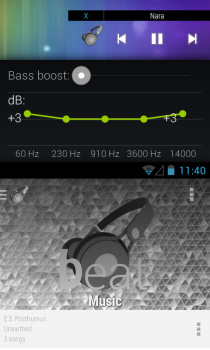
When talking of some of the most feature-rich and widely-used desktop audio players, jetAudio undoubtedly ranks very high on the list. If you’re an Android user, you’d be thrilled to know that Cowon, the company behind jetAudio, has just rolled out the Android variant of jetAudio in the Google Play Store, and it looks quite a handy prospect. Laced with a rather extensive set of features, and supporting almost every known audio file format (including MP3, WAV, OGG, FLAC, M4A, MPC, TTA, WV, APE, MOD, SPX, AIFF), jetAudio vows to be the one-stop shop for all your audio playback needs. The main interface of the app follow a simple design, and presents you with the option to explore your music tracks by artists, albums, songs, folder and playlists. The interface of the music player itself is arguably one of the best and most user-friendly that we’ve seen on an Android device. Read More

Enjoy CM9′s Apollo Music Player On Any Device Running Android 4.0 ICS

The Holo-themed default music player of the CyanogenMod 9 custom ROM for Android is quite a polished and feature-laden app that we’ve already looked at in detail. Based more or less along the same lines, Apollo Music Player is a brand new music player that comes bundled with the Nightly builds of CM9 as the ROM’s default music app. Here’s some good news for all Android 4.0 (or higher) Ice Cream Sandwich users. Apollo Music Player is now available for download on any device rocking an ICS-based ROM, and like the default CM9 stock music app, this one, too, doesn’t require your device to be rooted. Among other changes, Apollo Music Player sports a white theme by default, as compared to the sleek black theme that we saw with the previous app. There are quite a few other subtle, yet much sought-after features, which part Apollo from the ex-CM9 default music player. Read More

TimeTask: Task Manager With Built-In Music Player, Shutdown Timer & File/Application Launcher

With each passing day, the pace of life is increasing all over the world for most of us. Compared to our ancestors, we are required to perform a lot more in much less time. With so many things to do in a day, one sometimes forgets about the all the tasks one has to perform. Nowadays, it is almost a must to have a good task reminder to help you remember and manage yourself efficiently. We have covered some very good task managers for both Windows and Mobile platforms, such as Conqu (reviewed here) and Concenturio (reviewed here). Today, we have another task manager called TimeTask that combines the features of a task manager, music player, shutdown timer and timed application launcher. More on TimeTask after the jump. Read More

TikTok For iPhone & iPad Lets You Design Your Very Own Alarm Clock

The stock Clock app in iOS is pretty neat, and serves its purposes without many frills attached. You can use it to simultaneously view accurate time updates from several places, and set up alarms. Having said that, there is no way of changing the interface of that app, and users are bound to get bored of waking up to the same old sound again and again. This is where TikTok can help you. This beautiful app for iPhone and iPad comes equipped with an impressive array of options related to time and alarms. It is a complete replacement app for the stock Clock in iOS, and brings a slew of new features to the mix as well. The app has quite a lot of beautiful clocks within, and if those aren’t enough for you, it is possible to design one of your own! TikTok also allows its users to set the music from their device’s library as their alarm tone. The app has a pretty decent music player, whose best feature is to automatically turn off music at any predefined time. Read More