Get A “Now Playing” Alert From iTunes In Notification Center

A while back, we covered a little tip for viewing song alerts in the iTunes Dock icon. As useful as that tip is, with Mountain Lion’s Notification Center, alerts are handled differently. iTunes has been left out of though; with the release of Mountain Lion, there was no update for the iTunes app that would allow it to send alerts to Notification Center. iTunification is an app we covered that made up for this, but there were two problems with it. The notifications did not show up under iTunes in the Notification Center panel, and you also had an unnecessary icon in the Menu Bar. Working around both these problems is Now Playing, a free Mac app that does everything iTunification does, but without the Menu Bar icon. The alert you see when a song changes and the app’s notification in the side panel are also better, carrying no name of the app itself. Read More

iTunification Gives You Notification Center Alerts For iTunes [Mac]

iTunes is a fully functioning media management suite, but the rate at which apps are being developed that let you control iTunes from the Menu bar, it seems we may as well forget the whole idea of having an app and just stick with something in the Menu Bar. That isn’t possible, however, since iTunes is more than an ordinary app that plays media files. What’s surprising is that, while there are a slew of apps available for controlling iTunes from the Menu Bar, Apple itself seems to think the minimized iTunes player is all that’s needed and has neglected to add, for instance, Notification Center support for iTunes. iTunification is a a free Mac App that makes up for this. Since iTunes does not support a notification system, this isn’t a question of re-routing Growl alerts to the Notification center. The alerts have to first be generated through a system and then sent to Notification Center, and iTunification does both that. The app also has a ‘Do Not Disturb’ mode that lets you turn it off temporarily. Read More

6 Handy Tips For Mountain Lion’s Notification Center

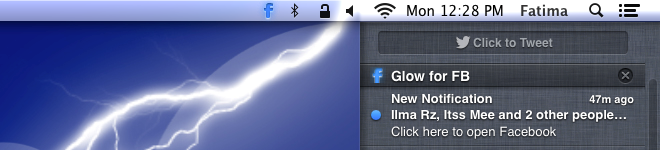
Notification Center has been one of the most impressive features in Mountain Lion, and undoubtedly, having that panel on the side makes it much easier to view multiple notifications. It’s very likely that this side panel that allows you to Tweet and view alerts from other apps might just be the difference maker between Growl, a popular third party app that largely took over notification management for apps in Lion, and itself. For those of you who are benefitting from the use of this feature, here are 6 little things you can do with it. Read More

Hiss: Reroute Growl Alerts To OS X Mountain Lion Notification Center

Mountain Lion’s Notification Center is one of the features that’s commanded a lot of attention and very little critique, if any at all. It’s also the feature that had everyone saying Growl, the popular notification app for routing and unifying notifications in OS X, would go the way of the dinosaurs. What some people forgot was that not all apps would be compatible with Mountain Lion, and not all developers would make supporting the notification center their top priority. That means for those who have upgraded to Mountain Lion, they now have two different kinds of notifications to watch out for. Hiss is a free app for Mac (Mountain Lion only) that makes the transition easier. It re-routes notifications that apps usually send through Growl, and displays them in the Notification Center panel. The slight downside is that unlike the stock apps that classify the notifications by the app name, all notifications are listed under Hiss. Read More

How To Get iPhone Notification Center Widgets Without Jailbreak

For everyone who has used SBSettings and other similar jailbreak tweaks, it is usually difficult to imagine having a convenient life on iOS without access to the famous Cydia store. Non-jailbroken iPhone and iPod touch devices do have weather and stocks widgets in Notification Center, but these just whet the appetite of iOS users, giving a glimpse of the full potential NC has to offer. On the other hand, jailbreaking your iPhone is sure to decrease the stability of your device, while also voiding its warranty. Won’t it be nice if there was some way of getting the best of both worlds and having widgets without jailbreaking? Well, Speed U is an app that offers the closest alternatives to NC widgets for all iDevices, whether they are jailbroken or not! Thanks to Speed U, it is possible to pin shortcuts for calling or texting anyone, launching an app, turning on your device’s camera LED so that it can be used a flash light and much more. Read More

Change The Notification Center Background In OS X Mountain Lion [Tip]

Notification Center is one of the highlights in Mountain Lion, and it is a direct adaptation of the same feature from iOS. The execution is spot on, but you will see a rather familiar background in Notification Center; the very same grey linen background that was previously used in Dashboard, and is still used in iOS. Not many users felt enthusiastic about the said background in Dashboard, which could easily be changed with tweaking tools or from within the system files. It might not have mattered much though since the Dashboard can be disabled and few people use it; however, the Notification Center is an entirely different story. It can’t be disabled, and it’s also incredibly useful, which means you will be using it even if bleeding kittens are in the background. This post describes how you can change the Notification Center background easily for one that appeals to you. Read More

Maximization Lets You Force-Run Any iPhone App In Full Screen Mode

Although the screen size of iPhone has always been kept rather small by Apple in order to keep one-hand usage possible at all times, there are still a lot of people who aren’t fans of the iPhone’s diminutive display dimensions. When you have got a smartphone with a 3.5-inch screen, every little area of the display becomes important. So, it is quite understandable if some users are disappointed when any app does not take full advantage of the available screen area by refusing to run in full-screen mode. Admittedly, nothing more than the status bar remains visible at the top of the apps that don’t support full-screen mode, but why even have that? Maximization is a new Cydia tweak that allows users to make any app (stock or third-party) run in full-screen mode, without the status bar ever getting displayed! Not only does the app give you the choice to select the apps that will be affected by Maximization, it also adds a battery percentage and time display to the Notification Center grabber, so that you don’t have to come back to the Springboard just to see the time. Read More

Search For Cydia Tweaks From Within iPhone’s Notification Center

At times, jailbreak users just have to wonder that how anyone can survive on iOS without access to the Cydia store. Cydia tweaks, apps and themes play an important role in the lives of countless people who own jailbroken iPhone, iPad or iPod touch. Although there is a lot of quality content available in the jailbreak store, this is not the only factor that makes Cydia so useful for such a diverse range of users. It’s the sheer number of items present in the Cydia store that ensures there is always something there for everyone. The jailbreak store does have its fair share of annoying nuisances, like the fact that you have to wait for it to refresh every time it is launched, but overall, people tend to love it. Although Cydia provides its users with so many useful tweaks, when you come to think of it, there aren’t too many of them that enhance the store itself in any way. This is what makes Cydia-SearchNC a noteworthy release. This Notification Center widget will let you search the jailbreak store right from within the NC on your iPhone! Read More

Now Playing For NC: Control & Tweet Music From iOS Notification Center

The stock Music app in iPhone and iPad is something that Apple has got absolutely right. It does not have too many options, which helps in keeping things elegant and simple, and on the other hand, it has all the features that are enough to ensure that most users don’t need any third-party app to play their favorite songs. Music controls are pretty thorough too, and users aren’t restricted to the in-app controls to navigate between tracks, thanks to the presence of these controls on the lockscreen and in the App Switcher tray (not to mention the earphone buttons). Now Playing for Notification Center is a tweak that provides users with yet another option to control their music, adding some pretty cool options of its own to the mix as well. Via this Notification Center widget, you can change tracks, rewind, forward, pause or play them, and there is also the Twitter button in the tweak, using which you will be able to scrobble your music with a single touch. Read More

Task Center: Browse News Sites, Facebook, Twitter & YouTube Within Notification Center

Notification Center widgets are usually designed by Cydia developers to endow jailbroken iPhone devices with some small, yet useful, functionality. The features offered by such tweaks generally include a few Settings toggles, accessibility options or other similar functionalities. However, Task Center is a Cydia tweak that transcends this NC widget stereotype, converting your jailbroken iPhone’s Notification Center into a web browser (of sorts). Of course, you can’t key in any address using the tweak, but the predefined links that come with the widget include all the websites frequented by an average user. Task Center allows you to browse through the latest Sports headlines, news items from various sources or just your own social network (Facebook & Twitter) feeds. Using the tweak, you will also be able to watch YouTube videos without having to leave NC! Does all that sound good to you? It really is! Head past the break for details regarding Task Center. Read More

NCEffect Adds A Cool Drag-Down Transition Effect To The iPhone Notification Center

The default gesture used for launching the Notification Center on iOS devices (downwards swipe on the status bar) is a pretty convenient one, and appears to be the most natural choice for that task. As is often the case in smartphone platforms, something that is too convenient isn’t really good-looking. The swipe down gesture for Notification Center is begging to be accompanied by an animation that complements the falling down of NC, and you are sure to agree with that once you have given NCEffect a shot. This Cydia tweak adds a new animation to the process of launching Notification Center, and your Springboard (or any other app that is currently opened) will appear to buckle under the NC’s weight when you pull it down. To understand the tweak better, read on and take a look at the screenshot past the break. Read More

Get The Mac OS X Mountain Lion Notification Center On Your iPad [Cydia]

The iPad Notification Center hasn’t been able to attract as many admirers as its iPhone counterpart. Many people have issues with the NC’s size on the tablet’s larger screen. Until recently, there were similar concerns about the size of notification banners on iPad, but NCPad for jailbroken iPad (reviewed here) resolved that problem by stretching notification banners to the width of the tablet's screen. MountainLionCenter does roughly the same thing for Notification Center on iPad. It optimizes the NC for your tablet, copying the notification management system billed to be used in Mac OS X Mountain Lion. This means that once you install this Cydia tweak on your jailbroken iPad, NC will appear on the right of your screen, spanning the whole height of the display, rather than the usual half. Read More

Dictate Facebook & Twitter Updates via iPhone Notification Center [Cydia]

No one can doubt the fact that a lot of people bought iPhone 4S just because of Siri, but when you get down to it, Siri is pretty limited in many aspects. For example, it lets you create reminders with incredible ease, but if you want to tweet through Siri, or ask it to update your Facebook status for you, things aren’t all that easy. That’s why the new Notification Center widgets InstaFacebook and InstaTwitter can prove to be useful for both Siri-enabled and other iOS devices. You do not have to download both the tweaks for your device's Notification Center, but if you are a fan of both Twitter and Facebook, then you should probably give them a shot. The tweaks let you post Twitter and Facebook updates through the Notification Center of your iPhone, and if you don’t want to type anything, just hit the microphone icon and speak whatever you want to post to your social network! Both the widgets support 38 languages, and come with options to make changes to the dictated text manually as well. Head past the break for details. Read More

DoNotDisturb: Turn Off All iOS Alerts & Banners From Notification Center [Cydia]

A few days back, we covered a Windows Phone 7 Homebrew named Snotify. That app allowed users to silence the notifications on their WP7 device with a few toggle buttons. It doesn’t happen too often, but an iOS utility seems to have followed the Mango app’s example. The Cydia tweak is named DoNotDisturb, and is basically a Notification Center widget that includes a single toggle. If you switch DoNotDisturb on, all notifications on your device are immediately turned off. This doesn’t mean that you won’t be able to see notifications at all - they will still be there in the Notification Center - but all pop-ups and banners will be killed for as long as the tweak is activated. Sound like something you would want to use? Read on for details. Read More

SimpleWiFi Adds A Slim WiFi Toggle & IP Address To iPhone Notification Center

For all the SBSettings users, many of the tweaks available in the Cydia store are useless or redundant. You want to toggle off Bluetooth, Wi-Fi or your data connection? SBSettings can do that. You want to view your iDevice’s IP address or other network info? Just swipe across your phone’s status bar. However, this doesn’t mean that a tweak that performs one of these tasks is completely worthless. There are certain scenarios when SBSettings cannot come to your rescue. What if you are using an app in full screen mode? SBSettings can’t be launched there. Notification Center, on the other hand, is truly universal and can be launched from anywhere in iOS. This is what makes SimpleWiFi a useful tweak. It is basically a Notification Center widget that provides its users with a toggle for Wi-Fi, and displays the current network’s name along with your iPhone’s IP address. Read More

Disable iOS Notification Center While Running Full-Screen Apps [Cydia]

Some time back, we covered a Cydia tweak by the name of DisableNC, which allowed jailbroken iPhone, iPad or iPod touch users to avoid accidentally pulling down the Notification Center while playing games. DisableNC is basically an SBSettings toggle, which is added to the SBSettings panel, and can be controlled from there. While everything about DisableNC worked absolutely fine, it had one major shortcoming - it cannot be used for full screen apps other than games. If you are an iOS user, you must be aware of the fact that most apps work in full screen mode, and pulling down the notification center while using them is almost as annoying as doing it in games. This is why DisableNC Switch has been released in the Cydia store, which is a standalone tweak and lets its users disable Notification Center in all apps running in full screen mode. So, this implies that you don't need separate NC disablers for games and other apps, as DisableNC Switch works its magic on all the apps in your jailbroken iPhone, iPad or iPod touch. Read More

How To Prevent Accidental Launch Of Notification Center While Playing Games On Your iPhone

No one likes to be disturbed while they are annihilating zombies on their iPhone, or attacking pigs with livid birds on iPad. However, the fact remains that no matter how hard you try, there is always something ready to nag you during your game time. If not from an external source, your iDevice might decide to troll you all of a sudden. One occurrence which has annoyed users ever since iOS 5 was released is the accidental launch of Notification Center while playing games on their iPhone. Mercifully, Apple has ensured that you need to swipe down on the status bar twice if you want to go to the Notification Center while in a full screen app or game, but this only acts to reduce the probability of the release and does not end it altogether. So, if this happens while you are playing a game, it leads to a disruption of your flow, and if you are playing online, you will most probably be disconnected from the server. Finally, one developer over at the Cydia store has resolved this problem with the release of a new SBSettings toggle named DisableNC. With this tweak, you can make sure that NC never rears its rather handsome head while you are playing a game. Read More

QuickCom: Create Templates & Tweet Them From NC [Cydia]

Twitter has become a pretty important component of iOS, especially since the release of iOS 5. Another new feature which has proved to be really useful and popular amongst iPhone users, is the Notification Center, and that is why you have many Cydia tweaks combining these two aspects of iOS. QuickCom is the latest in the line of such tweaks, and it adds a shortcut to open the “Compose Tweet” box as soon as you tap it. However, there are many other tweaks available in the Cydia store which will let you do exactly that. QuickCom differs from its competitors owing to the fact that with this tweak you can define several contexts, or templates, and each time you use the QuickCom buttons, the new tweet box will show up with the selected template text already present. Read More

ClipboardEdit: Edit iPhone Clipboard Text From Notification Center [Cydia]

There are some tweaks in the Cydia store that might not be useful for all jailbroken iOS users, but might come in handy in specific situations. ClipboardEdit is one such tweak, and is the latest addition to the rather long line of tweaks which appear as Notification Center widgets in your iOS 5-supported iPhone, iPad or iPod touch.  The functionality offered by the NC widget is really simple, and all it does is to allow its users the editing of textual content on the clipboard of their iDevice. If you want to paste the text on multiple locations, and it needs to be changed slightly, then ClipboardEdit is the perfect widget to have. It can also come in handy when you have to paste the copied text to a place which does not support editing or brings up the action menu. Read More

NCSettings: Elegant System Settings Toggles For Notification Center [Cydia]

Designed to let users toggle system settings quickly, SBSettings is undoubtedly one of the most useful Cydia tweaks for jailbroken iPhone, iPad or iPod touch. The tweak is so popular that there are many others that try to emulate its functionality. It is always convenient to have an easily accessible way of using Settings without having to launch the stock Settings app, and navigating through a lot of options. With the release of iOS 5, Notification Center became the most easily accessible area of iOS, other than the Springboard. This is why the new Cydia tweak named NCSettings might prove to be an instant success among users, as it provides yet another way to bring system settings toggles to the Notification Center, and the icing on the cake is that it fits perfectly with the stock UI. Read More