Open Freely – View 100 Different File Types With Just One Application

We require installing a number of applications for opening different kinds of files. Installing too many applications can slows down system performance and can become quite a hassle to install and manage each of them. Open Freely is a standalone application which can open any kind of document, media or compressed file. Once you have installed Open Freely, you will no longer require installing any media player, image or PDF viewer, compressed archive manager, etc. Open Freely can open up to 100 file formats of variable file types, including popular images, video/audio, documents, and compression formats. Other than acting as a file viewer, it also provides a number of other features such as image cropping, document editing, file extraction and the ability to save file types in multiple file formats. Read More

Flipping Book Reader – View And Flip PDF Pages Like A Book

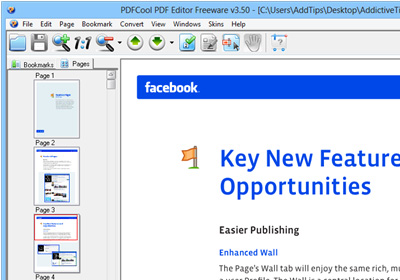
Flipping PDF Reader as the name suggests is a PDF Reader which can be used as an alternative to your default PDF Reader. It has an interactive interface where you can flip pages like in a real book. It provides a number of stylish and unique features such as the option to switch to a two page view, book shelf for all accessed documents, a thumbnail view of the table of contents, a customizable interface and the utility to scroll page up/down using the mouse pointer. Read More

Free PDF To Text Converter Extracts Text From Protected PDF Documents

Many important documents and reports come as protected PDF files. Take for example WFP (United Nations World Food Programme) or any international N.G.O. While performing research, it becomes impossible to quote or give reference to any section of the report since extracting text from such PDF files is near impossible. Meet LotApps Free PDF To Text Converter. It is a portable application to convert a single or multiple PDF documents into a simple text file. If more than one PDF document is selected, it extracts and merges the document to create a single text file. The app does not require a PDF reader to be installed on your computer and provides seamless PDF to Text conversion in a matter of seconds. With Free PDF To Text Converter, you can even extract text from password protected and encrypted PDF documents. Read More

Leaf Restores Photos To Normal On Selective Areas After Adding Effects

Many of us like tweaking our pictures every now and then by adding effects to them. Some of the most commonly used effects which are available with image editing applications include Sepia, Greyscale and Negative. While these effects can be easily applied to images, it can be hard to colorize only a selected area where effects like Sepia, Grayscale or Negative have already been applied. Leaf is an image editing application which lets you colorize only selected parts of an image with a Sepia, Greyscale or Negative effect. The first part of the process includes selecting a preferred effect followed by dragging the image over the interface. Unlike most image editing applications, Leaf allows you to first add the selected effect to the image and then to remove it from selected areas of the image. Your transformed images can be saved in PNG, GIF, JPG and BMP and PDF format. Read More

RSS Tools – Mash Feeds, Create PDFs, Count Items & Reverse Streams

There isn’t much you can do with an RSS stream except subscribe to it but should you feel the need to manipulate them per your reading habits, you can use RSS Tools. It’s a free web service that lets you change any RSS feed in five different ways. You can reverse the order of the items (instead of newest to oldest, change it to oldest to newest), Count the number of items in a feed, combine any five feeds in to one or edit any string in an RSS feed. Read More

Convert PDF Files To HTML Format In Windows, Mac And Linux

pdftohtml is an open source application which converts files from the PDF (Portable Document Format) files to HTML file format. The conversion process is performed using CLI (Windows  Command Line Interpreter). Since it does not have a GUI front end, you can perform the conversion process by specifying the path of the executable file and the PDF document. pdftohtml supports extracting images from the PDF document, complete document conversion and can also be run in debug mode. It is a cross-platform application which works on Windows, Mac, and Linux. Read More

Z-ViPrinter Creates Digitally Signed PDF From Any Application

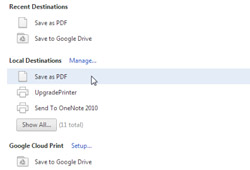
Some use Cute PDF for converting documents into PDF format. Another option is Doro PDF which allows creating encrypted and password protected PDF documents. While both of these PDF writers have very useful for converting different kinds of documents into PDF files, they do not allow previewing the document structure before conversion which often results in problems with the alignment of the newly created PDF document. Moreover, they do not provide the option to Digitally Sign PDF documents which is quite commonly used nowadays due to copyright issues. Read More

Bookmark Pages Of PDF Files In Google Docs [Chrome]

Google Docs is no doubt a great way to collaborate on documents and where it fills a huge gap by supporting multiple file formats, it does have a few shortcomings. It may be the best service to use if you’re writing a dissertation in a group but if you don’t have a PDF reader on your system and you use Google Docs to read a book, you might find it difficult to remember your place. PDF Bookmarker for Google Docs is a Chrome extension that lets you bookmark pages in a PDF file viewed in Google Docs, it syncs the bookmarks to the cloud and whenever you close and open a PDF file, the extension opens to the last page you bookmarked. Read More

Doro PDF – Create Encrypted PDF Documents From Any Windows Program

Previously reviewed Cute PDF allow you to create PDF documents from any application with a printer option, but if you need more security for a file that is to be converted to PDF format, Doro PDF Writer saves the day. It can not just convert but also encrypt and password protect the newly created PDF file. Doro PDF Writer is a robust PDF writer which allows creating encrypted and password protected PDF documents from any application with a printer option. You can configure advanced settings to manage the quality and color management of the converted document. Read More

AReader For Android – Download / Purchase, Read & “Listen To” eBooks

AReader (Android Reader) is a new, free and immensely feature-rich eBook reader for Android that offers enthusiastic readers a multitude of options in terms of supported formats (txt, ePub and PDF) and advanced reading features such as Day/Night mode, chapter-wise page selection, custom cover selection for books, TTS (Text-To-Speech) support, online eBook search, purchase/download eBooks, advanced text editing and optimal in-app customization. Designed with rich graphical interface and bookshelf style home screen, AReader makes eBook reading an enjoyable experience as you can turn the pages with a soothing flip-style effect. Browse thousands of free eBooks from online public domains and catalogs or select the best eBooks from 3rd party content providers like SmashWords, FeedBooks, Gutenberg, ManyBooks etc. You can set your own mini library within the app by adding your favorite reads to your personal collection. Read More

Open PDF, PPT & Word Files In Google Docs From Firefox Context Menu

Opening files in browsers is something that Chrome handles a little better than Firefox but the great thing about Firefox is that there will always be an extension that will replicate the best features in just about any browser and make it available for Firefox users. Open Document in Google Docs Viewer is an extension for Firefox that lets you open PDF, PPT and MS Word files in Google Docs from the right-click context menu. Read More

Add Text, Images & Form Fields To Any PDF File Online With PDFescape

Opening a PDF file is no big deal, even your browser can do it, but editing one certainly isn’t easy and the hardest thing is to find a good reliable PDF editor that let’s you perform basic editing like text, image and form fields. PDFescape is an online PDF editor that does all that and more. The free version lets you edit files that are 10MB or less or have fewer than 100 pages. Read More

View, Analyze, And Filter CSV, TSV, XML Data Files With Cobynsoft’s Data Viewer

Cobynsoft’s Data Viewer is an all-in-one data manipulation program written to handle most commonly used data file formats, such as, CSV, TSV, XML, SQL view files, etc. Unlike other data file viewers which don’t give full control over data sets, Cobynsoft’s Data Viewer lets you perform numerous actions over the files; you can open and edit files, modify data structure, analyze the data flow, filter data values and most importantly export and publish them in Excel file formats (XLS, XLSX,), web archive format (HTML), RTF and in PDF format. Additionally, it allows users to not only print modified versions of data files but let them tweak with print view as well. The Print Preview feature holds all the basic tools to make changes to data file header, footer, vertical lines, margins, and width of the data set while showing live preview of changes you make to document. Read More

Download Free Business And Technology eBooks With TradePub.com For Android

The official mobile client for online eBook resource TradePub.com has been around on the iTunes App Store for quite some time. An almost-identical variant of the app has just been released to the Android Market. Like its iOS counterpart, TradePub.com for Android allows you to download hundreds of free eBooks and white papers in PDF format. Using the app, you may select from a broad range of case studies, reports, benchmarks and high quality content based on various topics ranging from business to technology and much more. In addition, it lets you drive your way into the world of technology or equip yourself with contemporary business techniques through quality material present that it has on offer. Are you a neophyte in your field of study or business? The official TadePub.com mobile app also lets you check out tutorials and beginner’s guides to learn about the latest concepts and theories about various spheres of the relevant wake of life. That's not all; PDF content downloaded via the app can be viewed offline for user convenience. Read More

PDF Masher – Convert PDF Into HTML, Optimize For eBook Readers

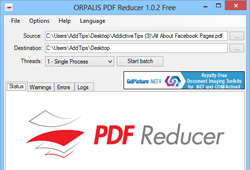
PDF Masher has been developed to remove clutter, like, bloated headers and footers, irrelevant pages from PDF documents to make them ready for your eBook reader. Since many eBook readers don't have options to optimize the PDF document viewing, it becomes frustratingly hard to first zoom out the page and then start reading the text off the e-book reader screen, which is in some cases, doesn’t appear clear on the screen. Read More

Convert eBook Files To Any Device With Hamster Free eBook Converter

If you hate hanging onto multiple eBook converters to convert documents and books to different devices, check out Hamster Free Book Converter. This freshly developed multi-lingual eBook converter is designed with minimal configurations to go around with; you just have to drag the document files over it, select your reader, and it will convert them in one go. Read More

Split, Merge, Set Page Style And Layout Of PDF Documents With Hexonic PDF Split And Merge

Many PDF tools can merge PDF files together without offering any options to tweak with layout and page header and footer of documents. To achieve this, we need to use multiple PDF manipulation software, so that documents can be merged as per layout requirement of our document. Hexonic PDF Split and Merge is an advanced tool to merge and split PDF documents which offers some unique options to handle PDF document merge and split processes, including, change document layout of merged document, split document pages, store each page in separate file, add customized page footer, and set footer margins and additional page margins. Read More

Merge, Encrypt And Optimize Quality Of PDF Files With PDF reDirect

Are you looking for an application which offers a simple yet intuitive way to manipulate PDF documents? If you’ve been using stripped down version of previously discussed PDF995, you can opt in for PDF reDirect, which is a full-featured alternative to both PDF995 and CutePDF applications. PDF reDirect offers a quick way to create and to generate industry standard PDF files. The application offers tools to merge different PDF files together in user specified order and to encrypt the PDF document. Its major focus is on post-PDF file creation options. You for instance create PDF file of your document from word processor and then tweak with page settings and PDF layout options using PDF reDirect. Before you save the document through PDF reDirect, you can set the View Style of your document the way you see fit. It contains 6 different view style which are accompanied with 7 different zooming levels ranging from Fit Width, Fit Page, 50 % zoom to 200% zoom.  Moreover, you can switch between document conversion engines; by default, it uses GNU Ghostscript, but can be replaced with AFPL Ghostscript. Read More

Extract Images From PDF Document With Fusion PDF Image Extractor

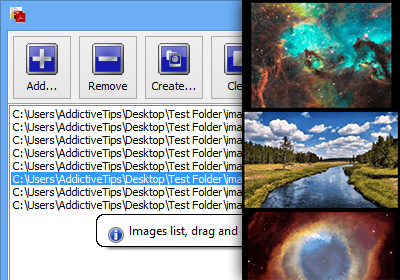
Many PDF readers have the ability to copy text along with images, so the rich text can be pasted into documents. But if you’re dealing with PDF document having hundreds of images, extracting all of them from the PDF file manually becomes not only laborious task but time consuming as well. Fusion PDF Image Extractor was developed to mitigate the effort and importantly the time required to collect images from PDF document at defined local location. It’s a tiny, open source application to extract all the images from given PDF document and then to save them in specified folder. It’s also accompanied by iTextSharp library and GhostScript script to process whole PDF pages to images, allowing user to extract whole pages as images. Read More