Fotor For iPhone & Android: Massive Camera App With DSLR-Like Focus, HDR, Photo Effects & Collages
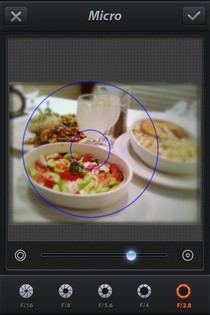
It is quite an old (read: wrong) notion that photos taken from a smartphone camera can never be as good as the ones shot from even the cheapest standalone cameras. The camera quality of smartphones has evolved tremendously over last few years, with Nokia's latest PureView technology being testament to what you can achieve optically on a mobile device. However, although most stock cameras are rather restricted, smartphone cameras have a host of supporting apps to go with them, and these apps have the potential to make your photography seem absolutely professional. Since iOS sports the largest collection of apps among smartphone platforms, it is understandable that some of those apps are just about perfect for the camera in iPhone. Fotor is one such app that combines a photo-editor with a fully-featured alternative camera for iOS devices. Some of the features in Fotor (like post-shooting focus, the Anti-Ghost option and the HDR mode) are good enough to give whole apps a run for their money. Read on to learn about everything Fotor has on offer. Update: The Android version of the app has been released to the Google Play Store, and you can find its download link at the end of the post. Read More

Popular Windows Phone 7 Photo Editor & Camera App ‘Fhotoroom’ Goes Free

We have covered quite a few photo editing apps for Windows Phone 7, and some of them are quite comprehensive when you look at the number of photo effects and filters they offer. However, most of those apps are specialized only in some areas of photo editing. Fhotoroom is the number one app in the Marketplace category of photo editors, and it focuses on just about all aspects of photo editing you can imagine. Like Instagram, Fhotoroom has a few pretty good public galleries, and its editor maintains its ease-of-use despite being really feature-rich. Even the camera in Fhotoroom is good enough to take on any standalone camera replacement app, and everything about the app has just been taken to the next level of awesomeness, thanks to the latest update of Fhotoroom. Read on for details. Read More

FreezePaint For iPhone: A Unique Way To Merge Parts Of A Photo With Another

Photo apps for the iPhone are a dime a dozen but every now and then, you come across a unique one that stands out. For instance, one that lets you take a photo, freeze any part of it on screen by freely swiping your finger on it and then take another picture with your selected frozen parts overlaid on it. You can even remove the dark circles around your eyes with it, with ease, though in a rather unorthodox manner. It’s a concept rather hard to describe in words, but we’ve got you covered with our detailed review, hands-on screenshots and even a story! Read on for our detailed review. Read More

Photo Sharing Network SmugMug Releases Official App For Windows Phone 7

SmugMug might not be as popular as Instagram, but it is a service that is used by professional photographers and is not limited to just mobile platforms. The photos available on SmugMug are generally high in quality, because the user base of the service consists of people who don’t share photos just for fun. Rather than predefined, one-touch filters and photo effects, SmugMug allows its users to make adjustments they want to their photos. If you are a Windows Phone 7 user, and admire SmugMug, you'll be delighted to know that the official mobile client of the service has just hit the Marketplace. The app lets you control every aspect of your SmugMug account, and even if you don’t have one, you can browse through public galleries and share photos from the app. Read More

Stashpix For iPhone: Create Virtual Photo Stashes At A Location, View Those Left By Others

The thrill of discovering something that has been hidden from general view has always held a certain charm for people of all ages. Be it a treasure hunt, or just some small scavenging game, coming across a hidden stash is sure to make your day. This is the principle the new iOS app, Stashpix, is based upon. The app lets you view photos or albums shared by other users, but the distinguishing feature of Stashpix is that you have to be in the area where the image was originally shared in order to view it. Stashpix displays all the stashes of photos in your vicinity, and lets you add to them as well. In a similar manner, you can leave your mark on any area by creating a virtual stash there, so that future visitors of the location are able to appreciate your shares. It's like geocaching, but for photos. Read More

meshtiles: Interest-Aware Photo Styling & Sharing App For Android & iPhone

There’s no shortage of entertainment-filled apps across various mobile platforms, and it also comes as no surprise that most of these apps are based on the concept of photo-capturing, decorating and sharing. Even before the photo-editing and sharing sensation Instagram hit the Google Play Store, Android users had plenty of quality alternative options to pick from, and the trend doesn’t seem to be slowing down. A new app, called meshtiles, has just stepped into the foray to provide Android and iOS users with an Instagram-like photo styling and sharing experience, but with a nice little twist of its own. Fusing the concept of content-aware photo exploration and photo sharing, meshtiles provides you with an unending stream of photos fetched according to your areas of interest. The app also keeps a detailed log of all the photos that you’ve shared on the network, and presents you with a visually appealing timeline of your activities. As a reward for the extent of your activities on the network, the app also awards you with specific titles and points that keep accumulating with time. Read More

My Album For iPad: Create A Collage Of Drawings, Photos & Music

There are many iOS apps that let you create collages out of the photos, and there are also a lot of apps that are focused on drawing and finger painting. My Album for iPad combines both these features and adds one of its own to the mix. The app lets users edit photos and add musical effects to them. Not only that, you can put your drawing skills to use in My Album, and then combine your artwork with photos to create an awesome collage. The projects created using the app can be exported as PDF files or plain images. Read More

Twitpic Brings Its Official Client To iOS, Lets You Edit & Share Photos

When it comes to sharing photos on Twitter, Twitpic is one of the most used services all over the world, especially before Twitter brought in its own image service. The web interface of Twitpic is more than enough for uploading and sharing any image, but it is always nice to have a an official client for a service on all major platforms. Twitpic just released its official iOS client, and the app can do everything the web version of the service is capable of. Apart from that, the Twitpic app is a good way of editing photos and uploading them to the famous microblogging service on the go. Like Instagram, Twitpic comes with a nice collection of photo effects and filters, along with a Timeline of its own, which showcases the photos shared by people you follow on Twitter. Update: The official Twitpic client for Android has been released. We've added its Google Play Store link at the end of this post. Read More

Photo Basic 3: Comprehensive Image Editing & Archiving Software For Windows

A lot of good image editing and image archiving applications come bundled in paid software packages most of the time. Free programs are limited in their functionality and require you to buy a license to unlock their full potential. StudioLine’s Photo Basic 3 is an application for Windows that provides you with all the basic tools required for editing and archiving images. Even though it just allows you to use the application as a 30-day trial, you can get the license absolutely free for personal use. The image editing functions include Red Eye Removal, Auto Tone Levels, Exposure and Color Correction etc., while the archiving functions include options to edit EXIF data and Geotagging of images. Furthermore, you can run multiple instances of the application at a time, to edit multiple photos, or edit and manage simultaneously. More on Photo Basic 3 after the break. Read More

SplashCam For iPhone: Create Selective Color Photos In A Few Taps

There are some iOS apps that strive to do too much all at once, and this leaves them in a rather complicated mess. You are sure to find many photo editors for iPhone that come with a plethora of options, but an average user is likely to give up on the app after trying to apply the “customizable” filters to photos. Simplicity is the key ingredient behind the success of many apps (like Instagram). SplashCam is an iOS app that takes takes simplicity to a whole new level, as it is focused on just one genre of camera filters. Using the app, you can select any color, and the app will suppress all other colors in the photo, giving it a really artistic feel overall. Not only that, SplashCam applies this color filter in real-time, and this means you can see the effect applied to the scene in front of you even before the image is shot. Read More

PowerSketch For iPhone: Convert Photos Into Sketches, Apply Filters & Create Collages

There are two types of photo editors available for iOS devices; those that focus on convenience of use, and those that go for comprehensiveness. It is up to the users to decide if they want more, customizable filters, or an easy way of applying those filters to their photos. However, there are a few apps that provide a perfect combination of efficiency and thoroughness. PowerSketch is one such photo editor. Despite the app’s name, which implies that it does nothing more than converting photos into sketches, there are some really good filters and effects available in the app. Not just that, you can also use the app to create collages out of existing photos, as well as the ones shot using it. Read More

PicSee Pro For iPhone: Photo Editor That Lets You Remove Unwanted Backgrounds

Adobe Photoshop is one of the best, most comprehensive tools for professional-level image editing, but you don’t always want to use something as complicated as that to make minor changes to your ordinary photos, especially when they are on your iPhone. There are so many good casual photo editors available for iOS that you hardly ever need to transfer your photos to your computer for editing. However, there are a few tasks that are still really difficult to perform on an iPhone, and one such feat is the removal of background from the photo of an object or person. Not many image editors come with the background removal option, even the otherwise feature-rich ones. Fortunately, PicSee Pro is not one of those apps. Not only does it have all the usual photo effects, filters and coloring options, it has a whole menu dedicated to background editing and removal. Details past the break. Read More

Frame Artist For iPhone: Photo Editor With Templates For Creating Quick Collages

The iOS App Store has a lot of apps that let you create collages out of the photos in your device’s library, and the number of photo editors is even greater. A combination of both these genres is, however, pretty rare. That’s what makes Frame Artist worth a try for any iPhone and iPad users who have a thing for photo editing apps. Not only can it be used as a full-fledged photo editor, it also comes with a handful of collage templates, so that you can begin creating any design or image without having to work on the layout. Read More

PearlMountain Image Converter: Batch Photo Editing & Conversion Tool For Windows

Most free image editing tools are made for a specific purpose. For instance, you will have to use one tool to convert the image format, another to correct its colors, while a third will be required to add a watermark to the image. Having so many tools installed on your system not only creates unnecessary clutter, but also reduces the efficiency when you have to open this many programs every time you want to perform a simple editing operations on an image. PearlMountain Image Converter is an easy-to-use image editing & converting tool with an eye-candy GUI, which allows you to export an image in different formats, resize, crop and watermark it, rename it according to pre-specified criteria, perform color corrections, and apply borders. All of these functions can be performed at once in a batch operation, eliminating the time wasted in performing each function one by one. Read on to find out more about PearlMountain Image Converter. Read More

[Giveaway] Turn Your Portraits Into Facial Animations With LiveFace For iPhone

If you are an iPhone user, then you probably would have  come across many apps that let you create animations with relative ease. Usually, you have to perform a few steps before the animation is actually created, and then it mostly has a few shortcomings or flaws. LiveFace for iOS  is a fun app that lets you bring your portraits to life, literally. It lets you easily create animations from face shots, allowing you to export the results as GIF, MP4, SWF or JPG files. You can animate faces in photos in several different ways with no more than a few taps, making your friends wink or appear extatic regardless of what mood they were in when the photo was shot. Read More

EyeEm Is An Instagram-Like Photo Sharing & Styling App For WP7

One of the most desired apps among Windows Phone 7 users is Instagram. Despite its popularity, there is no sign of its release for the Mango platform any time soon. No doubt, there are many third-party clients for Instagram available in the Marketplace, but you cannot publish or edit photos using them. Fortunately, now you might not have to wait for Instagram at all, as EyeEm is here. Some might call it a replica of Instagram; it does seem somewhat inspired from the photo-sharing giant's mobile clients. The basic functionality is the same, of course (you can beautify your photos and then share them with your social network friends and other EyeEm users), but the available filters are very different. Read More

HeyCheck For Android & iPhone: Apply Effects & Filters To Local, Facebook & Instagram Photos

Social media giant Facebook might have acquired the photo-sharing and editing wonder Instagram, but so far, users haven’t been able to see any worthwhile impacts of this acquisition. However, with the slew of extremely feature-rich photo editing and sharing apps for Android and iPhone already floating in the market, users can easily make do without having to rely on Facebook to come up with a solution of their own. Options are aplenty, and picking a favorite photo editor can sometimes prove to be a pleasant activity. If you want a neatly designed app that lets you apply gorgeous effects, retro filters and catchy frames to photos from local storage, Facebook and Instagram, then you try HeyCheck for Facebook. Read More

VFX Studio For iPhone: Add Realistic Explosions, Blood Splatters, Bullet Impacts & More To Photos

Photo editing has really been made easy by the apps that are available to iOS users, as tinkering with images in a touch-based environment is far more convenient than editing with a mouse. A few apps go for thoroughness and comprehensiveness, while others favor ease of use. VFX Studio is an iPhone app that is closer to the second category, and most of its filters and effects can be applied to an image with a single touch. The app specializes in visual effects, and you can add smoke, blood or any of the available clip art to the images on your device. Not only that, VFX Studio has a decent number of editing options as well, which can be used with the added effects or the original image. Read More

PhotoPad: Photoshop-Inspired Image Editor That Lets You Apply Effects In Layers

When I talk to people about how user-friendly and elucidative a photo editing application Photoshop is, they often give me sceptical glances. The reason? Simple enough – not everyone’s a master in Photoshop, and most casual users want simple and light-weight photo editors, as they are easy to use and provide almost all the image editing and re-touching features. PhotoPad Image Editor is one such photo editor that provides a definitive solution even for a novice users. It is a powerful photo editor that contains a number of  options and effects to quickly re-touch your images. The application comes with a variety of color filters and effects that you can quickly apply to your images and make them look gorgeous. Apart from color settings and photo effects, it lets you create panoramic images and collages within a few clicks. Moreover, you can quickly acquire images from connected camera and USB drives. Details to follow after the jump. Read More

PicMonkey: Online Photo Editor With Skin Retouching, Customizable Filters & Blur Effects

Desktop image editors or online ones aren’t hard to find, but online image editors are usually limited in the number of features they offer. They usually allow you to perform only conventional functions like cloning a part of the image, cropping and resizing it, and adding frames or a few filters. PicMonkey is a web app that does all of this, and more. In addition to the wide range of filters it allows you to add to images, you can also edit the filters and change their intensity. The app has basic editing options, color effects, skin retouching effects, text and shape effects, frames and patterns that can be applied to an image. You can apply more than one effect at the same time as well. The app is in beta just now, and hence, all effects can be used for free. Once the beta is over, access to some effects will be restricted and will require you pay to use them. Read More