Void Lock: Gesture-Based Lock Screen That Makes Your Android Device Seem Powered Off

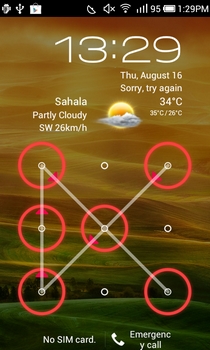
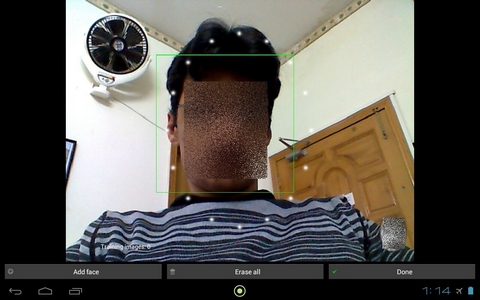
When it comes to selecting a custom device/screen protection method, Android users have plenty of options to choose from. The Face Unlock feature introduced in the latest Android operating system, Ice Cream Sandwich, is a useful addition to the already existing screen unlock methods that include a user-defined PIN, password or pattern. Amid the availability of so many different options, if you’re still looking for additional protection for your device, then you might want to take a look at Void Lock – a gesture-based lockscreen replacement, or rather, enhancement app which, if enabled, blacks out the screen, and locks the device in a way to make it appear powered off. To unlock the screen, you’ll need to provide a specific unlock gesture or key combination that you’ve set up within the app. Unless you provide the accurate gesture or combination, you can't unlock the device; not even by pressing the power button, restarting the device, or any other conventional means. In addition, the app also lets you define gestures for launching apps and/or trigger system features right from the lockcreen. Read More

How To Get Other Manufacturer’s Marketplace On Your Windows Phone 7

Nokia’s Windows Phone 7 devices have been termed as the last hope for the Mango platform. This is for the reason that Nokia has been granted the permission by Microsoft to tinker with the operating system, and there are some exclusive Nokia apps available in the Nokia Store section of the Marketplace (like Nokia Drive, Nokia Maps and the CNN app). Some of these apps have been in great demand by users, and it’s a shame seeing them unavailable for other devices. However, if your device is developer unlocked (a piece of cake now for Samsung devices, due to the latest WindowsBreak tool), you can exchange your OEM app store with any other OEM Marketplace of your choice. Read on to learn all about the homebrew which will let you do that. Read More

Jailbreak & Unlock WP7 Samsung Phones, Enjoy Homebrews And Root Access

If you own a Samsung Windows Phone 7 device, Christmas just arrived a day earlier for you. Thanks to the amazing work of Jaxbot over at Windows Phone Hacker, an interop unlock has been released for WP7 devices. However, it has to be admitted that Jaxbot’s WindowsBreak is not the first option available for unlocking Mango devices. To get root level access on your phone, you can either pay $99 and register with Microsoft via the developers hub, or there is the option to go for the newly-released Chevron, which costs $9. WP7 users who don’t have a Samsung will still have to resort to those methods, but the lucky Samsung users can get interop unlock for free, which grants a higher level of registry access than Chevron’s $9 developer unlock. Read More

What Is The WP7 Homebrew Store, Bazaar, & How To Install It

If you are a smartphone user, then you most probably have heard about Cydia, the alternative app store for jailbroken iOS devices. In Android, no such alternative is necessary, as anyone can flash an APK file to their device. That left out Windows Phone 7 - or not any more, as the platform just got its very own marketplace for apps that didn’t get Microsoft’s approval to be published in the official Marketplace, or are just homebrews. Every other day, the XDA community, or other developers, launch XAP files containing useful apps, which would never be published in Marketplace for a variety of reasons. Bazaar hopes to be a new way of streamlining the whole process of finding and installing new homebrews to unlocked Mango phones. Read on to find all about this potential game-changer, which is still in it’s beta testing phase. Read More

How To Get Interop Unlock On A Developer Unlocked HTC Windows Phone

Android devices can be rooted, and iOS gets jailbroken, but what about Windows Phone 7? The equivalent of rooting and jailbreak for WP7 is known as developer unlock. You might own a device that has really been unlocked by Microsoft because you are a developer, or have employed one of the other ways of unlocking a WP7. But after Mango, even if you have a developer unlocked WP7 device, you still don’t get root access on it. That is because of the introduction of a new unlock privilege level named interop unlock. If you don’t have interop unlock, some XAP files might not run on your device, and there are other restrictions as well. Previously, there were hacks that allowed Samsung and LG users to upgrade to interop if they already had a dev unlock. Now, the hack is almost universal. Recently, an exploit for HTC devices was discovered as well. Read on to find out how you can get your developer unlocked HTC WP7 upgraded to interop unlock. Read More

Free/Paid Ways To Unlock Your WP7 Mango Phone & Problems You Might Face

Being quite a Windows Phone 7 fan, I have a Samsung Omnia 7 and an HTC HD7 (thanks to AddictiveTips, of course). On Nodo, both were unlocked as I used Chevron to gain privileged-level access to the devices. Having an unlocked device was important for me because it allowed me to take screenshots using homebrew apps, gave me registry access and with it, I could also side-load as many apps as I wanted. However, then came Mango. It is difficult to see the fruity WP7 update as a villain due to all the awesome features it brings to the metro OS. But nothing is perfect, and Mango has a few disadvantages, too, the biggest one being that it revoked all side-loaded apps and took away dev unlock from Chevron users. This, coupled with the fact that the Chevron team joined hands with Microsoft to develop a paid tool for unlocking, has made it almost impossible for users to jailbreak their Mango phone without paying a fee. Read More

Unlock Unlimited Windows Phone Devices With A Single Developer Account

Ever since Mango rolled out, it has not been easy unlocking your Windows Phone 7 if you do not have a developer account. Then, if you do have it, and you are in an environment where there are more than one WP7 devices, you can unlock  only up to 3 devices with a single developer account. What if you have more, or a friend wants you to unlock their device, too, to get access to all those cool homebrews? Turns out, Microsoft isn’t as strict as it poses to be when it comes to unlocking. There is a simple way you can try to unlock as many WP7 devices as you want, as long as you have one genuine dev account. Even if you don't have one, all you need to do is to convince any person who does have it, as using the original account is only temporary and you will not harm the developer account in any way. Read More

Screen Capturer: Screenshots Come Back To Unlocked Windows Phone Mango

If you look at the Miscrosoft's feedback page for Windows Phone 7, you will notice that screenshot support is in the top 10 demanded features. While the screen capturing utility was available for unlocked Nodo devices, Mango rendered those homebrews useless. Nevertheless, the developers aren’t asleep just yet, and now, it is possible for Mango users having developer-unlocked devices to take screenshots on their phone using the tool named, rather simply, Screen Capturer. Read More

Ultrasn0w Unlock for iPhone 3GS & iPhone 4 Updated for iOS 5

For all iPhone unlockers on iOS 5, we bring good news! iPhone Dev-Team has just released a critical update to their infamous ultrasn0w iPhone unlock daemon, bringing compatibility for iOS 5 devices – a mere two days after the official release of the OS. Hit the jump to read more about ultrasn0w 1.2.4 and its supported basebands. Read More

DeepShining: A Custom Windows Phone 7 ROM For HTC HD7 [How To Install]

There isn’t a Chevron-like unlock for Windows Phone 7’s latest update Mango just yet. There are some lengthy and overly complex procedures out there, but a vast majority of users won’t even dream of going near them as Mango is pretty good in itself with a lot of features users have wanted for a long time. However, if you still want something new and improved on your device, and are brave enough to risk your HD7, there’s a new custom ROM out now by the name of DeepShining. You don’t need to have a jailbroken device to flash this ROM, just follow the procedure described past the break. Read More

Install Custom HTC WP7 Mango ROM With XAP Sideloading Through IE

Great news for all you app sideloaders: a custom WP7 Mango ROM is now available for HTC devices with integrated support to sideload apps by downloading their XAP files using Windows Phone Internet Explorer. This will eliminate the need for you to connect your Windows Phone 7 to your PC to install downloaded XAP files. For more information on this ROM and the installation instruction, read on. Read More

Unlock HTC Flyer Bootloader Via HTC Dev Portal Now Available

HTC Flyer got an unlocked bootloader via Revolutionary couple of weeks back. Although Revolutionary does the job briliantly, but there are some who’d like going official way for unlocking their tab’s bootloader. HTC Dev Portal, the official developer resource from HTC, started operating some weeks back and also started offering unlocked bootloaders via web. Although HTC has tried it’s level best to help people cool off with this bootloader unlocking availability, but it’s complex nature makes Revolutionary the most preferred method. The upside of this HTC Dev bootloader unlocking for HTC Flyer tab is perhaps compatibility with most of the versions and models available.

Read More

Search & Download Ringtones To WP Mango Unlocked Devices [Homebrew]

There has been a lot going on about Windows Phone 7 and ringtones. Custom ringtones have been one of those things which WP7’s competitor's have boasted about whereas Microsoft’s mobile operating system lacked it. There have been a lot of solutions swirling around but sadly most of them need a developer unlocked device as you have to deploy a XAP file to get custom ringtones. If any of you were wondering if the case will remain the same with Mango, then here is the answer. There’s certainly an improvement on this front but you still need an unlocked device for getting ringtones of your choice on your device. R1ng3d manages everything about ringtones in WP Mango. Read More

How To Gain S-OFF On HTC EVO 3D With Revolutionary

After the super release of Revolutionary, the easiest way to S-OFF on select HTC devices, users are now aiming at making their phones / tabs really smart. For those who don’t know, Revolutionary is a joint effort of teams behind Unrevoked and AlphaRev and is available free of charge to unlock any compatible HTC device with locked bootloader. For those of you familiar with AlphaRevX, this utility acts more or less the same way. The developer preview release of Revolutionary, along with other devices, unlocks the bootloader and gains S-OFF on HTC EVO 3D as well.

Read More

Revolutionary Gains S-OFF On HTC Sensation, Flyer, EVO 3D And View

Finally the Revolutionary Bootloader unlock solution direct from Revoked and Alphrev is out! And yes, it supports all previous devices along with S-OFF solutions for HTC View, Flyer, Sensation and EVO 3D. This is awesome! and we are as excited as you are to get our HTC Android devices free from the shackles of signed bootloaders and get as many custom ROMs, mods and hacks on board as possible.

Read More

How To Prevent Relocking Of A Samsung Windows Phone 7 Device

If you are a developer or have been a user of Android in the past, then the term rooting, or unlocking a device must be familiar to you. Unlocking means that you have access to the hardware of your phone and the ability to tinker away with any hardware or software component you want. However in Windows Phone 7 unlocking is a completely different ball game. There is ChevronWP7 available for jailbreaking your phone, but it has issues like relocking of device after a while and also it does not work on more recent versions of WP7. Mostly, all Chevron unlocked devices lose their unlock as soon as Microsoft releases an update of Windows Phone. Fortunately if you are a Samsung user, there is a way to fix this. Following the easy steps outlined past the break, you will be able to permanently unlock your WP7, and won't have to worry about MS finding a fix for the current developer unlock. Read More

How To Jailbreak (Unlock) Samsung Focus [Guide]

To acquire complete control over your Windows Phone 7, you need to have jailbreak it. The process of jailbreaking unlocks your device. An unlocked device means that you have purchased a developer’s license from Microsoft, certifying that you are allowed to have an unlocked device. But in the smartphone world everything has a workaround and there is always that little hack or fix that lets you do anything with your phone in any way you want. We covered unlocking a  WP7 device in our unlocking guide, but if you are a Samsung Focus user and would like to get a more detailed and easy-to-follow walkthrough then here it is! Read More

Permanently Unlock Windows Phone 7 For HTC Devices [How To]

To be able to enjoy full access on your Windows Phone 7 device you need have it developer unlocked. The problem is that the developer unlock is provided by Microsoft and that ensures that you can make whatever changes you want to your device and discover the full potential of your phone. But unfortunately it is an uncommon privilege to have an unlocked phone. If you are not among the elite few who own a developer unlocked WP7 phone, you can apply jailbreak to your device to unlock it. This is usually done through Chevron. But there are problems with such an unlock as it is of a semi-permanent nature and the device normally relocks after a while for a number of reasons (normally an OS update). However if you are an HTC user, there is a workaround for this problem! Read More

Unlock LG Optimus 7 Permanently Without ChevronWP7 [How To]

Windows Phone 7 is pretty uptight when it comes to getting full access over your device. Developers are always looking for ways to jailbreak their WP7 device and Windows always comes up with a new method to relock it. The most common method used for jailbreak is to apply ChevronWP7 to your phone. But it has been observed that even a Chevron unlocked phone will relock as soon as a new operation system update becomes available. This renders the whole jailbreaking process pretty pointless. However for LG Optimus 7 users there is now finally a workaround for this issue which keeps your device developer unlocked for as long as you want. Read More