Do you want to save some important files inside your USB Flash Drive? The best way is to make a secure partition using Rohos Disk. It makes a partition inside the USB Flash Drive where you can save all your important files and folders. You can protect this partition by assigning a password, which makes it impossible for intruders to access it.
Read MoreTag Archives: usb
6 Small And Useful Portable Applications That You Should Always Carry Around
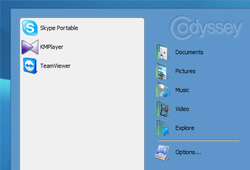
Are you always carrying a USB Flash Drive around? If yes then you can get a lot of useful applications on your USB drive instead of just carrying them around with backup files. We have gathered 6 applications that will transform your USB drive into a power device for doing tasks ultra quickly on the go.
Note: If you don’t like carrying software on your USB because they will mix with other files, just like I worry. Then make a folder named “Power Tools” in your USB and move all these software there. You can later hide this folder and work with your USB like you normally would.
….And if you are an uber geek like me and always carry your iPod around, then it is better to carry these software in your iPod.
How To Protect USB Drive From Virus When Attached To Infected Computer
Have you ever attached a USB to a computer and later found out that the drive is infected by a virus? I have definitely faced this situation many times. If you attach your USB drive to the infected computer the virus is transferred to the drive in no time infecting all the important documents in USB drive too, depending on the nature of the virus you may loose important data from the USB drive and never recover them back. But there is a solution to protect your USB drive from virus infection when it is connected to already infected computer.
Read MoreHow To Autorun Programs From USB Flash Drive And Add Custom Icons
Read More