WinX Premium HD Video Converter, Editor & Burner Free For Limited Time

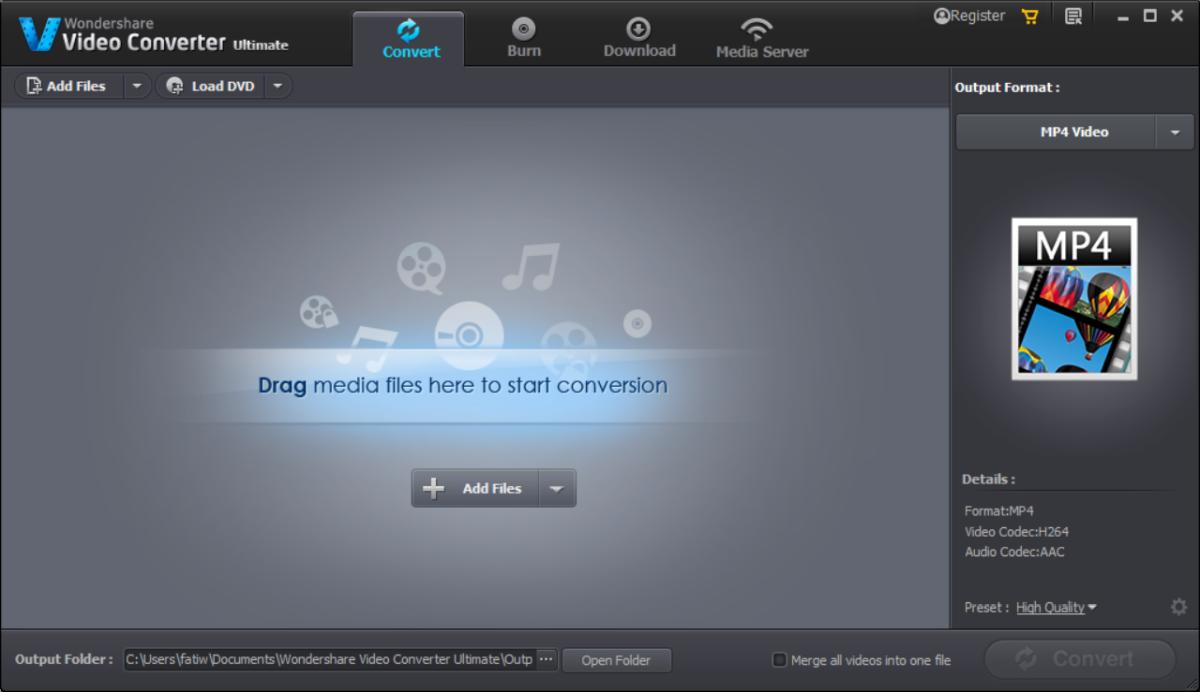
Video Converters date back to as long as I can remember, though their need has been greatly diminished lately due to most modern media players having the capability to play a truckload of formats, and a shift to handheld devices by many of us, most of which natively support a wide range of file formats. Still, there are times when you do need to convert a video for better comparability or compression. In the past, we have covered countless video converters including Freemore, Ace, EasyBrake and Video to Video, just to name a few. WinX HD Video Converter Deluxe is a premium video converter for Windows boasting support for a plethora of formats, and the application has recently gone free for a limited time as an Easter gift, from its regular price of $49.95. Let's take a look at its features in detail after the jump. Read More

Freemore Audio Video Suite Is Your One Stop Shop For Media Editing & Conversion

There are countless Audio and video conversion tools out there but with all the available options, it may get fairly tough to look for the right one at the right time. Even if you find the one that meets your requirements, odds are that it would be either be paid or in case of being free, have either way too many configuration options making it confusing to use, or offer too little control at what it does. Freemore Audio Video Suite takes care of this nuisance by amalgamating a number of different multimedia tools into a single freemium package that's easy enough to use for the average user while decently powerful enough for power users. It’s a compendium of various frequently used audio, video and document converters and editors that you would otherwise have to download separately when required. The suite includes audio editor, sound recorder, ringtone maker, MP3 cutter and joiner, audio and video converter, DVD burner, image and PDF converter, and the list doesn't stop here. It’s rare that you find such a huge collection of distinct apps in free software but Freemore not only delivers it; it delivers it exceptionally well. Read More

Ace Video Converter Supports Over A Hundred Input & Output Formats

The need for video converters has declined slightly due to the fact that most multimedia devices now support a huge number of media formats out of the box. Nevertheless, devices like the iPhone (and several others) don’t stray from their heritage and rely on limited formats when it comes to playing media files. Two video converters you can always take for a spin are Handbrake and Format Factory, with a wide array of format support that keep their reputation intact. However, should you still not be convinced and want to give another one a shot with a more straight-forward approach, Ace Video Converter might come in handy. We won’t say it’s the best video converter out there, but for what it does, it shouldn't be underestimated. It supports a massive number of input and output formats (over a hundred according to the developer), and does a wonderful job in converting videos in batch. In addition, it allows downloading YouTube videos, so you can save them for offline viewing. Let’s dive into it and find out if it’s worth a try. Read More

Format Converter X Brings Simple Media Conversion To Windows 8 And RT

Modern UI is what gives Windows 8 its legs. The latest OS looks and feels closer to its mobile counterpart, thanks to its touchscreen-friendly interface. We have covered plentiful Windows Store apps, catering for almost every category, but one particular kind of application that we were yet to come across was a media converter, until we came across Format Converter X. Generally, people who spend a lot of time converting audio video files would rather look for powerful solutions, like Format Factory or HandBrake. Nonetheless, for Windows 8 RT users or traditionalists, Format Converter X can lend a helping hand. The app’s design remains closer to Windows 8’s Metro-style formula. It doesn’t really give much of a choice in terms of output format selection, but it does accept quite a few files types as input, such as MOV, MPEG, WAV, M4V, MP4, AAC, WMV, PCM and WMA. The output selection stays limited to MP4, MP3, WMV, WMA and AAC. Read More

EasyBrake Is A Simple, One-Click Video Converter Based On The HandBrake Engine

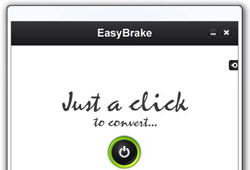
I’ve been using media converters for as long as my first foray into the world of computers. They were specifically more useful back in those days when smartphones were not smart enough to play every kind of video format and you needed to convert your favorite movies for watching them during long trips. Even though most of the multimedia devices are now quite capable of playing all major video formats, the need for video converters hasn't seem to have plummeted. If you've used a lot of video converters, then Handbrake might need no introduction. It’s one of the most powerful open source video transcoders used by videophiles to perform a number of media conversions. There are a lot of applications that use the Handbrake engine and give you control over additional functions and settings. EasyBrake is one such app. The major advantage of EasyBrake over other similar converters is ease of use and a simple interface. It supports various input formats, but only allows converting them to either MKV or MP4. Read More

Convert Media Between 700+ Formats, Split, Join & Watermark Videos

A lot of people waste time looking for media converters that are free, and support an umpteen number of file formats, but still remain uncertain as to which one they should choose. Although we have covered a number of media converters including  OxelonConvertidor De Videos and HandBrake-based HB Batch Encoder Mk2 and HandBrake Batch Encoder, we always try to find more media converters that can perform quick audio and video conversions. Video To Video Converter is one such tool that crossed my way and seemed absolutely worth using. What makes it stand out is the large number of output formats it supports; over 700 according to the developer. It can convert both audio and video files, including AVI, MPEG4, XVID, MPEG2, MOV, MKV, FLV, SWF, 3GP, GIFF, DIV, MP3, AAC, AC3, WAV, M4A, FLAC, 3GPP and more. Along with a media conversion, the software can perform video split and join operations as well as burn videos to optical discs. Read More

VSDC Free: Yet Another Feature Rich Video Converter For Windows

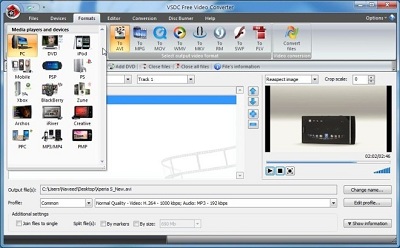
Gone are the days when you’d demand a media converter to convert a video file into a specific format. Nowadays, portable multimedia devices such as smartphones, tablets, game consoles etc., are capable of playing almost every audio and video format. Despite that, the need for video converters doesn’t seem to fade away, and you may often find yourself looking for one should a native video format not work for you. Most folks use HandBrake for converting video and audio files between different formats, as, beyond doubt, the program holds a lot of potential. VSDC Fee Video Converter is another such tool that packs a slew of features, and supports all popular video formats. The application includes presets for a number of devices, including PC, iPod, PSP, Playstation, Xbox, BlackBerry, Zune, PPC etc, for one click conversion process. What’s more, there’s an integrated video editor, which can be used to trim or merge files before you send queue them for conversion. Moreover, using its Disc Burner feature, you can easily burn files to optical discs without having to use an external CD/DVD writing application. Read More

Click2Mobile: Convert Videos For Smartphones With Custom Resolutions & Sound Levels

Mobile phones - or rather smartphones - of today are capable of doing much more than just call or text a person. If you are a smartphone user yourself, you would agree with the iTunes App Store tagline, “There’s an app for that”. Being an Android user, I can vouch for the huge number of apps available also on the Android platform that allow us to extract much more out of our phones than previously possible. Using your smartphone, you can browse the internet, create and manage shopping lists, have video conversations, share articles, manage your finances, listen to music, play games and perform a lot of other activities that used to require a whole bag of tools and gadgets. Since the screen size of smartphones seem to be increasing with every new phone coming out in the market (iPhone excluded), a lot of people use it for watching videos, which can either be locally saved or streamed from the internet, and are a great way to fight boredom when you have nothing else to do. However, due to each phone having its own specifications for screen size, a different resolution is needed to have the best video-watching experience on your smartphone. Today, we have an application called Click2Mobile that lets you easily convert video files to the proper format and resolution required by your phone using presets. Read More

Convert Videos Using Multiple Quality, Resolution & Device Presets

These days, there are a huge number of devices that are capable of playing videos. From smartphones to tablets devices, iPods and other handheld media players, almost every gadget is capable of video playback. However, since most of these have their own codec and format support criteria, what you can do is use a converter to get the media in the right format for playback. Previously, we covered Free Media Converter, a complete media management and manipulation utility that allows you convert video and audio files, rip DVDs, download videos, edit videos and record videos from your desktop or webcam. Then, there's the famous HandBrake, a tool that uses the HandBrakeCLI.exe file to batch convert media files, and Oxelon Media Converter, a portable media converter that provides you with explorer integration for quick conversions. Today, we have another video converter called ChrisPC Free Video Converter that enables you to convert videos for portable devices, such as your iPhone, iPad, Xbox 360, Sony PlayStation 3, and a lot of other formats. Read More

Easy Video Converter Supports 80 Media File Formats And Drag & Drop [Mac]

Among all the genres of apps that we have covered, a large chunk probably consists of video converters. Being as abundant as they are, most of the free offerings are fairly functional and feature-rich. Easy Video Converter, as the name implies, is a free Mac app that converts video formats. What the name doesn’t imply is that it’s a media file converter that can convert files into 80 different formats. The app was previously worth $9.99 in the Mac App Store, and has now gone free. In addition to the large number of output formats that it supports, the app also lets you resize videos, and change frame and bit rates. You may manage these variables for audio and video files separately. Read More

Weeny Free Video Cutter: Trim Videos & Export In Various Formats

There are times when you come across this amazing movie and you want to save a few scenes from it on your computer for later viewing. There are numerous video cutting tools available for download, and AddictiveTips have also covered several of them, like SolveigMM AVI Trimmer, a compilation of great online video editing tools (here), as well as top five desktop tools (here). Weeny Free Video Cutter is another video trimming software which can cut various video file formats within a few seconds. Not only that, it also enables you to set the output files to other popular formats after the cutting process, for example, .mp4, mp3, .avi, .mpg etc. The application is simple to use with nice interface and satisfying output quality. More to follow after the jump Read More

Kirara: Portable Video Encoder With Comprehensive Editing Features

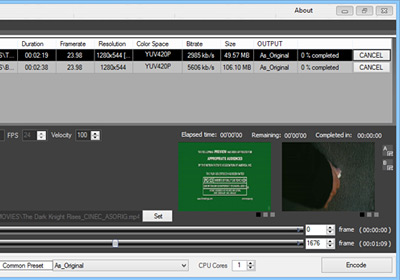
Here we have yet-another video encoder titled Kirara Encoder. This application supports majority of the popular media formats, be it video or audio, and sports a very user friendly UI, which is instrumental in letting the user access all the advanced functions as well. Best of all, the application is a portable one for Windows, bringing you a tad bit more than just any other video encoder. Screenshots and more on the features after the break. Read More

Now Convert Videos Into HTML5 Formats With Free Make Video Converter

Remember previously-covered Free Make Video Converter that included a host of file and device-based video conversion presets to quickly convert videos into required format? The application has just been updated to 3.0, bringing new video conversion presets for Nokia, Samsung, Andriod mobiles, BlackBerry, DVD conversion options, and significant speed improvements. Apart from newly added presets and under the hood enhancements, it can now convert videos into HTML5 formats, allowing you to create videos in Ogg, Theora, WebM, H.264 formats for your HTML5-based websites. Once the conversion is completed, it generates HTML5 video embed code, so that you can easily insert the video into required container of the webpage. Read More

Download VidCoder 1.0; Now Out Of Beta And More Stable

VidCoder is a famous open source DVD/Blu-ray ripping and video transcoding application that uses HandBrake  encoding engine and is considered to have a much easier-to-use user interface than HandBrake itself. We reviewed the initial version when it was released, and later when it added Blu-ray support. Today, VidCoder ended its beta stage and a stable package was launched (version 1.0). In this post we will take a look at some of its new features which have made it even better than before. Read More

Smart Converter Encodes Video & Audio, Sends Converted Audio To iTunes

Don’t want the fuss of having to set audio/video parameters prior to convert video files into required format? Smart Converter is an robust and an elegant video conversion utility that supports drag & drop behavior without requiring any sort of settings and A/V options to be configured in order to convert video files between different formats. It’s a feature-rich preset-based media converter that can encode videos to Apple TV, iPad, iPhone, iPod, Android Tablets and phones, Sony PSP, PlayStation 3, Sony Bavaria TV, Google TV, and Microsoft Xbox 360. In addition to widely known devices, it can also convert videos into ACC and MP3 format and send them directly to iTunes to automatically synchronize newly added music files with your iDevices. Read More

Multithreaded TEncoder Video Encoder Can Hardcode Subtitles Into Video Files

Do you use Handbrake, Format Factory, or other like tools and feel intimated by the options and audio/video parameters they offer to convert videos between different formats? You can try TEncoder for your routine video encoding needs. It’s an open source video encoder that supports multi-thread technology to make multiple video conversion process not only fast but seamless as well. It has the capability of converting video between 9 different formats, including, Xvid, FLV, H264, WMV, MP4, MPEG 2, etc. Unlike many other video encoders, it uses FFMpeg and Mencoder codecs to convert videos without erupting any major conflict while converting the video formats. TEncoder comes useful for those movie junkies who love to pack ripped movies with their subtitles into single video file. If you’re among heavy video encoders, TEncoder provides you with a facility to run 8 separate encoders to convert vides in relatively less time. Read More

Evom For Mac Converts Videos From The Web And Exports To iTunes

Evom is a lightweight video converter and video transfer tool for Mac that will wholly satisfy your daily video conversion needs, especially if you use iTunes to sync with your iOS device (iPhone, iPad, or iPod). While you have option to export converted videos directly to iTunes to sync them with your iOS device, it also lets you grab videos from web in order to convert and send them to iTunes library on the fly. As per developer, it makes use of your spare Mac processing strength to convert videos with high speed. Read More

Aero Convert Is Small But Powerful Video Converter

Aero Convert is a small, lightweight, and an elegant media converter to encode audio and video files in mostly commonly used formats, including, AVI, FLV, MOV, MP3, MP4, MPG, WAV, and WMV. It is developed to quickly perform conversion operations and optimize video quality for CD and DVD. With almost every provided format, you can use the HQ switch preset to convert videos in high definition. Aero Convert, despite being a small converter, offers some powerful conversion options to make full use of CPU in order to provide blazing fast conversion speed similar to previously featured Oxelon Media Converter. However, it does not compare with Handbrake and Oxelon, but provides sufficient conversion options for routine audio and video conversion tasks. The nice part is that you won't have to set up audio and video parameters nor does it require setting up any configurations. Just launch it, select the format, and specify media files to start conversion. Read More

Media Converter For Mac Is Simple Yet Advanced Video Converter

If you’re not a videophile, you must be comfortable using a media converter with minimal set of conversion options and simple usage, like,  Media Converter. It fulfills almost all sort of daily media conversions needs with extremely simple usage to encode media files. You just have to drag a file over the interface to begin the conversion process. It is open source and uses ffmpeg codec, so a variety of media formats are supported, AVI, WMV, MKV, RM, and MOV, to name a few. For your convenience, it comes with a list of presets to save you time for adjusting conversion options and other A/V parameters. If you need to create a preset or customize existing one, doing so in Media Converter is fairly simple. Read More

DVDVideoSoft FreeStudio Is Complete All-In-One Multimedia Converter And Burner

DVDVideoSoft FreeStudio packages more than 40 programs for converting and burning into one eye-candy application. You can convert YouTube videos to MP3, Audio CD to MP3, WAV, APE, and FLAC format, Video to Mp3, Flash, DVD, MKV, AVI, and MP4 format. Despite having a slew of conversion tools, it lets you burn CD/DVD and Blu-Ray discs on the fly. It offers plentiful of disc authoring tools to burn videos, DVD files, audio tracks, and to create Audio CDs from MP3 files. Features list doesn’t end here, image manipulation tools have also been included to convert and resize images, convert video files into pack of JPGs while both 3D photo and video maker are also available. It supports all Apple Devices, allowing you to convert audio and video files into supported formats for Apple TV, iPhone, iPod, and iPad. Apart from supporting all the formats, it has an ability to convert audio and video files into famous portable devices, gaming consoles, and other smart phone formats, including, Andriod, Blackberry, HTC phones, Motorola, Nokia, Xbox, Nintendo, and PSP. Read More