Easily Convert MP3, WMV & M4A Songs To Ringtones On Nokia Lumia

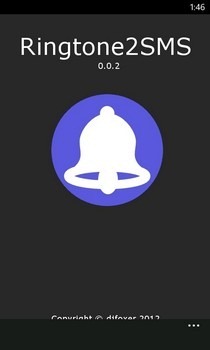
Just a few days back we discussed #trending, a Windows Phone app that lets you get ringtones of your favorite songs from Twitter's new music discovery service, among other things. While ringtones were just one feature in the #trending app, Windows Phone has had plenty of other apps that focused solely on loading your phone with tons of free ringtones. Trying to find readymade ringtones can be a bit tough though, since you might not be able to find the right tone of your favorite song despite having it in your music library. If you are really desperate for it, there is the possibility of exporting the music file to your computer, and then cutting it to an appropriate length using a desktop tool of your choice. Thankfully, users of Lumia devices have a much easier solution to this problem. The Nokia Ringtone Maker has been around for quite a while, but the beta of its latest version has taken the app to a whole new level. The app can now handle several file formats, rather than just MP3. Read More

Browse Twitter #music On Windows Phone & Download Track Previews As Ringtones With #trending

For some reason, Twitter chose to make their new #music service really tough to access, with iOS being the only smartphone platform having an official client for it. Even Android has been ignored so far, which means there is little chance of #music appearing in the WP Store for a long time. Apart from lack of support for various platforms, there are also a bunch of region restrictions that have so far limited the availability of #music to only a lucky few users when seen at a global scale. Despite all these adversities, a Windows Phone developer has somehow managed to bring an unofficial #music client to WP7 and WP8. #trending displays the latest charts from #music, keeping users in the loop regarding the tracks gaining popularity on Twitter. You can listen to a 30-second snippet of all the listed songs, and even download these samples as ringtones for your device. Read More

Ding Is A Vibrant, Gesture-Based Alarm Clock App For Windows Phone

In the past, we haven’t covered a lot of alarm apps for Windows Phone, or any other platform, for that matter. Most people aren’t in a particularly rosy mood when they get up in the morning, and a feature-laden alarm clock app is likely to annoy you more than anything. While apps like 627.AM and Clever Alarm are useful in some situations, you are likely to prefer a more run-of-the-mill app in your daily routine. Ding for WP7 and WP8 doesn’t come with a host of customizable features, but it looks good and is very convenient to use as well. It reflects the accent color you have chosen for your phone, fitting right in with the overall theme, and sports a unique gesture-based UI for quicker, easier setting of alarms. Read More

LinkedIn For Windows Phone Gets Live Tiles, Voice Controls & Dynamic Lock Screen Support

A month shy of its first release anniversary, LinkedIn for Windows Phone has received a major update. Windows Phone has native integration with the world’s largest professional network since WP7, but you do need to have a decent app if you want to properly go through your updates, message someone or explore new jobs. The previous version of the official LinkedIn client for Windows Phone was pretty decent, but it did not take full advantage of all the awesome new possibilities added to the mix by WP8. With LinkedIn 1.5 however, you get to control many aspects of the app using WP8’s native voice commands; resizable live tiles are supported now, and it is possible to configure your lock screen to automatically cycle through images taken from the LinkedIn Today section of the app. Read More

Unification Is A Combined Notification Center For Windows Phone & Windows

Since the days of Windows Phone 7, Microsoft has been claiming that the ‘Me’ section of the People hub is fully capable of serving as the notifications area of your phone, but most users haven't been satisfied with the somewhat limited functionality the Me tile offers. The People hub is enough if you are only interested in social media updates, but what about all the notifications you might miss from third-party apps just because the device was in your pocket when the toast notification showed up? Unification is a new app that has the potential to act like a notification repository for all the apps you use on your Windows Phone. The app has been released only on WP8 at present, but it is slated to arrive for Windows Phone 7 and Windows 8 pretty soon, which is sure to make it a truly universal notification center for the entire Microsoft ecosystem. Read More

Evernote For Windows Phone Gets Checklists, Note Tiles & Improved UI

Thanks to OneNote and Windows Phone’s seamless integration with SkyDrive, a lot of people didn't think that Evernote for WP7 (and later for WP8) would gain a lot of popularity. Existing users of Evernote, however, are not likely to switch to a new service just because it has better integration with their smartphones. This has kept Evernote quite relevant for Windows Phone so far. Another contributing factor in the app's rise to fame in the WP Store is its Modern UI and regular updates. Despite all that, a few small but important features have been missing from the app's WP client so far. Evernote's latest update doesn't make it perfect, but it does bring some much-needed features to the mix. You can now pin notes to the app's main screen, browse through tags more conveniently, view your account's basic information in one place, and add checklists to your notes. Read More

Al Jazeera Brings Its Live Audio & Video News App To Windows Phone

News integrators like Flipboard are great if you are looking to stay in touch with latest happenings from around the world without having to spend a lot of time. However, these apps can not serve as true replacements for official clients of popular news agencies and TV channels. Dedicated apps offer access to exclusive content, news stories that are hot off the presses and other interesting material. So, it is certainly good to see official clients of famous news services coming to Windows Phone. The BBC and CNN apps have been around in the WP Store for quite a while now, but it has taken Al Jazeera more than two years to come to Windows Phone after Android. Better late than never, and the app turns out to be pretty decent as well, bringing live streaming, picture galleries and the ability to preload articles for offline viewing. Read More

Pin Live Tiles & Get Push Notifications For Facebook Pages On Windows Phone

Windows Phone’s Facebook integration has always been pretty good, thanks to its presence in the People hub, along with a decent Facebook client. While Mango users have had some complaints regarding push notifications in the past, they work pretty flawlessly on WP8. Having said that, there is a limit to the kind of content that is pushed to users via notifications. If you follow a lot of Facebook pages, there is no way of getting notified whenever there is some new activity on them. That’s where Pages comes handy. This aptly named Windows Phone app has been designed to let users pin Facebook pages to their Start screen, and configure notifications for them. The app also offers quite a good way to discover pages and make your timeline more interesting. Read More

Shoopix Is A Great WP8 500px Viewer With Dynamic Lock Screen Support

Despite having some of the best cameras, Windows Phone devices have always been plagued by the lack of good photography apps to go with the hardware. While the official Instagram or even 500px apps might not have arrived for WP8 just yet, the WP Store now has some really good third-party clients for such services. Shoopix is a 500px client that is just about perfect for casual users of the photography website. The app lets you browse through the most popular sections of 500px in a really neat interface, and even lets you download photos to your camera roll. In addition to all this, if you like the dynamic lock screen feature of Windows Phone 8, Shoopix just might prove to be the app that you have always been looking for. Read More

Nokia Releases SophieLens, Glam Me Lenses & A Plea-For-Instagram App For Lumia

Camera quality has always been a major bragging right of the Nokia Lumia series. You can point out many shortcomings in the Windows Phone platform but when it comes to hardware, Windows Phone 8 devices can certainly hold their own against most competitors. Nokia realizes this advantage, and a lot of their apps focus on image editing and photography. Once it really catches on, the whole concept of ‘lenses’ is sure to make Lumia popular among photo-freaks even more. For now, Nokia is taking steps in the right direction, and has released three photo-related, apps exclusively for Lumia devices! Glam Me, SophieLens and #2InstaWithLove all let you make changes to your photos in one way or another, and that too without spending too much time. Read More

Disqus Releases Its First Mobile App & It’s For Windows Phone

All bloggers and most of their avid readers must be aware of the amazingly useful Disqus platform that has become near-ubiquitous for blog commenting. The service is great for those wishing to easily manage discussion threads on their website, and for readers who don’t want to create a new account for every blog they follow and comment on. Most major services have their smartphones apps these days, but Disqus has been a clear absentee from the app collections of all mobile platforms. Rumors of an official Disqus client have been flying around for a few days, but we are sure not many expected to see it land on Windows Phone before any other platform. The app just arrived, and is surprisingly good. You get real-time push notifications, live tile support, a complete feed of activities containing posts from those you follow and of course, a full-featured dashboard for moderators. Read More

Twitter For Windows Phone Gets New UI, Lock Screen Notifications & An Improved Live Tile

It might have taken longer than expected, but Microsoft’s promise of bringing better apps to Windows Phone 8 is finally coming true. After the WhatsApp overhaul last week, Twitter has received a significant update as well. Until now, Twitter’s Windows Phone client resembled the service’s web version rather than its smartphone counterpart, but finally the situation has been rectified, with the new update bringing a tabbed interface and better notification support. The ‘Connect’ and ‘Discover’ tabs have finally been added to the app. You can also configure lock screen notifications on WP8 devices quite easily. No Windows Phone app update is complete unless it improves the live tile, and Twitter is no exception. The app now supports a double-sided tile that shows alerts for mentions and direct messages. Read More

WhatsApp For Windows Phone Gets Backup, Lock Screen Notifications & More

Although WhatsApp has been around on Windows Phone for quite a while now, the app has never been as good as its Android and iOS counterparts. Apart from the usual interface and live tile support issues, WhatsApp (both on Mango and WP8) didn’t even have lock screen notifications. Thankfully, the app’s latest update has brought this much-needed functionality to Windows Phone. In addition to a better notification system, it is now easier to personalize the app as well, thanks to a host of new options in the app’s settings. The attachment options have seen some improvement as well, letting you share media, contacts and your location with your contacts. Read More

ScrobbleMe Is A Free, Simple Last.fm Scrobbler For Windows Phone

Windows Phone has had an official Last.fm client available since the pre-Mango era, but the app has a glaring omission - scrobbling. While there are other, more complicated ways of scrobbling from Windows Phone, most people end up ignoring them due to the cumbersome steps involved. iOS and Android have Last.fm’s official Scrobbler app, but the Windows Phone Store has been overlooked in this regard so far. A few third-party apps with scrobbling support that we have seen so far are either paid, or riddled with bugs. That is why the new ScrobbleMe app might establish a loyal fan base pretty soon. The app is really simple, devoid of absolutely any bells and whistles, and offers you dead-simple Last.fm scrobbling, along with support for publishing your playlist with a certain delay, so that the scrobble list can be curated beforehand. Read More

How To Update To Windows Phone 7.8 Right Now

Almost all Windows Phone 7.5 (Mango) users were frustrated at the announcement of Windows Phone 8, since it sounded like the end of major updates for WP7 devices as they weren't to get updated to WP8. However, Microsoft surprised everyone with their intentions to bump all Mango devices to WP7.8, bringing several features of WP8 to them. After months of anticipation, the Portico update has finally started rolling out, and unsurprisingly, the Nokia Lumia series is the first to get the goodies. The rest of you don’t have to despair either, since there is quite an easy method of getting Windows Phone 7.8 on any Mango device right now. If you know for a fact that the update won’t be rolled out for you in the near future, go ahead and try this rather safe method; all it requires is a simple desktop tool and some spare time. Read More

40 Best Windows Phone Apps Of 2012

A lot of people thought that if Windows Phone 7 failed to make an impact in the smartphone market, this might spell the end of Microsoft’s mobile adventure. Contrary to this belief though, 2012 saw the announcement and release of Windows Phone 8. While WP8 is pretty much a whole new OS, you can’t say that it is fundamentally different from its predecessor. Unfortunately, even WP8 hasn’t fared significantly better than Mango so far, but that isn’t from lack of trying on the part of its manufacturers and people who develop apps for the Windows Phone Store. During the course of the year, the platform's app collection grew past the 100,000 mark and is now on its way to even bigger milestones. While some of the releases were rather disappointing, the overall quality of apps in the WP Store definitely seems to have improved compared to what we saw in 2011. Here is a list of the best free Windows Phone apps that were covered here on Addictive Tips in 2012. Read More

Easily Remove Unwanted Objects From Photos On Windows Phone With Smartest Eraser

A memorable photo is one snapped with perfect timing to capture the complete essence of a moment. A lot of great photos are ruined by objects or other people who weren't intended to be there. Perhaps someone was trying to photo-bomb you in the background, or you just wish there was some way that ugly truck had moved away before the picture was taken. Of course you can use Photoshop or other desktop tools to fix these blemishes, but not many bother going through all that trouble if the picture was shot using a phone. If you own a Windows Phone device, Smartest Eraser provides the easiest way of removing unwanted parts of any photo. You also get the option to edit the photos thoroughly, thanks to the zooming and ‘protect’ features offered by the app. Read More

Get Weather Updates By The Minute With SkyMotion For Windows Phone

Live tiles are the flagship feature of Microsoft's latest operating systems and while they are handy in displaying info at a quick glance for a lot of different types of apps, they particularly shine when it comes to weather apps. Microsoft’s own weather app has a rather simple live tile, but there are many fancier options available in the Windows Phone Store that utilize live tiles to the max. Usually live tiles get updated after an hour or so, which is fine in most cases. However, if the weather of your city is really unpredictable and has the tendency to go from sunny to stormy in a matter of minutes, even live tiles can’t do enough to forewarn you. That’s where SkyMotion can be of assistance. This new Windows Phone app provides minute-by-minute weather updates, and can tell you about a coming onslaught of the elements that might slip under the radar of an ordinary weather app. Read More

Download Any File Or Media Stream On Windows Phone With GetThemAll

Before WP8 came out, a lot of people weren't fans of Windows Phone because it was a little too restrictive compared to its predecessor Windows Mobile, or Android.. There was no easy way of sharing media, external memory was not supported and Internet Explorer couldn't download most file types. The latest refresh of Microsoft’s mobile platform has addressed file sharing and external memory issues, but it is still not possible to download most file types while browsing on your phone. That’s why the release of GetThemAll is good news for all Windows Phone users. This new web browser for Mango and WP8 has some comprehensive download capabilities. You can use it to grab HD videos, audio, images and other HTML5 content from any website. The app has a great download manager that lets users create folders for keeping data easily accessible. Read More

How To Set Up Outlook Alias For Non-Microsoft Live ID On Windows Phone

If you have an Outlook account with an alias set up, setting it up as your default Live ID on a Windows Phone can pose a myriad of tricky problems. Outlook aliases are a new introduction by Microsoft and while they can add convenience to your experience, setting one up on a Windows Phone is usually a nightmare, specially if your Live ID is based on a non-Microsoft email address like Gmail. Your emails might not sync properly, the OS might threaten to wipe all your past purchases or your ID may not get accepted as the default phone account. Luckily, there is a solution to all these problems. Read More