Cloud Management & Collaboration App BusyFlow Comes To Android & iOS

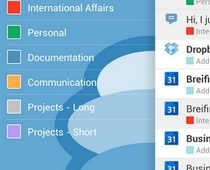
The online nature of several modern-day business models has freed workforces from geographical constraints, allowing them to collaboratively work on projects from any part of the world using the internet. However, with documents, files, calendars and all other required work tools spread across multiple online services, you might feel the need to access them from under one roof, which is exactly what the previously-reviewed web service BusyFlow has to offer. Following the success of the BusyFlow web app, the company has recently launched its companion apps for iOS and Android. Available in iTunes App Store and Google Play Store for free, the official mobile app of BusyFlow helps you stay connected with your most frequently-used online collaboration and cloud services through a single interface. As of now, BusyFlow supports fetching updated content – notifications and changes – from Google Calendar, Dropbox, Google Drive, Trello, Basecamp, GitHub, Google Tasks, and Pivotal Tracker. Read More

Swapps! Is An App Switching Sidebar Accessible From Anywhere In Android

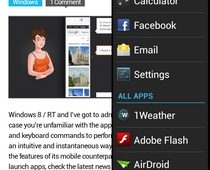
Android multitasking and app switching solutions seem to be arriving in the Play Store left, right and center these days, and hardly a day passes before we come across a new candidate in this regard. Today, we have arguably one of the simplest tools to quickly access your favorite and recently used apps anywhere within Android. Fresh to the Play Store, Swapps! is a free and customizable Android multitasking and app switching tool that lets you instantly access your recent, favorite or any installed app from anywhere in the OS with minimum effort. Once enabled, the Swapps! interactive app switcher panel can be summoned anytime by just swiping in from the left or right edge of your device’s screen. The panel lists your device’s entire app drawer, in addition to 5 recently launched apps and a maximum of 10 favorite apps of your choice. More on Swapps! after the break. Read More

Cryptonite Offers EncFS & TrueCrypt-Based Local & Cloud Data Encryption On Android

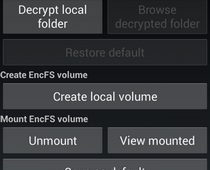
While there are countless data encryption and decryption tools available across most popular computer platforms, choices are rather limited for mobile users, and Android is no exception in this regard. Though with Cryptonite, you don't really need much more, as it offers industry-standard encryption of not just your mobile device’s local data, but also the data on your Dropbox storage. Cryptonite is a free and open-source Android file encryption & decryption tool based on EncFS and TrueCrypt that can be used to browse, export and open EncFS-encrypted files and folders stored on your mobile device as well as Dropbox storage. Unlike most other similar tools, Cryptonite works fine on both rooted and non-rooted devices. That’s not all – if you own a rooted Android device that supports FUSE Kernel (as found in certain CyanogenMod ROMs), you can also use Cryptonite to mount TrueCrypt and EncFS volumes on your device. Read More

Sleek Android Twitter App ‘Carbon’ Finally Arrives In Play Store

The official Android client of Twitter is decent enough to keep you hooked into your micro-blogging world on the move, but compared to some of the feature-filled third-party alternatives out there, it just doesn’t seem to suffice for power users. Many of us prefer aesthetics and user-friendliness over a relatively huge feature set, while others wish to have as many neat tricks at their disposal as possible, even if they have to pay for it. If you’re still in search of the ideal Twitter app for your Android device, Carbon for Twitter might be worth a try. After staying in testing phases for quite long, Carbon for Twitter has finally made it to the Play Store as a slick and animation-filled Twitter client. Though not as feature-rich as OneLouder Apps’ Slices or as gorgeous as Falcon or Plume, Carbon for Twitter certainly has quite a few goodies of its own that we shall explore past the break. Read More

Stylish Social Photo Album App Whip Comes To Android

ArcSoft – one of the leading multimedia software developers of the modern age – is famous among Windows 8 and iOS users mainly because of the much-revered photo editing app, Perfect365. Another Windows 8/RT and iOS app that has managed to gain a lot of traction in a relatively short time is Whip – a visually-rich and customizable social photo album editor and slideshow generator by ArcSoft that offers plenty of stylish templates and background music tracks. An album created with the app is referred to as a ‘Whip’ that can be viewed as a slideshow in a magazine-style interface, complete with flip-page animations and user-selected background sounds. You can create & share your own personalized albums, or enjoy Whips shared by other users of the app. After a considerably long delay, the official Android app of Whip has finally made its way to the Play Store. Let’s take a look at the features that Whip for Android has to offer. Read More

Floating Stickies Brings Omnipresent Sticky Notes To Android

AirCalc was one of the first floating Android apps that we came across and since then, there’s been a surge of floating apps in the Play Store, ranging from floating audio and video player, web browsers and task managers to dictionaries, app switchers and YouTube clients, to name a few. Floating Stickies is another handy floating app that allows you to jot down multiple colorful and animated sticky notes to your Android device’s screen from virtually anywhere within the OS. In addition to being completely resizable and moveable using easy gestures, each sticky note comes with basic clipboard management tools that allow you to copy and paste text with with ease. Read More

KeepApp Offers A Combined Timeline For Facebook, Twitter, Instagram & Foursquare On Android

If your social contacts spread across multiple online networks and you find it tough keeping track of their activities on your mobile device through a bunch of different apps, KeepApp might save the day for you. It is a social network aggregator for Android capable of displaying the latest activity from as many as four major networks: Facebook, Foursquare, Instagram and Twitter. Through a Holo-themed, unified timeline UI, you can take a peek at what’s happening on each of the four networks and interact with the posts in various ways. Though not the only app of its kind, KeepApp is special in that it lets you view last updated status of each supported network even in offline mode, just like the stock apps for these services. It also lets you directly download images contained within posts from all supported networks. In addition, it keeps you informed of your Twitter updates via push notifications, and supports natively posting retweets and @Mentions, complete with image support. Read More

2nd HOME: Android Multitasking App With Power Toggles & PIN Protection

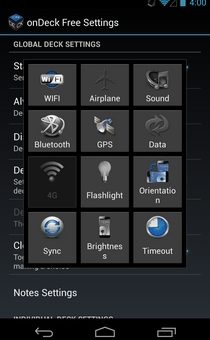
We've been seeing Android app switchers and launchers making their way to the Play Store quite frequently these days, each claiming to offer a better multitasking experience than its competitors. Ranging from the stripped-down and minimalist ones like GYF Side Launcher to the heavyweights like SwitchApps, there are plenty of options available to suit anyone's needs. 2nd HOME aims to offer a unique combination of an app switcher, privacy manager and memory cleaner that also sports Android 4.2 Jelly Bean-style notification power toggles, all accessible from the same UI throughout Android via an omnipresent on-screen trigger as well as a notification panel shortcut. Read More

ShadowDrive Social Cloud Storage & Sharing Service Comes To Android

Relatively fresh to the scene, ShadowDrive is an attempt to provide mobile, web and desktop users with a true ‘social cloud drive’ service that is not just capable of handling your online data backups, but also lets you share files with utmost ease. ShadowDrive offers each registered user an initial free cloud storage space of 1GB that can be used to store your files, with options to share any of your stored files with anyone using public links, or privately with your specific social media contacts only. Past the break, we'll be taking a look at ShadowDrive's Android app that has recently been released in the Play Store with almost all the features that the web app of the service has to offer. Read More

Koush’s Carbon Allows Scheduled, Local & Cloud Android App Data Backup [Review]

While there are quite a few app data backup and restoration solutions available for Android users, not many allow creating backups of personal app data, and the few that do often require you to have a rooted Android device to fully utilize them, or come with with a price tag. Koushisk Dutta (aka Koush) - the renowned developer of the world-famous ClockworkMod recovery, DeskSMS, TabletSMS, ROM Manager, and Tether - has been quite busy over the past few days prepping an app data backup and sync tool of his own called Carbon. Initially released as a limited beta for just rooted devices, Carbon has now officially made its way to the Play Store with quite a few additional handy options. Let's find out all about Carbon after the jump. Read More

Hands-On With The Official XBMC 12 ‘Frodo’ For Android [Review]

XBMC is likely the best and most feature-rich cross-platform media center application available for almost all leading computer platforms. The immensely powerful open-source software has always been revered for the wide array of media discovery, playback & streaming tools it supports, and things only seem to get better with the release of version 12 of XBMC codenamed ‘Frodo’ that not only brings with it a slew of brand new features, but also introduces us to the official Raspberry Pi and Android variants of our beloved media center. As with both recently-supported platforms, the latest release of XBMC now lets Windows, Mac OS X, Linux, ATV and iOS users enjoy full HD audio support, improved AirPlay support, new translations powered by Transifex, advanced content filtering in media library, better UPnP sharing support, video library tags, improved image support, and most importantly, integrated Live TV and PVR support. More to follow. Read More

Discover Fun Places Recommended By Friends With Scoopt For Android & iOS

Looking for a simple location discovery app that helps you easily find the best nearby and worldwide amenities recommended by your very own friends? You might want to give Scoopt a try. Utilizing the trusted and widely used services of Google Maps, Facebook, Instagram and Foursquare, Scoopt is a free location discovery social app for Android and iOS that claims to offer the best recommendations for interesting places to eat, drink, shop, sleep and visit. It does so by presenting crowdsourced location-based information from actual visitors, app users and your friends instead of fake advertisers and promoters. The app sports arguably the best interface that we have seen in a while. In just a few taps, you can end up finding some of the most fascinating places to spend your weekend, or you may let your friends know about a nice little food spot you’ve just discovered in town. The app’s Holo-ish UI is curated in a way to help you easily explore all the recommended places by their order of submission, proximity, categories or a point of interest anywhere on the map. Read More

Free Version Of Foxit Mobile PDF Reader Now Available For Android [Review]

Foxit Mobile PDF is rated quite high among quality PDF readers and annotation apps on both Android and iOS. After raking considerable success among computer users, Foxit has continued its success on both leading mobile platforms, courtesy its state-of-the-art and option-rich PDF management tool with a significantly smaller size and memory footprint compared to Adobe's offering. While the paid variant of Foxit Mobile PDF for Android and iOS has been around for quite some time now, the company has just decided to provide Android users with a reader-only free version of the app. Barring the annotation feature, Foxit Mobile PDF Lite is equipped with almost all the handy PDF viewing tools that its paid equivalent has to offer, including the ability to read, view & manage locally stored PDF files in multiple ways, buttery smooth text reflow within documents, 1-tap orientation switching between landscape & portrait views, option to access password-protected files, built-in search tool to scan documents for required expressions, quick navigation to select pages within documents, remotely importing document files from computer to mobile devices over Wi-Fi, cloud integration with Box, Dropbox & KuaiPan, enhanced bookmarks management, custom brightness level setting for documents and lots more. Read More

Easily Copy Select Web Content To Evernote With EverClip For Android

While there’s no doubting the astounding note-taking proficiency of Evernote, things can become a bit tough while clipping stuff from webpages on your mobile device. This holds true especially if you’re looking to clip just select material instead of the entire webpage itself. For instance there might be just an image of interest on the webpage that you want to clip, or you might want to save just the main contents, a required text portion, an image snapshot of a part of the web page, or its URL, instead of the complete article itself. If you’re looking for an efficient web clipping app for Android that can store select content in your Evernote account, EverClip might be just what you're looking for. Let's find out more about this handy app after the jump. Read More

Lightning Browser Is A Lightweight Android Web Browser With Flash Support

While the likes of Chrome, Firefox, Dolphin and Opera are generally amongst the top candidates to claim the best Android web browser title, these heavyweights are often considered as a secondary option by those who are just looking for a fast, simple and lightweight mobile browser that is void of any unwanted bells and whistles. If you’re hunting for a barebones browser supporting just the basic features, XDA member anthonycr’s Lightning Browser might well be up your alley. With a file size of just 200KB and a relatively small memory footprint, Lightning Browser is arguably one of the tiniest full-featured Android web browsers available in the Play Store. What's more, it also supports Adobe Flash! Read More

EQuala Is A Social, User-Curated Radio For Android & iOS With A Twist

Social music discovery services are special in that they not only help you explore the top trending tracks from all across the globe, but also let you share your personal musical tastes with worldwide music lovers. The phenomenal aspect of most quality apps in this regard (like Hitlantis, MusicBunk, Exfm and Soundtracker) is that they add something unique to the concept in terms of both aesthetics and functionality. In EQuala, we might well have found another very impressive solution for discovering great music on mobile devices. Available for Android and iOS, EQuala (beta) presents you with a unique equalizer-like UI containing various sliders linked to selected EQuala users and friends. By adjusting the levels of these sliders, you can let the app know exactly what ratio of tracks to stream from the choice in music of each of these users. Based on your custom settings, EQuala will then begin playing a continuous stream of music, allowing you to enjoy the right blend of music from various users as you like. Read More

RetroArch Lets You Play PlayStation, SNES & Other Retro Console & PC Games On Android

Video game emulators are nothing new to Android. Ranging from PlayStation to Xbox and many others in between, you’re likely to find several emulators that let you play your favorite games from a variety of platforms on your Android device. However, why install a separate emulator for each platform, when you can have it all in one package with RetroArch? The app allows you to play your favorite gaming titles from at least a dozen different platforms on your Android device. Furthermore, RetroArch impresses with its automatic Plug & Play detection feature for various USB & Bluetooth gamepads, custom touchscreen controller overlays, game-aware pixel shading, real-time rewinding in games and plenty more. Read More

Amazon Cloud Drive Photos For Android Adds Instant Upload & More

Amazon debuted Cloud Drive Photos in November last year to provide Android users with a dedicated cloud storage service and visually-rich gallery for images. As mentioned in our review, the initial release of the app lacked several basic features that most rival companies had been offering for quite long. It seems Amazon has eventually realized the significance of most of the missing features, and included them in the latest update of the app. To begin with, the much-awaited instant, automatic photo upload feature has been added to the mix, meaning your Amazon Cloud Drive is now capable of handling your online photo backups in a much better and automated manner. If your device is running Android 4.0 Ice Cream Sandwich or higher, you can now snap fresh images right from the app using the new camera mode. Continue reading past the break to find out more details regarding the update. Read More

LMT Launcher For Android Updated With Pie-Style Multitasking Shortcuts

Paranoid Android is arguably one of the most popular custom ROMs available for Android these days, offering the best features of Android smartphones and tablets in a single well-blended package, along with several other goodies and customizations. PIE is one of the ROM's features that is fast gathering attraction from Android developers and users alike. The feature can be cited as an enhanced version of Taskarou Launcher that we already have covered at Addictive Tips, which in itself takes inspiration from an optional interface offered in the stock ICS browser. As with the said launcher, PIE allows quick and convenient multitasking on Android by offering a Chinese fan-like menu overlay containing conventional hardware emulation keys and various other ones supporting user-selected actions. In addition, you get to see information regarding current time, date, battery & Wi-Fi status and unattended notification count. If you wish to enjoy a similar feature on your rooted Android device without having to flashing the entire ROM, XDA member noname81 brings it to you the latest update to LMT Launcher – a fully gesture-controlled and highly customizable multitasking app that hasn’t yet made it to Google Play Store despite being around since 2011. Read More

Access Recent & Favorite Apps From Anywhere In Android With HomeFlip

Such is the popularity of Android app launchers and task switchers that every few days, we come across a brand new concept of multitasking and quick app switching that appears to be more convenient and user-friendly than its predecessors. Today, we have another candidate vying to become your default Android app switching solution, especially for those who love to have a few favorite apps of theirs available just a few taps away from anywhere in the OS. With a file size of just 44 KB, HomeFlip (beta) by XDA member id0x12345 is easily among the most lightweight Android app launchers that we have come across so far. However, don’t let the meager file size of the app fool you; it boasts some very handy features that expedite multitasking on Android better than most existing solutions. Available for ICS and Jelly Bean devices, HomeFlip lists your recent apps/tasks anywhere in Android upon tapping the Home key. From the app’s dedicated recent tasks list, you can use various touch and swipe gestures to switch to required apps, pin select apps as favorites, hide items from the list and reorder favorite apps to your liking. Read More