Quickly Preview, Delete & Archive New Mail In Firefox With Gmail Notifier
Email notifications have become essential not just on our mobile devices but on our desktops/laptops too. Throughout the course of a normal workday, you will open, close (and forget to close) many tabs and in between all that, you’ll constantly visit your email to check for anything new. Extensions and add-ons that keep track of and notify you when you have new email are useful for precisely this: keeping you sane and up to date with your email. Gmail Notifier is a Firefox add-on that does just that, but has support for multiple accounts and an amazing preview panel that gives you an excellent overview of the new emails you’ve just received. You can delete, archive or mark emails as read from the panel, and navigate to the next/previous email without even having to open Gmail. The add-on gives you both desktop and audio notifications, and lets you manually check for new emails, switch between different email accounts, and edit the color of the preview panel as well as the notification on the add-on’s navigation bar button.
After installation, you will have to sign in to your Gmail account one more time. Click the add-on button and it will take you to the Gmail log in page. After that, each time you click the button, it will open the preview panel. To check for new emails, Ctrl+right-click the button. A simple right-click will allow you to switch to a different account. To add multiple accounts, you must be signed in to each one in your browser.
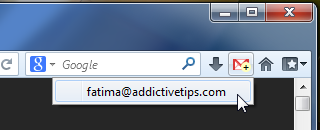
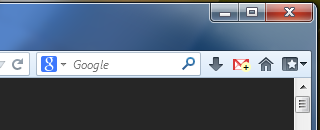
The add-on’s desktop notification is somewhat of a disappointment, since it doesn’t tell you who the sender of the a new email is, nor does it show the subject. Instead, you get an aggregate number of the unread emails you have in that account.

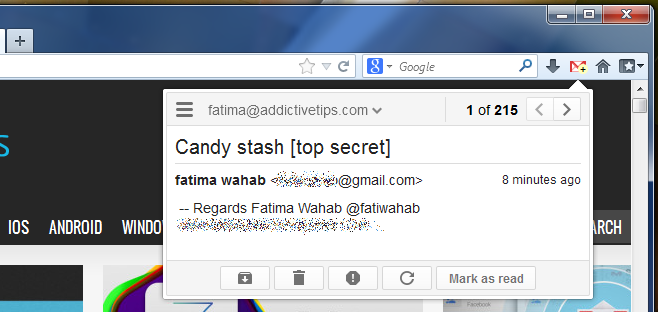
When you receive a new email, click the toolbar button to open the preview panel. You will be able to read a small snippet from the email and view the sender’s email address, though there is no way to tell if the mail has an attachment. You can switch to a different account from the preview panel as well. The all too familiar archive, delete, mark as spam, refresh, and mark as read buttons do exactly what you expect them to.
The appearance of the new email badge, the notification alert sound and the default action associated with clicking the add-on button can all be customized from the add-on’s settings. You can pick a sound of your choice in WAV format, and choose a different color for the notification and unread email count.
Overall, Gmail Notifier is pretty good for its excellent preview pane and all the customization options it offers but the notification its notification is quite the disappointment.
Install Gmail Notifier for Firefox

+1
Very impressive addon. Loved the UI