Speed Up Your Windows System With Soluto
Do you get frustrated as to what really takes that long to complete the boot process and are eager to know which applications prolong the boot time so that you can speed up the system? Besides many tips that are available nowadays pledging to give you complete dissection of your system and to find out the application that bogs down the system, many registry hacks have also been contrived solely to address this problem. Soluto however is a new service in town that provides a one-stop solution to view the complete anatomy of the boot process & allows you to change the application behavior which delays the boot process.
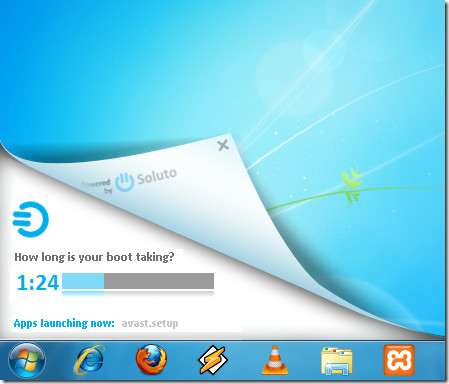
The usage is pretty simple & interactive, the main interface consistently shows you the procedure you need to follow. Once installed, it will prompt you to reboot the system. After which it initiates the process of calculating the total time taken by boot process.
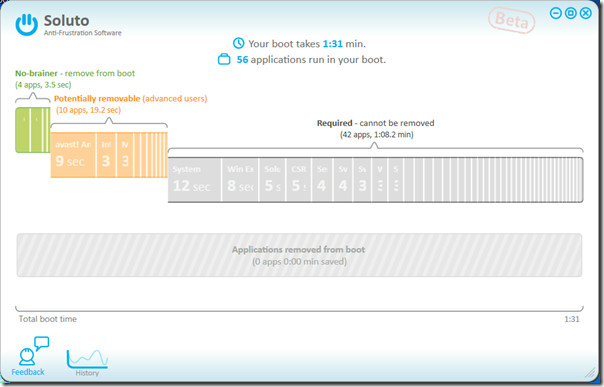
On the main window, you will see the time boot process took to complete, along with number of applications and processes that loaded while booting. You will see colored bars, showing the total time taken by each thread and applications involved in booting. Each bar represents application priority in terms of; applications that can be removed from the boot process, applications which are potentially removable (it’s up to user’s discretion whether to remove it or not), and applications having high priority such as ; explorer, CSRSS, Svchost, etc.
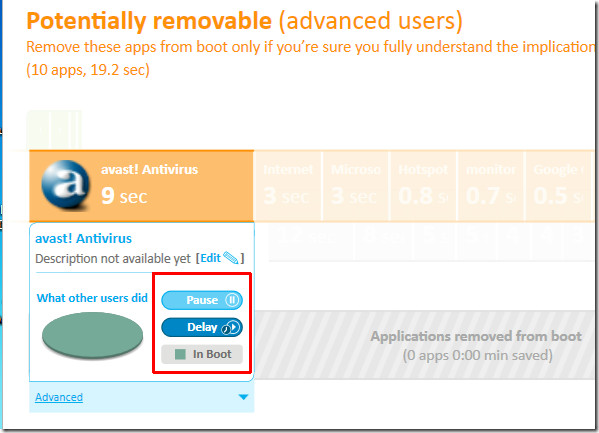
It is not merely an application that calculates boot time, but it also let user Pause or Delay the app launch. Pausing the app in Soluto’s context means, the application will be removed from the boot process, and can be launched anytime after it is completed, and Delay will launch the specified application when the system is in idle state.
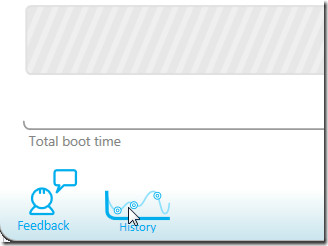
It also records the history of time taken by each reboot and has an option to show the pictorial representation of subsequent reboots. For viewing the complete history, click History link present at the lower part of it’s main window.
Soluto detected a total of 14 apps which could be removed to speed up the system boot. On removing these apps, we saved 22.7 seconds, thus reducing the boot time from 1 minute 31 seconds to 1 minute 8.3 seconds.
It runs on Windows XP, Windows Vista, and Windows 7. Testing was done on system running Windows 7 32-bit OS.

Increadibly annoying program – stay out by all means.
Great site btw, good work!
For real? Complaining about the .NET framework? The framework is already on most Windows installs, so won’t be a problem for most people. Also, .NET has been around for a long time and is perfectly stable, Mike/Colin should just install it instead of complaining in public forums because they haven’t.
In other words… it’s not bloatware, it’s simply using a perfectly acceptable framework that most people will already have installed. Most people would know this already.
Totally agree with the previous poster, although in truth I never got as far as doing the complete install. None of the reviews I saw mentioned the installation would download 54Mb of .NET framework without warning, but when I realised what was happening I got rid of it before the install completed. Soluto may be a wonderful piece of software, but you really should be warned of what you’re letting yourself in for so you can make a choice!
More Bloatware? no disrespect BUT!! we dont just get soluto do we? A: No we get the giant clagger .NET Framework as well. CDB Sorry guys but having tried your product I found a further 5 seconds for .NET and no improvement on boot time, also my whole sytem took a death rattle, my MS security essetials was delayed by some 20 seconds and everything seemed as if it was walking through mud.. Constructive Solution, for small users do away with .NET Framework and realise that most users will have gone the Bootvis route first before looking for what you call an entirely new solution.. Bad Hair Day……
great software