Check Integrity Of Files In Windows
Checking integrity of a file is the best way of telling whether it is corrupt or not? SFV and MD5 are two common formats used to check the integrity of files. Before we begin, here is what Wikipedia has to say about both formats:
Simple file verification (SFV)
It is a file format for storing CRC32 checksums of files in order to verify the integrity of files. SFV can be used to detect random corruptions in a file, but cannot be used for checking authenticity in any meaningful way.
Message-Digest algorithm 5 (MD5)
It is a widely used cryptographic hash function with a 128-bit hash value. As an Internet standard (RFC 1321), MD5 has been employed in a wide variety of security applications, and is also commonly used to check the integrity of files.
Now once you have understood about these formats, let’s move ahead. FlashSFV is a free portable tool for Windows that allows you to create SFV files and also checks the integrity of files. With it, you can determine which files are corrupt and which are fine. Note that any file can be corrupt due to a variety of reasons, including error in transmissions, write errors, bad flash memory, and so on.
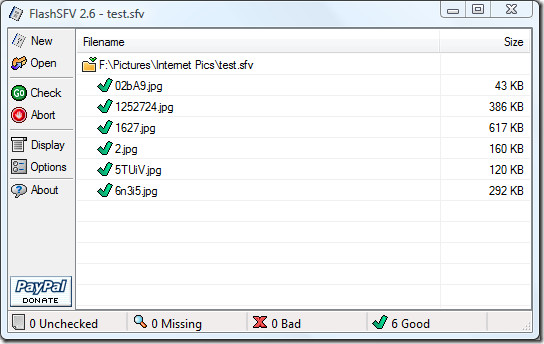
To create an SFV file using this tool, select New and then select the files and the output destination to save the SFV file. To check a SFV file, click Open, select the SFV file and then click Check. There is also an option to Verify the integrity of files.
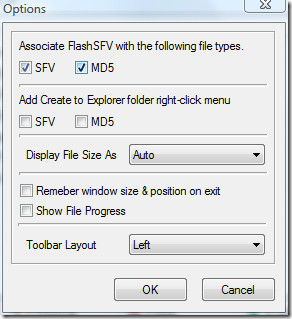
You can associate the SFV and MD5 formats to FlashSFV, add options in Windows Explorer context menu, and change few other settings by going to Options.
It is quite an easy-to-use tool when compared with other Integrity checkers. It works on all versions of Windows.
Enjoy!
