Compare PDF File Difference With DiffPDF
DiffPDF is a portable, open source application that can compares different PDF files for discrepancies (if any). It offers two comparison modes – Text and Appearance. It highlights text and image differences between two selected PDF documents that allows easy comparison for changes.
So why is it useful? When sending out company Terms and Conditions or other standard documents to clients, one should always have a uniform format. Many of such documents are sent in PDF format via email to potential clients. It can be quite hard to determine the uniformity of these documents. This includes the verification of text, images, watermarks and the like.
To compare PDF files, select two different documents via File 1 / File 2 and click Compare. This will highlight any differences that may be present in the documents. By default, DiffPDF is set to text mode. However, for image comparison, you can choose Appearance mode from the drop down menu.
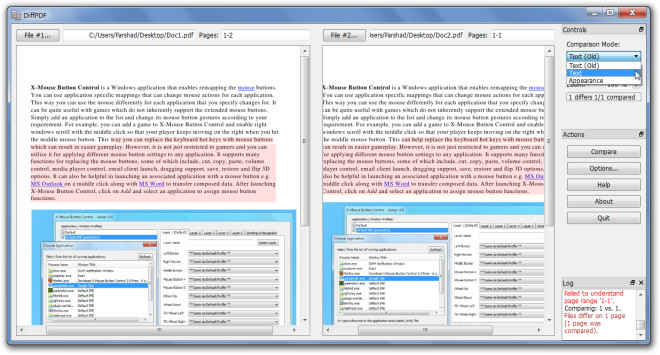
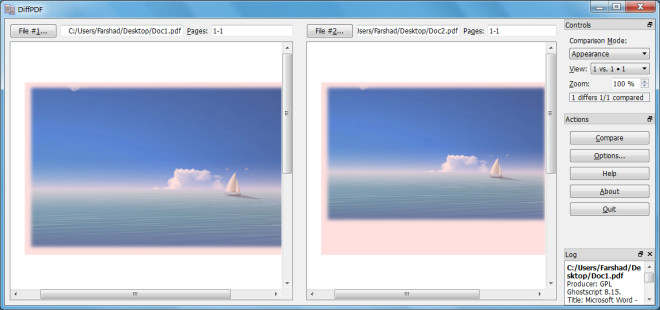
Like the text mode, any image discrepancies in the document are highlighted. For example, if there is a size difference between the images of both PDF documents it will be clearly distinguished by the highlighted area of the file.
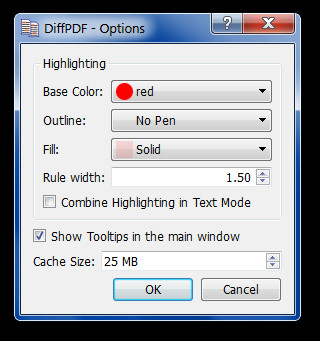
The Options button provides the choice to select the highlight color, the default color is red. You can also select outline and fill options, rule width and enable combined highlighted text mode, as well as tool tips in the main window.
It works on Windows XP, Windows Vista and Windows 7.

I WANT RIAL PERIOD. BEFORE I COULD START TRIAL PERIOD IS OVER, ITS NOT FAIR.
Triggers a virus alert on my antivirus
please visit http://soft.rubypdf.com/software/diffpdf to get the last version Diffpdf windows version