Download Google Android Emulator
Do you want to test drive Google Android without having to buy a phone? Google SDK package allows developers to see all android features and let them use the whole interface.
If you don’t want to be bothered by the complex Google SDK Package, then RedmondPie reports that Haseeb a member at XDA-Developers forum has managed to create an executable file by packaging and configuring the Google SDK. Which means that you can now use the complete emulator in a single-click without having to install Google SDK package.
All you have to do is extract the .rar archive, rename extracted folder to “Android-Emulator”, Download and Copy fixed exe files in it, and then finally run it. These steps are rather complicated and confusing. So instead of following these steps, I have provided the direct link to download Android Emulator, just extract the zip archive and run the executable file. That’s it.
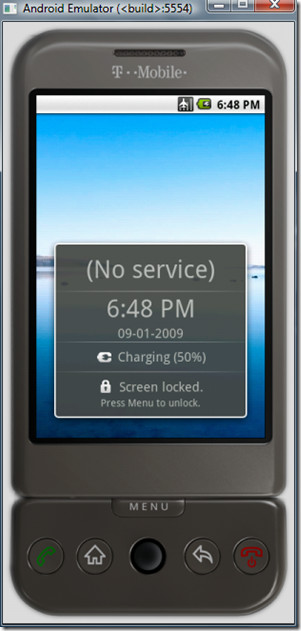
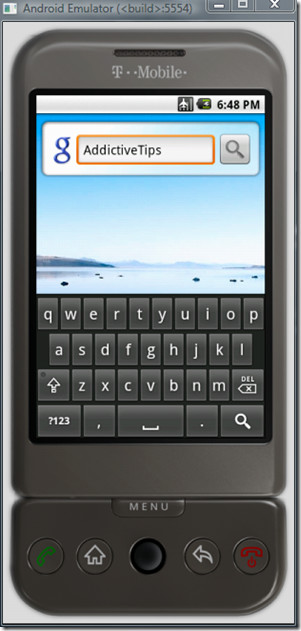
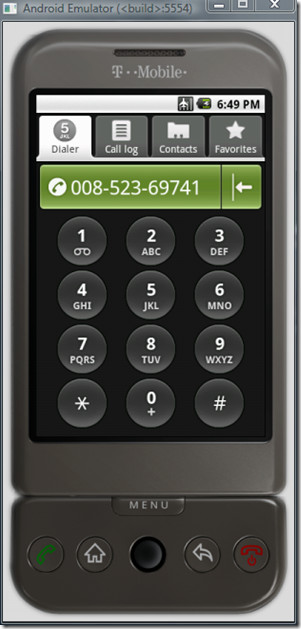
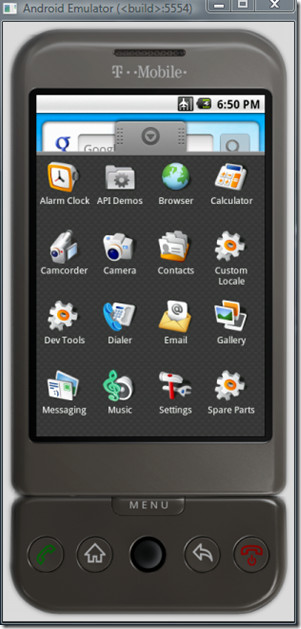
(https://www.addictivetips.com/app/uploads/2009/Android-Emulator.zip) Download Android Emulator 1.5 for Windows (Hosted on AddictiveTips)
Enjoy!

nice,tweakbox post thanks for your info
hi it takes so much time to download i like it thanks
How do I change my skin?
I ‘ve just downloaded it ,but after clicking on the (*exe ) file ..it didn’t work ,just a black screen then nothing . kindly Help.
P.S: running WIN 7 32 bit ,1G ram .
Totally useless emulator, can’t even test .apk files on it
i download the zip file, and followed the instruction but nothing happens…
the Android_ that ur telling, it doesn’t even appear.
can anyone help? i’d really like to test this..
thanks and God bless
Can i use android emulator on my pc already installed virtualbox?
Emulator like bluestacks,youwave don’t work on my pc with virtualbox.
Please reply.
i use wifi of my college, we are given a unique id and password for a particular laptop.. i am not able to use bluestacks in that wifi connection. it works well when i use it at home.. help please!!
I am emualting a gameboy emulator in a android emulator in a windows xp virtual pc in windows 7
excellent but can you load apps like ngpay ??
Hi
How can I run my web application with .html with this Emulator?
Hi! can this emulator can send sms? or download games music? just asking 🙂
When I was looking at “Recommended for you” I laughed because one of them said “Search and download classic game console emulator ROMs for Andriod”. I laughed because your emulating a game through another emulator that emulating the android which would just destroy your cpu because of resource requirements.
ay cant u go on google play with this?
Hey Rob good job i hate it when i need help and there like nope i could do it but thanks anyway
it will just open with a blinking line….
it works
u can even browse with it , if u have net in your pc
seems that neither the emulator to play!
not is it good!
thanx Rob u r the man
Hey please help me how how can i use the internet in this virtual smartphone?
why not use Android x86 which also supports internet, sound, app store and installation of .apk files. Emulator sucks and work very slow!
this emulator is really great but I have a question: how do I get there whats app purely because I’m looking for some one of the emulator also supports so pronounced …. whatsapp for the pc …. for I have no android phone …. but would like to write with my friends over because virtually all whatsapp whatsapp only have it’s stupid that I did not have the money and not buy me …. so handy! could someone help me there?
try http://bluestacks.com/ Its in beta mode but still very good, you can also run whatsapp on that.
Can you say an emulator that helps testing on all the versions of android?
Why does it works so slooooooww
is there a better site to download this on
faster way
does it take long to install it all
hey jew whores, why doesnt this work on windows 7 starter?
because windows 7 starter is for poor pussys like you who cant afford a propper computer
hey guys, i need an *.apk emulator because i want to play android games in my window 7 pc… pls help me
does it works in win 64bit
try the blustaks emulator it works pritty well
Ok, lo siento 🙂 Nos las arreglamos para hacer el trabajo de aplicación, pero al intentar abrir el archivo EPUB me sale este mensaje de error:
“Error al importar EPUB. No EOCD encontrado. No es un archivo ZIP? (Código de error1068)”
¿Sabe usted qué significa? Gracias de nuevo 🙂
Gilberto
HAND PRA WAIST UP LOOSE HALF BACK DANCE KUDURO cANCA NOT NOWTHE PARTY STARTED THE HEAD AND MOVES BOB HARD …
Staff
I did it! Congratulations, Google for the emulator that helped thanks
uggh this is just as annoying as the real android, is there anyway to use the phone emulator to play games as if it were a real android phone, i am addicted to a game called pocket empires and i lost my phone and i reallly want to play it. as well as talk to some good friends i have on there with the app called kik all i really need id the app called kik agggggg
i have the same problem ! i need kik !!
if any one wants to know to on the internet its easy go to options switch off airplane and go on 3g not wi-fi
hello i m just download this softwear but how to instal andriod app in my pc plz help me
hello i m just download this softwear but how to instal andriod app in my pc plz help me
Like
go to Settings and you can change it
If you want to install an app on it go to this web page – {hgptricksAndroid 1.5 ver Tricks} or email me at kunumunu12@gmail.com
You can do anything with this Emulator
i find this emulator.. and wanna try it..:)
How to upgrade the OS? want to test if it works on 3.0 ?
Let me download this. As an Android enthusiast and early adopter, this platform presents the best that there is.
Nice post. I’m soo into Android and I’m very grateful i could download the emulator here.
plz put latest emulator, i.e. android 3.0 or 4.2.3 ginger breed…
Hi,
How to install app on the emulator?
Thanks 🙂
I have to post this question again, cuz’ there is no one answers it: how to install .apk using this google sdk package?
Geez this is fun..I create mobile pages so I am liking Android emulator
apps? id like to try out kik can i ?
that doesn’t work popsup the message the destination folder coldn’t be created after a while
Downloading the emulator now, can we test android apps on this? does it has a market?
Although it’s slow, I love it!
just hold power (red) button
This does not seem to work at all on 64 bit windows 7. The executables just fire for a second and go away.
I think you’ll need a GSM transceiver card in your PC to take it out of “airplane” mode.
no as long as u have internet you good
Still working! Great job.
I can’t seem to sign into the app market. It’s telling me that my password is wrong.
I can’t seem to sign into the app market. It’s telling me that my password is wrong.
you can take it out of airplane mode. just go to setting –>wireless settings and uncheck airplane mode
is it possible to download apps on it?
not work
1. The Emulator does nothing than opening a DOS box for less than half a second.
2. The description says to just run the .exe file. Did you not recognize that there are several .exe files? I tried each of them …
Works great. Thanks.
its work… Just change mode airplane.. clear it..
yah right its works on window 7 tnx for this one
already mentioned by Alvin but I see there is confusion… if you want to check your site on the internet, you have to go into settings and disable airplane mode… it’s turned on default…
Will this emulator run on Windows 2000? When I run EMULATOR.EXE I get the error:
The procedure entry point freeaddrinfo could not be located in the dynamic link library WS2_32.DLL.
Buy a fucking decent PC, man
🙂
i’ve managed to run the android.. but then the emulator shows a Android text and do nothing.. any solution??
Yes, the solution is not to use it, because it’s shit.
Hello
I want access to apps from Google market place but all the tablets I look at do not have the app store application and those that do are expensive. Can I download the apps to a phone and copy them to a tablet?
I cannot be alone here. Thanks
Peter
you are not, just search for the market app and install it. I had to do the same
me to
yo thanx dawg i hope it runs well
All I have showing is a blank screen, when i click the home tab nothing (actually with every button). This is with both portrait and landscape mode. This is after more than 5 minutes.
Okay… So I’ve created my app, I’ve got the Emulator working… so how to I test the app I just created on it?
Hi. How to connect to internet via proxy in this emulator??
For developing Android programs you need JDK and Eclipse.. Coding is like Java
I have write Hellow world how can I run that throught this emulater. Please help me
Is there a way to just access a local HTML file on my local hard drive to see how it renders? It won’t seem to accept a URL entry like: D://index.html?
I am Intrested in making apps for android devices.can u guide me programing in java please and platform to write my code….
………..PLEASE:-)
Sorry… WHAT?
You just want to make apps so want someone to teach you Java… then… what? Platform it?
Go buy the “for dummies” book on Java and get reading…
~Longeye~
Just shut up!!
This App emulator work to slow… And he had no Internet connections, but we need it for our tests.
topmegasoft.com
disable airplane mode so that you can use intertnet connection 🙂
Sigh not a real file installs facemoods which is an app for animations and such for facebook. Beware of this software.
that’s an advertisement!
Virus detection….!!!
hi i wanted to install a .apk application but it keeps failing!could you tell me if that is possible ?is this android 2.2 ? can u make one for android 2.2?Thanks
dont work with internetq
disable airplane mode so that you can use internet connection 🙂
I thought you were joking. It worked.
How can I make the emulator connect into a internal network?
I would like to test some code that I wrote for Android devices.
Regards,
Angel
Why does addictiveapps.com need to connect to a google account. That would be no.
I could run the emulator once. The next time i run, i’m getting and error that says “Your system directory is missing ‘kernal-qemu’ image file.”
Any idea how to sort this out?
how to rotate the phone? so that can play in landscape?
ctrl+F11
installed on my VMware Windows machine and it works. Turned off Airplane and I have access to the the Internet. Does anyone know if landscape (rotate) is possible?
Hi, I found the answer myself. Instead of using localhost I use the IP address of my computer then it works. Thanks
Hi, This is a good emulator. However I need to access my localhost url to test my website application. I disabled the Airplane mode it can access internet now but seems can not access my localhost website. Is it possible to access my localhost url? If it is possible then how can I do that?
Thanks
Weiqing
Nice package. Loaded and no issues other than it running Android 1.5. Any way to get it to run 2.1 or higher? Developing a system that needs that release.
How to install Android market in the emulator? I need to install and view a certain application from the market but i cannot find the market application. Thanks in advance for the help.
Here is an Android Gingerbread online simulation.
Give it a try and click through it.
It is based on the Android emulator with a Nexus S skin:
http://www.appdemopod.com/demo?id=1072001
brrr. I’m getting operation timed out error. 🙁 Is there any other way to download it?
Excellent emulator. I have a number of console.log() statements and would like to see them. Any idea how?
Solid post! Thank you! Should be #1 Google search result.
is there anyway to simulate a connection to my PC?
HI
I want to configurate the WIFI in my virtual machine android installed in my PC.I Unchecked “Airplane Mode” but I can’t click to add Wifi network .it’s blocked. What should I do?
Help me please. I must finish my project.
Thank you
Hi
I know that bluetooth is not supported on the Android emulator. I wanted to know if WIIFI is supported on the emulator?
Thanks.
Is it possible to download apps onto the emulator? i want to play a game on the emulator instead of my phone when im at home. it makes more sense to me. i dont feel like leaving my phone plugged in all the time.
Hi, nice job of creating a simple installation. One thing though, I ran it from my desktop first, it worked great so moved the folder to a more permament location and now it won’t run, only if I put the folder back on the desktop. Tried unzipping new instance but get the same. Is there some reg entry or setting that needs ajdusting? Any way to get aroudn this?
Hi, this works fine but how can one make it run Android 2.1 or 2.2?
This is how to install the apk:
1. Install this emulator.
2. Find APKInstaller1.01.zip. I got mine from http://handheld.softpedia.com/get/Desktop-and-Shell/Windows/APKInstaller-82955.shtml
3. Install APKInstaller by clicking the install.bat.
Afterwards, you only need to click the apk file to install it into the emulator.
The application will be installed on the Menu button.
Yes, the emulator is very slow, but all the features work so I have no complaints.
is it possible to access localhost url ?, I tried to do so but I get “don’t find” message.
I want to test mobile version rendering of my website before sending it to a network.
Otherwise, the emulator is really Great !
Thank you very much 🙂
Malek
same question from me as well.
How we will check localhost mobile site for testing purpose?
Can any one help me please?
Thanks,
Amol
hey,
APK installer1.01 is not working in windows 7.It’s working only in windows xp.
Thanks
Manas
this is the only useful comment i have read among many others. thank you for the info Api. emulator and installer works just fine.
How do you install apps please?
Using App Inventor for Android
@ shailesh, Make sure you install the adobeAir runtime onto the emulator.. should work after you do that 😀
Settings\Wireless controls and Airplane mode.Click the dialog box to deactivate the Airplane mode.And error message.3G +Mobile Networking!!
Hi,
I am flash/flex developer, I want to deploy my flash application on android 2.1 or 2.2. This emulator is nice and easy to install, But when i deploy my flash app using ADOBE Air it throws an error saying
D:\My\Utilities\Air\For Android>adb -e install -r Runtime_Emulator_Froyo_20100802.apk
897 KB/s (0 bytes in 6402284.006s)
pkg: /data/local/tmp/Runtime_Emulator_Froyo_20100802.apk
Failure [INSTALL_FAILED_OLDER_SDK]
Have you gone to the Android Market, installed ADOBE AIR on the emulator? That is the only way an Adobe AIR app will work in the emulator – having installed on you host device does, well it gives that error.
Can I access Android Markey from the emulator?
Nice emulator – Internet is working great after turning off airplane mode.
BUT I would like to see how Android Market is – is that done from the web-browser or a special application or …=
I just love how people say how they were successful at doing something while leaving the rest of us in a lurch as to how the successfully did it. Hooray for them. What about the rest of us?
Here’s how to start browsing the internet:
1) Hit the “house” icon
2) Hit the small grey tab at the bottom
3) Go to “settings”
4) “Wireless Controls”
5) Uncheck “Airplane Mode”
6) Hit the “house” icon
7) hit the browser icon
You are now ready to test a mobile website in android.
thanks Rob
Thanks Rob!
Thanks rob. I am interested in developing applications. I am already a web developer in php. I am requesting you some tips and helps for starting in android
Java.
thanks! hahaha.. just getting started though
hey we cant help if ppl r stupid
Airplane mode successfully turned off. It gives a 3G indicator as normal and connects to Google (Via my pc’s connection).
The emulator is extremely demanding on system resources which makes it run very slowly. but other than that it is fun to use.
I personally am not a developer so i downloaded this just to have a go as i am a huge Android fan.
I currently use the HTC Desire running android 2.1.
Thanks for sharing this cool program.
Hmm, d/l link seems to longer work. 🙁
Tried a half-dozen times over two days, and it always downloads about 50MB and then dies saying the source file could not be read.
this thing is awesome. I just ordered order a 7″ tablet off ebay and wanted to start to learn how to use it and find apps while i wait for it to arrive. It works fine but slow. You need to turn on wifi in the settings to access the internet. I also downloaded a program called apkinstaller1.01. With that installed on my computer i can install the apk files and try them out.
heyy i can’t use internet on this emulator ? ? i can’t connect internet.. what i must do ?
how can i use web browser on this emulator.. i can’t use browser. what can i do ?
I am unable to browse internet on the emulator. It does not display even google.com site. Any idea what is missing?
The emulator is designed to test the interface only. Features like the phone and internet are not available.
To use the internet goto in the homescreen Menu > Settings > Wireless & Network > Disable Airplane mode which is by default enabled.That should do it.
yes. this works man.. thanks
Can I make calls? I need to call my mum and this looks like I can do it for free.
You are such a dickhead???
You are that stupid?
I don’t know myself, but I doubt it somehow.
It’s not like you have a SIM card in your PC. (Or do you?)
Well, if you have internet on the emulator, and mum has WhatsApp or Viber on her smartphone, then you should be able to do that.
SERIOUSLY HOW DO I LOAD APK USING THIS PACKAGE!!!!!
USELESS UNTIL I FIND OUT HOW TO DO THIS!
BLOWS!!!!
standard way would be to connect to the instance with ADB, or come out of airplane mode, and go to the appropriate url – maybe email to self and pickup that way?
Can I test my local android projects in this emulator?
Software for the emulator wont boot up. The console app gives me an error saying
emulator: ERROR: unexpected qemud char. channel close
whats goin on?
Does it support bluetooth?
And, if it does not, is there an emulator that does support bluetooth?
Wait for it. Boot-up takes time. So just wait for the A N D R O I D_ to disappear and Android starting.
then what nothing happens
hit the on button
Keyboard is accessible by Ctrl+F11
Doesn’t work too
Doesn’t work. Just sits there with “Android_” blinking. Wow. Impressive. Suck it.
same here
no u just to stuuuuupid to get it to run
Is it possible to install APK applications on this emulator and test them? If so, how can I do this?
It takes 5+ minutes to boot up
hiiiiiiii…
how can i debug and run my app on emulator
Is this sdk include packages to compile and run junit testing code i mean will it bridge with javac (jdk 1.4.2_xx)
You can switch to normal mode by just turning airplane mode off by going into Settings. After you switch airplane mode off, you should be able to access the internet.
No it only runs on Airplane mode. It is developed just for checking the interface.
lier!!! it runs on 3G and it uses your wifi card!
i second that my pc is connected to the net via a netgear wifi boooster via adsl rooter and i can use whats app,mixit and play store to name just a few!!!!
no you r so far off its not even funny
Does the emulator only runs in the airplane mode?
hh
hh
hh
how do i get the ful keyboard to slide out on the emulator?
Ctrl+F11
how to install .apk using this google sdk package?
How to install apk and run, I couldnt find any option to download apk, can anybody plz help?
in emulator folder, type
adb install
ex: adb install MyApp.apk
I have done as you have written.
The answers were two for different applications.
1. Failure [INSTALL_FAILED_OLDER_SDK] for com.androidvendigAAD.apk and others.
2. Failure [INSTALL_FAILED_SHARED_LIBRARY]
What is wrong?
Can ANYONE answer this question? Its been asked here like 5 times but everyone ignores…..
Hello, I didn’t tried it, but do this: create a simple webserver on the host computer, then create an html page with links to the apk you want to install. After this, use the emulator browser to navigate the internet and go to you personal server, then to the html page and click the link to the APK. The browser will request if you want to install, then do it.
Hi,
My computer is connected to the internet but the emulator does not…
How can I connect the Emulator to the Internet and than install an app on it?
Thanks again 🙂
Oren
Ok, Sorry 🙂 Managed to make the app work but when trying to open EPUB file I get this error message:
“Error importing EPUB. EOCD not found. Not a ZIP archive? (Error Code 1068)”
Do you know what does it mean?Thanks again 🙂
Oren