How to Delete An Infected File Or Folder From Command Prompt
There are more protection software available than there ever were before. That is because both virus and malware threats are increasing as compared to a decade back. Despite the use of several protection software there is no guarantee that a malicious source can be stopped from infecting your system. Many a times virus and trojans can restrict access to data on the system and continue to corrupt other files. In such a case the infected files might become inaccessible due to their infected state. In this post we will tell you how to get rid of these files and folders from the command prompt, which can be particularly useful if one is being unable to delete these files from Windows Explorer or using 3rd party tools. If you’re experiencing issues with Command Prompt opening randomly (malware check), it’s important to address that first before proceeding with manual file deletion.
To get started open command prompt from the Start menu (go to Run and type cmd or from Start-> Accessories –> Command Prompt). Enter the command line:
DEL /F /Q /A C:\Users\UserName\Desktop\file name
Enter Del (for delete) followed by /F (for force deleting), /Q (for quiet mode, which does not prompt any confirmations before deletion), /A (allows file with set attributes (ex: hidden files, read-only files, etc to be deleted), C (drive) followed by the users directory, username, location (e.g. desktop) and file name. For the novelty of it, I named the file as “infected”. So the required command became as:
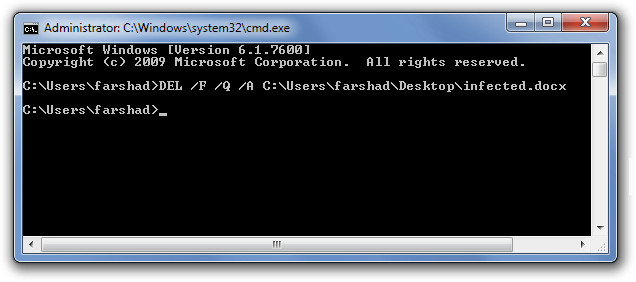
DEL /F /Q /A C:\Users\farshad\Desktop\infected.docx
Where docx = the document extension.
Similarly, to delete folders from a directory use the following command line:
RD /S /Q C:\File path (e.g. Users\username\Desktop\Folder)
So the command line in this case became:
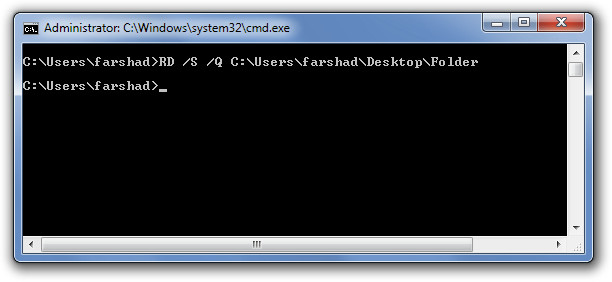
RD /S /Q C:\Users\farshad\Desktop\Folder
RD (remove directory), S (deletes all files and subfolders), Q (does not prompt for confirmation), C (Drive name), followed by folder path.
The same method can also be used to remove general files and folders, however, the option to remove files forcefully can greatly help in getting rid of infected data on your system.

it didnt work for me it kept saying the system cannot find the specified file
hey thousand thanks.. its work . just need to boot in command prompt. safemode not secure enough for those hardest mallware
Hi
the folder I am trying to delete is in my MUSIC folder and is called “Drum & Bass”
When I try any of the methods of using CMD to delete this folder (containing a WAV file that will not delete or be moved).. I get a message saying :
“bass is not recognised as an internal or external command, operable program or batch file”
I am at my wits end.. I need this folder (well, the file contained within) to be removed from my computer.
Please can someone help?
thanks
Yes man, Move all the files away to a temp folder, small batches at a time. One of those batches won’t want to move. It’ll just load the prompt endlessly.
On you’ve narrowed down the file, and everything else is in a temp folder.
Reboot your computer, NUKE the folder containing the corrupted file. Voila.
A reboot is needed as once the file is shown on screen, it confuses ur cpu and may not be able to be deleted.
Oddly enough, both times this has happened to me in the last years, it’s been a Rihanna song.
… weird.
For all the fails, use a type of Linux OS… Ubuntu deleted my corrupt Windows.old
If it doesn’t work make sure to run CMD “as administrator”
what if it says the file does not exist, but it does, what do i do then?
tried these, says access denied. i have 4 ’empty’ folders (but they take space up) andcant delete cause it says they are open in another program.. when i go in the folder nothing is there! tried ‘unlockers’ file assassin.. cmd prompts.. still cant get rid of them.. only rename and move them..
Thank you, the second command worked for me 🙂
I am getting the following error “The process cannot access the file because it is being us
ed by another process.” what should be the case now?
I find it so stupid when I’m the owner of my computer and the administrator but still says access is denied. wtf should I be in this computer rather than administrator? a god?!! to have access in deleting a folder that is useless to me?!
Are you running the cmd as an admin? If not that might fix your problem.
Same here, looked everywhere no idea how to solve this issue. logged in
as admin with cmd as admin as well
It’s still said “Access is Denied”
Even I’m getting the same message..Please do let me know if you find any solution.
vaishnav.harikumar@gmail.com
Me too..I am also having the same problem.. Please Help!!
Same here, looked everywhere no idea how to solve this issue
Open cmd as an administrator
just use linux on usb. boot on usb and delete. what you want
This reminds me of when I decided I wanted all thumbs.db files deleted from my computer.
So I opened CMD and entered this under C:\
del /s /q /f /a:h Thumbs.db
And that did it. Beware though. Sometimes, Thumbs.db file isn’t hidden. So you have to do it again without the /a:h switch.
You can also do this with .DS_STORE files