Manage Bluetooth Devices With Bluetooth Radar
Bluetooth has rapidly become a vastly used medium for sharing of media, be it file transfer, music/video streaming, user-interface control, and for services like dial-up networking, etc. More and more PCs, gaming consoles, I/O devices, cellular phones are now getting equipped with Bluetooth feature to increase their connectivity options.
Bluetooth Radar is an opensource, free application for Windows which utilizes your system’s Bluetooth radio to scan for Bluetooth-enabled devices and lets the user connect to them in an easy, efficient fashion.
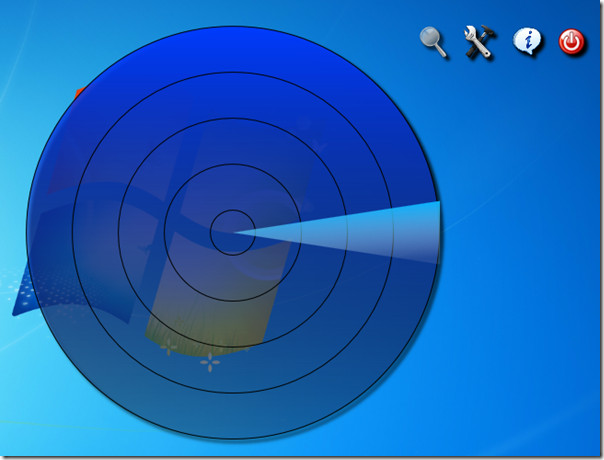
The software works with a radar like interface, and lists the devices as icons spread throughout the scan area.
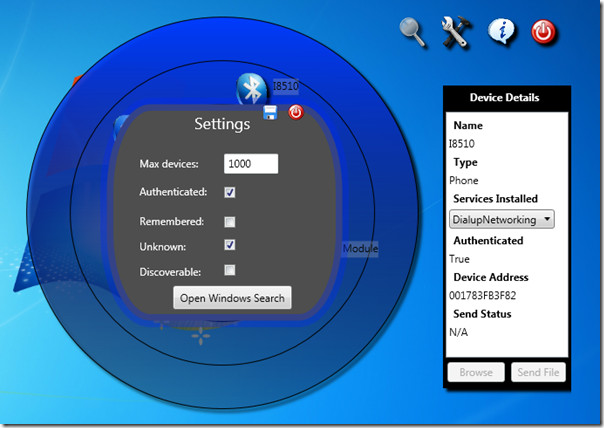
Scanning is done in a radar-like swipes manner and once available devices have been listen, you can right-click any icon to view the available interactivity options. Paired devices will show all the services available for them..
The software’s own interface is very simple, with just four icons. The magnifier icon will scan for new devices, the tools icon will open settings, third one will show information about your device’s own Bluetooth radio and drivers and last one will exit the application.
Bluetooth Radar can be very helpful if your work involves a lot of bluetooth devices. The interface is slick and interactive, and overall this application may be worth a try, even if it doesn’t add any driver support of its own. It requires .NET Framework 4.0 to work.

Doesn’t seem to work on any OS.. SCAMMERS
As I sit here getting hacked through the bluetooth that “can’t be removed” from Ubuntu of Windows 7, I’m wondering who the genius was that thought up connecting laptops to mobile phones “easily”….give Ubuntu a call: I took the hackers to their website last weekend….here about that? BLUETOOTH IS A HACKER’S DREAMTOOL. Take it off? It fights you….turns itself back on, and reloads the driver over and over every time you remove it.
“Uninstall it” then go look again 20 minutes later: “Bluetooth radio is on. The Device is working properly.” Yeah…”properly” so you can be HACKED.
Doesn’t seem to work on Windows 8 Enterprise (x64)
does not work with windows 7. bummer..