SIW – Advanced Windows System Information Tool
SIW(System Information for Windows) is a free tool that will display the most detailed information of your system, both software and hardware. Back last year we reviewed Speccy, a system information tool targeted towards both basic and normal-level users. SIW on the other hand is targeted towards advanced and power users.
With SIW you can view detailed information on Software, Hardware, and Network. Under Software you will find categories, such as, Operating System, System Files and Directories, Installed Programs, Build-in Applications, Security, Licenses of Installed Software, Accessibility, Environment, Regional Settings, File Associations, Running Processes, Loaded DLLs, Drivers, NT Services, NT Pipes, Autorun, Browser Helper Objects, Scheduled Tasks, Databases, Audio and video Codec, Shared DLLs, ActiveX, Shell Extensions, Groups and Users, Open Files, and more.
Under hardware you will find the complete information on each and every device. The network section will show you detailed information on the network(even thought you are not connected on any network). I could go on and on but you won’t grasp the importance of this app unless you try it for yourself.
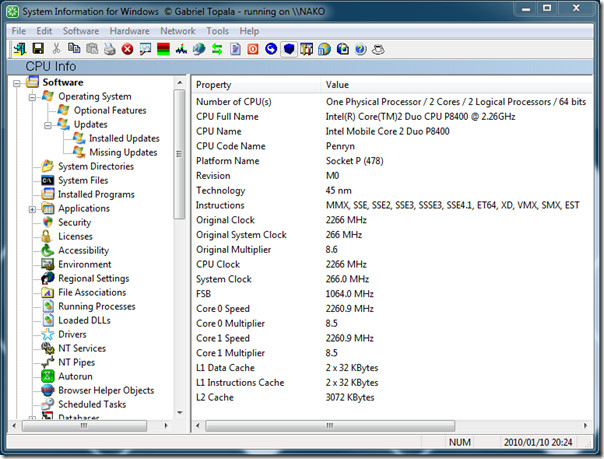
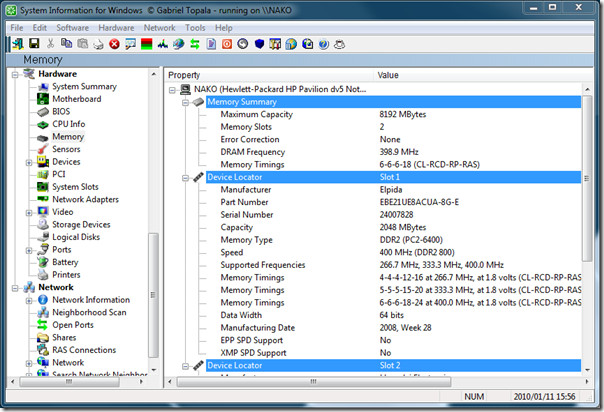
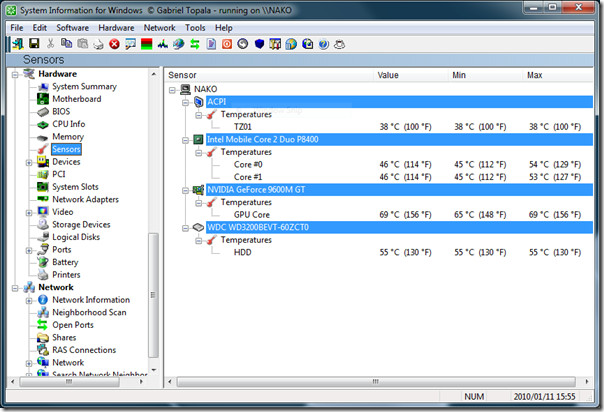
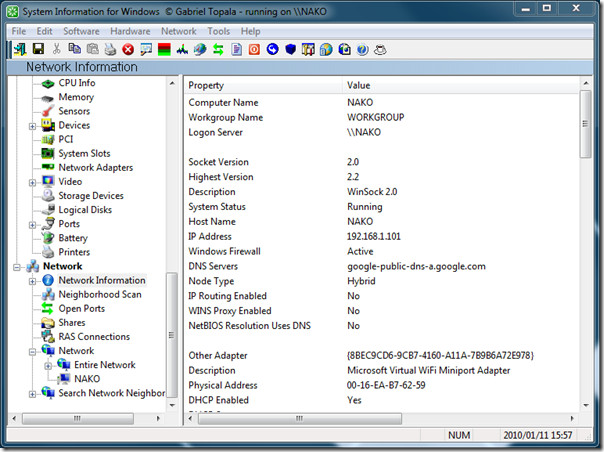
Information such as temperature, free space, network devices, etc are all listed in the app. In short, it is one complete system information tool out there which can replace your traditional windows system tools.
It comes in both installer and portable versions. Also the only restriction btw free and paid version is the export functionality and slight restrictions. The free versions can only generate HTML report, while the paid version can generate CSV, TXT, and XML Report as well and has no restrictions.
Download SIW(System Information Tool)
It works on Windows 2000, Windows XP, Windows Vista, Windows 2003/2008 Server, and Windows 7.

I love SIW. I think it is better than Speccy.