Sleep Timer: Automatic Shutdown With Countdown, Inactivity & Time Modes
A lot of times, we have to leave our computer turned on overnight for a download or a file transfer that’s taking ages to finish. You can let your computer run if you are sure to be around it when the download or process completes, but a lot of times, we have to go out with friends, go to sleep or leave for shopping and are unable to wait, or be there, when the download, file transfer, scan, defragmentation or any other time consuming process gets completed. Unnecessarily keeping the PC on for long periods not only wastes a lot of energy, but its also adds up to your energy bill. To cope with this nuisance, automatic shutdown applications are a great way to avoid keeping your PC on when its not needed. A lot of auto shutdown tools come with an automatic shutdown timer, which when triggered, performs the defined tasks (shutdown or restart in our case). Just a few days back, we covered DShutdown, a tool that allows you to turn off both local and remotely connected computers. However, if you are looking for a simple and more importantly, a portable tool that can shut down, restart or put your PC in hibernate mode at the required time, try Sleep Timer. More details jump past the fold.
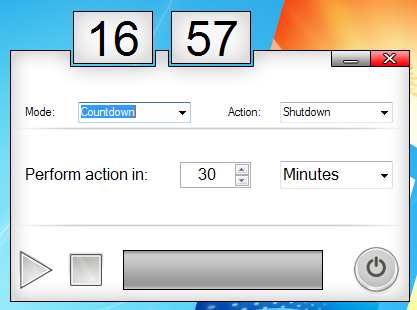
It is a small utility that allows users to Shutdown, Restart or Hibernate the computer after a required time. The application can run in three different modes; Countdown, Inactivity and Time. The Countdown mode allows you to specify a specific number of minutes or hours to wait before performing the desired action. To start the application, just choose the required time and hit the Play button.
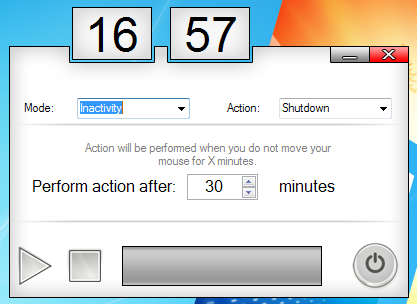
The second mode is Inactivity. In this mode, the application monitors your system for any mouse movement and performs the shutdown function in case of inactivity during the specified number of minutes or hours, i.e. for instance, no mouse movement is recorded.
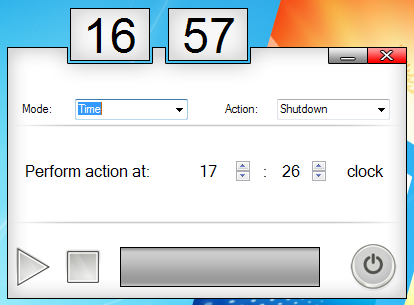
The third mode, know as Time, allows you to set a specific time to perform the required action. For example, if Shutdown is selected as Action, the application will shut down your computer, no matter what the situation is.
Sleep Timer is simple tool that efficiently performs that task it’s designed for. It is very light weight and has a memory foot print of 8 MB and works on Windows XP, Windows Vista and Windows 7.
