Test, Fix And Repair A Dead Pixel On Your Screen Quickly
Do you have a stuck or dead pixel on your screen and are looking for a way to fix it? There is still hope, UDPixel is an excellent software that tests your screen to find any dead or stuck pixel and then try to repair it automatically. This program requires .NET Framework 2, which I don’t think is a big problem through.
Before I explain how this software works, lets get back to a little basics. How will you know weather you have a dead pixel or stuck pixel? Each pixel on an LCD monitor is composed of one red, one green and one blue subpixels. A stuck pixel results from a manufacturing defect, which leaves one or more of these sub-pixels turned on or off(they can be of either red, blue or green color), it can be clearly seen against a black background. A dead pixel is a defective pixel in which all subpixels are off, therefore appearing black in color, it can be clearly seen against a white background.
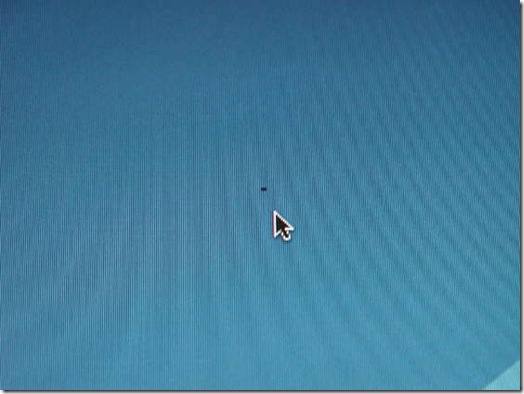
– Photo taken from Instructables.
Note: Make sure you have turned off your screensaver when running the program, because the screensaver can interrupt the process.
This software is very easy to use, simply press each button with different color from the left side and find your dead pixel. Defective pixels can show on any background, this part is used to find the dead or stuck pixel. Once you have found a defective pixel, simply choose the Flash windows, size and interval and click Start. If you are new to this software, I recommend that you use the default settings.
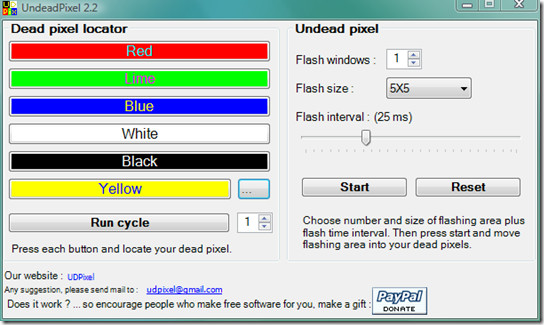
Now you will find a flashing window on the screen, drag and move this tiny window to where you found the defective pixel. That’s it. It will run for a while and fix it automatically. You can later change the flash interval if the pixel doesn’t get fixed. Enjoy!
Did this program fix your defective pixel? Let us know in the comments.

Thanks you,.. for the software,!!
It WORKED! Oh and Richard you will have to buy a new screen.
I have tried 3 different tools to fix my problem, but with no success. I have more than a pixel problem, i have a thin line running down the length of my laptop screen.. It is getting very annoying but don’t want to spend too much money unless I have to. Any ideas?
Thank you!