TiltShiftGenerator – Add Professional Tilt Shift Effects To Any Photo
There are multiple online and desktop image editors available for free but they support mostly common effects like adding sepia, emboss or sketch effects to an image. TiltShiftGenerator is a desktop application that lets you add the hard-to-come-by tilt shift effect to any photo. The app lets you add both a radial and linear tilt to an image, lets you control the degree of the tilt, place the central point of the tilt anywhere on the image, adjust the level of vignette and increase or decrease image brightness, contrast and saturation. All images are saved as JPEG.
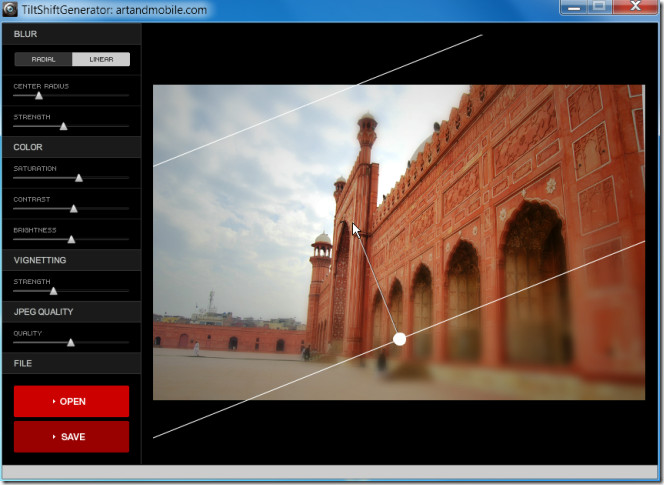
To load an image from your computer, click the Open button in the lower left hand corner. Choose if you want a radial or linear tilt effect from the two buttons on the top of the left panel. To position the central point of the tilt effect, click the spot on the image where you want to place it. The central point is repositioned wherever you click on the image. To increase or decrease the area in the tilt focus, you can either hold and drag the white knob handle that appears when you mouse over the image outwards or adjust it from the Center Radius bar in the left panel. To change the angle in linear tilt, hold the knob and drag it over the image to get the desired angle.
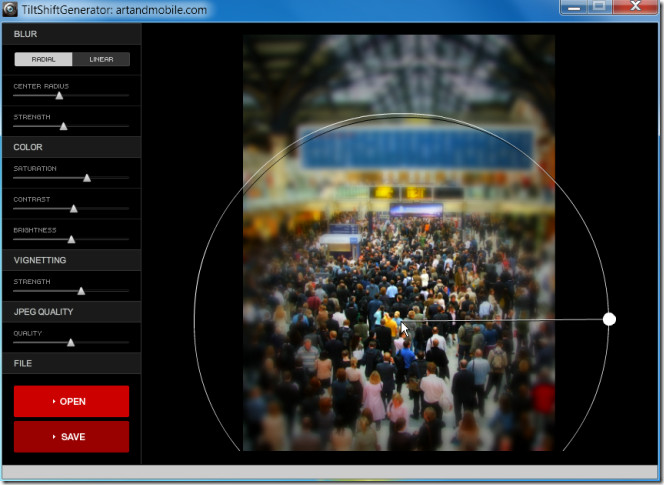
Click Save to save the image in JPEG. If you set certain preferences for one image and open a new one after saving it, the new image will be loaded with the same effects applied to it.

nice tool, btw where is the pic from? seems like some terminal….
The second line of your post says: “TiltShiftGenerator is a desktop application “. Sorry, but your link is to a web-based (i.e. “Cloud”) “TiltShiftGenerator”!
There appears to be a version for download at: http://tiltshift-generator.en.softonic.com/.
Either your link or your post is incorrect? Please advise.
It is an Adobe Air application. After visiting the link, scroll down and click TiltShift.air.
It would’ve been nice if the article said initially it requires Adobe Air.
There are those of us out there who don’t, and have no intention of using Adobe Air.