Bing Desktop: Daily Change Your Desktop Wallpaper To Bing Homepage
While some people like to keep a single wallpaper or a set of wallpapers as their desktop background, others like to keep changing their wallpaper to new, unseen ones. Wallpapers help you in two simply ways. First, they provide aesthetics and secondly, they set your mood according to whats you’re doing. I have always emphasized on the importance of wallpapers to one’s everyday computer work. While Windows stock wallpaper application pretty much does the job in changing (and even automating) wallpapers, there are various third-party tools that offer much more. Previously, we have covered some good wallpaper changing applications that automatically decorate your desktop background everyday, or after a specified time, such as Kuvva, an application that automates the process of searching for wallpapers and changing them each day on your computer as well as your Twitter account, and Color Desker, that refreshes your desktop background after a specified time interval. Recently, Microsoft released a similar application called Bing Desktop based on their Bing search engine. This miniscule tool automatically applies the Bing homepage image to your desktop background each day. Moreover, it provides you with easy access to the Bing search box, letting you search directly from your desktop.
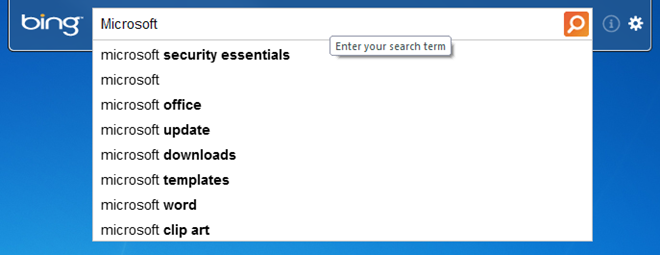
Along with changing your desktop wallpaper each day, Bing Desktop also installs a search bar that lets you use the Bing search engine without opening your browser.
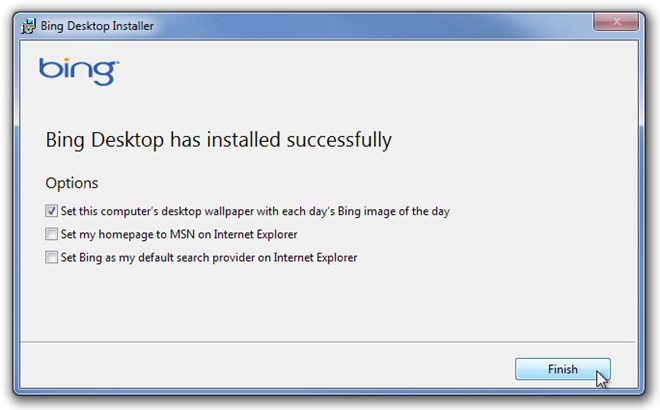
During installation, you are provided with options to allow the application to change your wallpaper each day, set your homepage to MSN on Internet Explorer and Set Bing as your default search provider. Choose the ones that you want and click Finish.
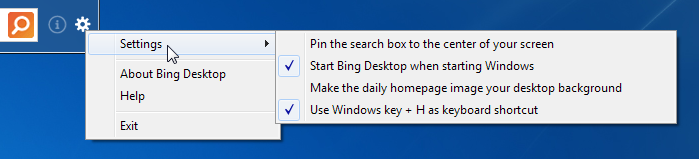
There isn’t much of an interface talking here, as its close to none. There is only a Settings menu in the search tool. This Settings menu lets you select a few different options such as Pin the search box to the center of your screen, Start Bing Desktop when starting Windows, Make the daily homepage image your desktop background and Use Windows key + H as keyboard shortcut, the latter of which is used to quickly access the Search Box using hotkey combination.
Bing Desktop is good but not awesome. There are quite a lot of other worthy applications you can try. It seems it’s only targeted towards people who regularly use Bing. The application works on both 32-bit and 64-bit versions of Windows 7. Testing was carried out on Windows 7 Ultimate 64-bit OS.

What in the hell (excuse the language, but I’m pissed) happened to to the ‘OLD… Bing Homepage Archive’ ? You know the one… with the calendar configuration of photos that you could use or save from. The one with the choice of the months and days images !! I really can not believe that some one replaced it, or that it needed updating (once again trying to fix something that needs not to be touched). It always seems that whenever someone is replaced, or someone has finally made it to the corner office… the one with all of the big windows, or maybe, the entire team has been replaced… things begin to change and not always for the ‘GOOD’… I have Bing Desktop and it works well enough, but where in the hell is the archive that should come with it ?
This doesn’t work. I already have Bing installed and there’s no way to turn on the daily update.
where are all the answers to these questions? no one monitoring this site?
not good!!!!!!!!!!!!!!!!!!!!!
Ok, let’s flip the coin I found a picture on bing images of the Rapa River Valley in Sweden. I would like to keep it, I m not fond of a lot of changes. So how do I keep the one picture on my Bing search engine all of the time?
ditto. . .
HOW THE F*CU DO I CHANGE THE BING WALLPAPER IF I DO NOT LIKE IT? CAN I CHOOSE TO CYCLE THROUGH A SERIES OF PICTURES OR AM I JUST SUPPOSED TO LIVE WITH THIS UGLY IMAGE FOR A DAY?
YES, I AM YELLING BECAUSE TRYING TO FIND THE ANSWER USING THE CRAPPY BING SEARCH ENGINE IS ABOUT AS USEFUL TO ME AS A CO*K FLAVORED LOLLIPOP.
Thanks! You got the job done.
I just installed and then removed the Bing Desktop. It was a good idea but windows spoiled it. I really dont want to see the word “Bing” on my wallpapers.
Does it only work with IE?
that was great
tnx
that was great
tnx