Ding Is A Vibrant, Gesture-Based Alarm Clock App For Windows Phone

In the past, we haven’t covered a lot of alarm apps for Windows Phone, or any other platform, for that matter. Most people aren’t in a particularly rosy mood when they get up in the morning, and a feature-laden alarm clock app is likely to annoy you more than anything. While apps like 627.AM and Clever Alarm are useful in some situations, you are likely to prefer a more run-of-the-mill app in your daily routine. Ding for WP7 and WP8 doesn’t come with a host of customizable features, but it looks good and is very convenient to use as well. It reflects the accent color you have chosen for your phone, fitting right in with the overall theme, and sports a unique gesture-based UI for quicker, easier setting of alarms. Read More

Share Articles From Pocket For Android & iOS Via “Send to Friend”

To celebrate a year since Read It Later was rebranded to Pocket, the service’s iOS and Android clients have just been updated with a useful new feature. Although the apps are meant to let users keep webpages bookmarked for their personal use, Pocket seems to be going a bit more social now. The newly added ‘Send To Friend’ option allows iOS and Android users to share any article with their friends pretty easily. You can even opt to have the app scan your phone’s address book to make finding contacts easier. The recipient of shared stories doesn’t even have to be a Pocket user to benefit from Send To Friend, since the app sends articles to others via email. To add to the feature’s usefulness, Pocket users get a notification whenever an item is shared with them by another user of the service. Read More

How To Get Facebook Chat Heads Feature On Your iPhone Right Now

Like many other users, I am still getting used to the revamped Facebook app for iOS, but the update is pretty good overall. The interface is much cleaner now, and gives the app a very uncluttered feel. Apart from UI changes, the app also offers two new options related to chat - Chat Heads and Stickers. Seeing as how attractive a feature Chat Heads is, we wouldn't be surprised if Facebookers stopped using Facebook's Messenger app a great deal until it gets these features as well. Although many have received Facebook’s latest iOS update in its entirety, not everyone has been lucky enough to gain access to Chat Heads and Stickers just yet. Facebook has decided to roll out these features gradually over the course of a few weeks. If you are one of those annoyed Facebookers who are in the waiting list, there is a way of enabling the features on your account right now. You don’t need to have a jailbroken device, but some basic knowledge of the iOS file system is sure to help. Read More

LinkedIn For iPhone & Android Gets A New UI & Customizable Navigation Menu

LinkedIn’s Windows Phone update, which we covered yesterday, was pretty big, but it wasn't much compared to the complete revamp the social network’s iOS and Android clients have received today. The app’s interface has been overhauled to address a lot of aesthetic and usability issues. Not a lot of people have been huge fans of LinkedIn's mobile clients, but you should give the updated version a chance since it doesn’t look anything like its previous iterations. In addition to all the UI changes, the app has also gained the capability to let users like and comment on posts without ever leaving the main feed. You can also follow Influencers from within the app. The option to add sections of your choice to the navigation pane has been added to the mix as well. Read More

Face Retouching App Perfect365 Makes Its Way To Windows Phone 8

Perfect365 started off as a desktop application, and has had a mobile presence for quite a while now as well. The service has pretty decent apps for iOS and Android, but a few Windows Phone users started anticipating the app’s arrival on Microsoft’s mobile platform when Perfect365 for Windows 8 came out. The anticipation wasn't unfounded at all, it seems, since the app is now available in the WP Store. Having used most Perfect365 apps, I must say that the WP8 app is actually better than other mobile appsof the service. The interface is really neat, making the process of configuring the editing points on the face quite easy. In addition, you can also make any face look prettier by applying one of the predefined filters available in Perfect365. Read More

View App Store Links In An Overlaid Screen Right Within iOS Apps

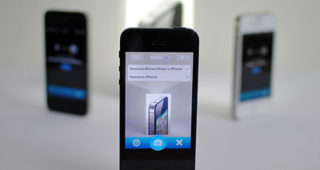
Some might say that iOS’ ability to take you straight to the App Store whenever you tap an app’s link within a browser is an intelligent feature, but a lot of users are sure to disagree. Of course, most users click an app’s link with the intention of downloading it, in which case the feature is pretty useful, but there are times when you merely want to find out the name of the app your friend has sent you in an email/SMS, or just read up on some of its details. QuickStore is a new Cydia tweak that makes sure jailbreak users get the best of both worlds in this regard. It doesn't disable the links; however, you won’t be taken to the App Store either when you click them. With this tweak, it becomes possible to view any App Store page within an app or browser on your iPhone. You can even initiate a download from the popup window with a single tap before returning to the previous app. Read More

LinkedIn For Windows Phone Gets Live Tiles, Voice Controls & Dynamic Lock Screen Support

A month shy of its first release anniversary, LinkedIn for Windows Phone has received a major update. Windows Phone has native integration with the world’s largest professional network since WP7, but you do need to have a decent app if you want to properly go through your updates, message someone or explore new jobs. The previous version of the official LinkedIn client for Windows Phone was pretty decent, but it did not take full advantage of all the awesome new possibilities added to the mix by WP8. With LinkedIn 1.5 however, you get to control many aspects of the app using WP8’s native voice commands; resizable live tiles are supported now, and it is possible to configure your lock screen to automatically cycle through images taken from the LinkedIn Today section of the app. Read More

Get Android Jelly Bean-Style Lock Screen On iPhone With JellyLock

Imitation really is the best form of flattery, a lot of iOS users were quite flattered a few days back when Espier Screen Locker was released to replicate the iPhone lock screen on Android devices. Of course, we have seen similar apps and tweaks for iOS as well, like the previously covered ICSLock Pro. ICS is not the Android's latest version though, and all the newest devices come with Jelly Bean. So, it was just a matter of time before someone ported a few features of JB to jailbroken iOS devices. JellyLock is a new Cydia tweak that lets you enjoy a Jelly Bean-style lock screen on your iDevice. Those of you who aren't aware of the features of the JB lock screen can read our detailed post on the subject. Basically, you get to have a new kind of camera grabber and unlock slider on the lock screen that's in form of a ring. In addition, users can also place up to three app shortcuts of their choice alongside the camera shortcut - a feature found in several custom Jelly Bean-based Android ROMs. Read More

Quickly Ask Siri Predefined Questions Using Gestures With Ask Assistant

While the jailbreak store has a lot of tweaks meant specifically to enhance or augment Siri, we doubt if any developer has previously come up with the idea of using everyone’s favorite personal assistant in conjunction with Activator. MyAssistant does have support for gestures to some extent, but the idea behind Ask Assistant is completely different from that. This tweak lets you define five questions, and then you can program Activator to launch Siri with the answers to these questions. For example, to view weather through Siri, just define that question in the tweak’s menu. Now you can invoke Siri simply by performing an Activator gesture of your choice, without even long-pressing the Home button and trying to make Siri understand what you are saying. Read More

Add Torch Mode & Flash Intensity Control To iPhone Camera App With PhotoTorch

iPhone’s camera has a always been among its strong selling points but in recent months, it has been upstaged a bit by devices like the Nokia Lumia 920, the HTC One, and even the upcoming Samsung Galaxy S4. One issue that has often been raised by critics of iDevices is their inability to use the camera flash optimally while taking pictures in a low-light environment. More often than not, photos shot in the dark appear overexposed or at times out-of-focus. Also, since flash comes into action only at the instant of snapping the photo, you are likely to end up orienting the device wrong before capturing the photo. PhotoTorch is a tweak that solves this issue by giving the control of the iPhone camera flash into the hands of users. You might have come across different ways of using your iPhone’s camera LED as a flashlight. PhotoTorch does roughly the same thing, but it adds this control within the stock Camera app, and also lets you adjust the intensity of the flash before you shoot a photo. Read More

NBC News Comes To WP8 With Full Shows, Narrated Articles & Video Clips

For some reason, the WP Store has a particularly strong news category. Windows Phone still can’t compete against iOS or Android if you are looking at photo editors or games, but almost all major news services have released their WP7 and WP8 clients. Last month, Al Jazeera became the latest big name to join the ranks of WP8 news apps, and now we have an even bigger release in the Store. The NBC network already had some Windows Phone presence, thanks to its Breaking News and Nightly News apps, but with NBC News, there is now a proper WP8 app of the news giant that takes full advantage of the features available in the OS. Read More

Secretary For iPhone Narrates Alerts When Headphones Are Plugged In

We often hear people say that the iTunes App Store boasts close to 800,000 apps, but the implications of this statement are rarely mentioned. The presence of so many different apps means that we now have apps for all occasions, pretty much every kind of users, and a variety of purposes. As dangerous as it can be, a lot of people just can’t help but whip their phone out every time a new notification shows up while they are driving. Thankfully, there are apps that can help you multitask in a safer manner. DriveSafe.ly reads out updates from various sources, while a similar Cydia tweak exists for adding this functionality to the stock Messages app as well. Secretary is a new Cydia release that takes the features offered by VSNotifications to the next level. With this tweak, you get a spoken summary of any items that need your attention, and also get incoming text messages read out to you. Read More

Swipe To Switch Between Messaging Threads In iOS With MessageSwiper

Those of you who like sticking to stock iOS apps unless there is a supremely better third-party alternative available are sure to have been tempted to ditch the Messages app in favor of biteSMS or GO SMS. Having said that, a lot of tweaks in the Cydia store let you improve the stock SMS app on your iPhone. With ImmediateSend and Messages, you can revamp the app and give it a completely new look. Not every tweak has to be as feature-rich as MessageSwiper in order to be useful though. MessageSwiper has just one purpose, but the feature it is offering is sure to come in handy in a lot of situations and for a variety of users. The tweak lets you navigate to different messaging conversation simply by swiping across the screen. This basically means you aren't forced to go to the Messages app’s main screen, from any conversation screen, and can continue going through your texts in a very convenient manner. Read More

Customize iOS Lock Screen Slider & Disable “Slide To Reply / View”

Although there have been some really comprehensive Cydia tweaks (like SliderWidth and SlideToMod) for letting users change the basic properties of the iOS lock screen, there are a few features that are just so deeply ingrained into iPhone’s operating system that no one has ever given much thought to customizing them. You can easily change the interface of your device’s lock screen if you are a Winterboard user. Other elements can be customized using some tweaks available in the jailbreak store. There is one thing, however, that has annoyed a lot of users, with no way of bypassing it, until yesterday. Whenever you get a new notification on the iPhone lock screen, using the unlock slider immediately opens the app to which the notification belongs. Some of you might like this feature, but a lot of users aren't too fond of this feature, and instead make the device sleep and then wake it up again in order to bypass it. Though that in itself is an inconvenience. SliderCustomizer is a new tweak that not only addresses this issue, but also offers some pretty decent customization options for the iOS lock screen. Read More

Grabby Adds Four Camera Grabber-Like Custom App Shortcuts To iOS Lock Screen

No matter how many apps you have installed on your iPhone, the Spotlight search area can always help you in getting to the desired app without much fuss. iOS also has folders and a dock to help users keep their SpringBoard organized. Despite all that, it has to be admitted that the most easily accessible part of iOS is its lock screen. Since your device’s camera is often needed in a hurry, the presence of camera grabber on the lock screen in quite important. Won’t it be nice though, if there was some equally secure way of launching other apps from the lock screen as well? In the past, we have seen tweaks like AnyLock, which allows users to place widgets and app shortcuts on the lock screen. Another similar tweak goes by the name of LockLauncher. The newly released Grabby, however, takes a much less-exotic approach to attain the same end result. With Grabby, users can get four grabbers on the lock screen, and set each of them to launch the apps of their choice. Read More

Play Any Game Boy Or GB Color Title On Windows Phone With VGBC8

VGBC8 for WP8 might not support as many platforms as RetroArch for Android, and those it does support are nowhere near as high-end as what PSSP emulates on iOS, but this Game Boy emulator does everything it is supposed to do in a really efficient and lag-free manner. The app is capable of running any Game Boy or Game Boy Color ROM, offering full controls and game saving options. VGBC8 is not the first emulator of this kind for Windows Phone, as the developer of this app has previously released a Game Boy Advance emulator in the WP Store as well. The new app works flawlessly, and loading new ROMs is really easy. Any game’s save state is uploaded to SkyDrive so that your progress doesn't get lost even if the app is uninstalled, and you start playing it right where you left even on another device. Read More

Crossfader Lets You Mix Songs Like A DJ Just By Waving Your iPhone Around

One often sees apps belonging to the same genre getting released by developers in quick succession. We covered Ninja Jamm just yesterday, and another remixing app has now reached the ‘New & Noteworthy’ section of the App Store. Crossfader for iPhone kets users create a remixed version of songs just like the Jamm app, but that’s where the similarity ends. The apps are as different as two apps sharing a genre can be. While Ninja Jamm is full to the brim with features, music controls and sound effects, Crossfader has exactly zero buttons for remixing. Still, the remixes created using Crossfader can hold their own against results of most iOS apps of this kind. Crossfader makes use of your iPhone’s gyroscope to add effects to song. You can pick two songs from the collection supported by the app, and then act like a pro DJ merely by tilting your device, swiping across it and using a few taps here and there. Read More

RemindMeAgain Repeats iOS Reminder Notifications Every Few Minutes

Ever since alarms started showing up in mobile phones, the snooze capability has been there for those of us who want just a few more minutes of sleep before we get up. Reminders and alarms aren't too different in theory, but you rarely see a reminder repeatedly nagging you to pay attention to it, especially if you use the stock Reminders app for iOS. Like any other app, Reminders just displays one notification banner when a task’s deadline arrives, and that’s it (unless you go to the Notification Center). A few weeks back, we told you about a solution to a similar problem on OS X, and now there is a new tweak in the Cydia store that shares the OSX app’s name and purpose. RemindMeAgain for jailbroken iOS devices makes sure that users keep getting notification banners from the Reminders app until they mark a task as completed. You get to choose the exact time interval after which the notification is repeated, making the whole operation really smooth. Read More

Upvote Is A Minimal iPhone Reddit Client With A Great, Snappy UI

To be taken seriously, a Reddit client for any platform should support accounts. Apart from this, there are a few other features like search, voting and comments that are considered essential constituents by users of the service. Karma for iOS is a good example of a complete Reddit client since it has all these features, and a lot more. However, if you want a Reddit app that offers every single Reddit feature, you might as well open the Reddit website in Mobile Safari. On a phone, it is perfectly alright for most people to have a lightweight client of a service, if it wraps just the vital elements in a neat interface. Upvote is a Reddit client for iOS that is exactly that. The app isn't capable of doing everything redditers can normally do, but it is more than enough if you are looking for a way to casually browse through your favorite subreddits, vote on posts, and access all the major sections of your personal account. Read More

Piki By Turntable.fm Brings Taste-Based, Crowd-Curated Radio Stations For iOS

You might say that the genre of music streaming apps has become a bit crowded in recent years. The competition among services like Last.fm, Turntable.fm and Pandora is quite fierce, which is evident from the barrage of updates and even new apps that are released by these streaming giants at frequent intervals. A few months back, we covered Fuzz Radio - an app that offers radio stations curated by music professionals. Turntable.fm’s latest iOS app, Piki is based on a pretty similar concept, with the difference being that you get a radio station of your own that is a mixture of several streams curated by users with similar interests. Another great thing about the app is its simplicity, since you don’t have to go through a lot of steps to configure a personalized radio stations - just pick your favorite songs (right from the stock Music app of your iPhone) and let Piki do the rest. Read More