Excel 2010: How To Wrap Text In Cell
While entering text into cell, sometimes you might need to wrap it up in order to set the same width/height for all the cells. If the text length is larger than the pre-defined height/width of cell, it is necessay to wrap up the text. Excel 2010 provides an option on ribbon to quickly wrap up the text in a cell. Lets see how to do it.
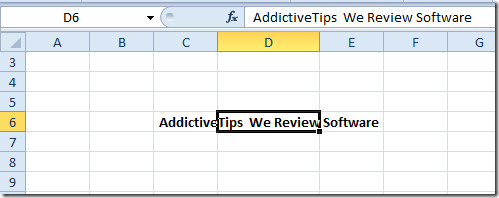
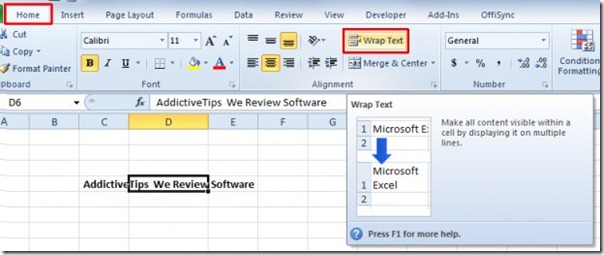
To wrap text in cell, select the cell and navigate to Home tab, from Alignment group, click Wrap Text button.
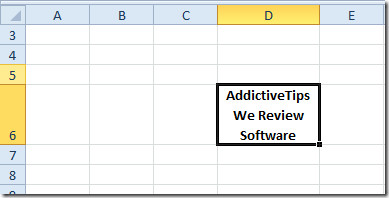
As shown in the screenshot below that text is wrapped-up in the cell.

But if the large text string is the result of a formula will the row height automatically change? Does not seem to work for me.
On my excel 2010 I don’t have “Wrap Text” under the Home selection
As my understanding of thing, wrap text is applied by excel when you type in the cell. Let say you got a spead sheet that has a thousand rows with text on each of them and a bunch of columns. Wrap text is already applied in the cell. Now you decide to put larger columns. The text gets adjusted, although the row height remain untouch. How could you trigger that in excel so that it adjust each of the row height?
Nevermind, found it. Ctrl-A the Sheet and double click between a row will autofit all rows
On my Excel 2010 the command “wrap text” will only work on some text files, not others. ? why
ooh that what happens to mine