Mail Alert: Email Notification For Outlook 2010
Microsoft has surprisingly left the notification feature in the dark with Outlook 2010. There are many 3rd party add-ins that integrate notification in Outlook and the one that recently grabbed our attention is Mail Alert. It is an add-in that is both customizable and cheap.
Update: A little clarification, Outlook 2010 does actually include an email notification feature but you need to enable it manually.
Editor’s Note: Please note that we never review paid tools except on giveaways, but Mail Alert is developed by a lone developer who thinks $3.95 $6.95 is a justified price. If you are OK with buying paid apps for iPhone, you will be comfortable shelling out few bucks for this powerful add-in as well.
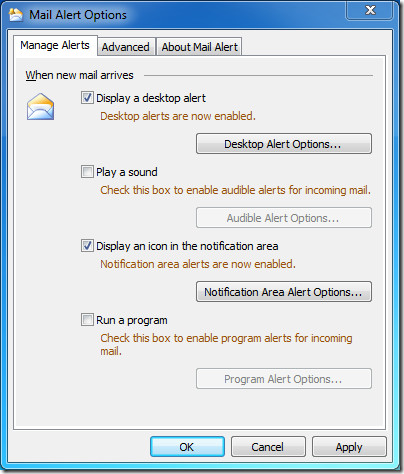
After installation it will prompt you to configure the basic alert settings. You can choose to configure both desktop alert and notification area alert.
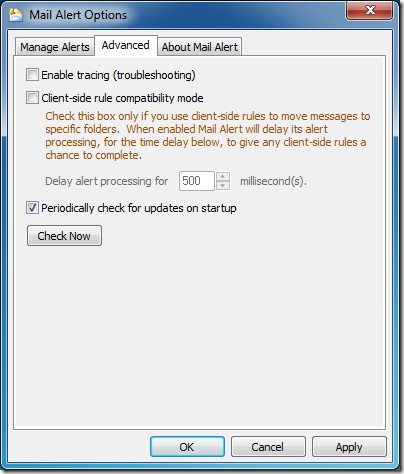
There are three advanced options; enable tracing(troubleshooting), client-side rule compatibility mode, and an option to check for updates on startup.
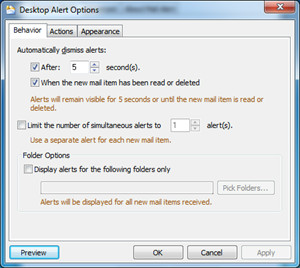
Click Desktop Alert Options button in the Manage Alerts tab(see first screenshot above) to customize and tweak the way you want notification alerts to be displayed.
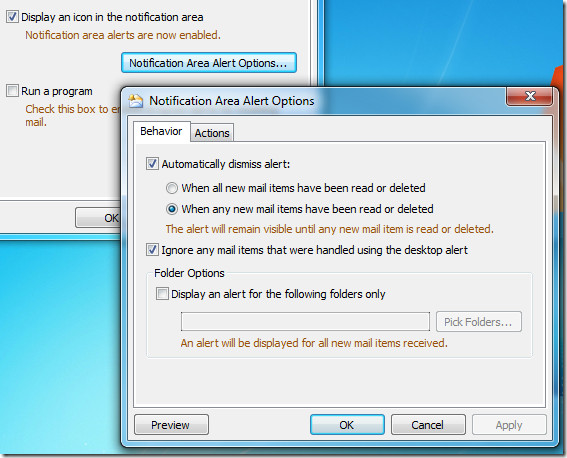
Clicking Notification Area Alert Options button will provide you with settings related to the notification icon that is displayed in the system tray.
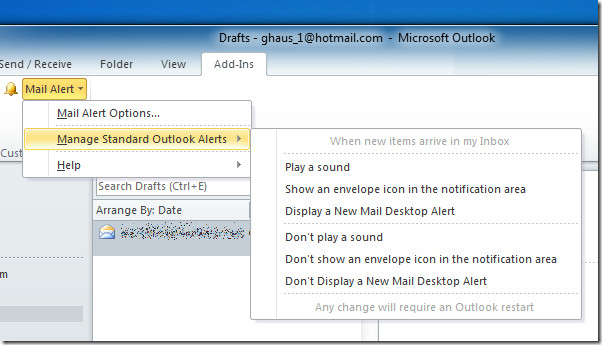
Quick options related to standard outlook alerts can be accessed from the Add-ins tab.
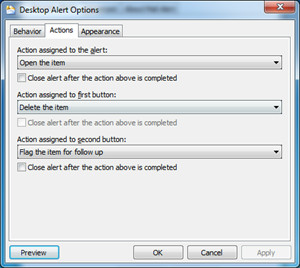
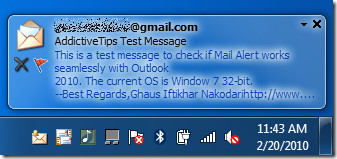
The best part of Mail Alert is that you can delete the email or mark it as flag from the desktop notification alert message dialog. And if you are running a presentation, you can mute all alerts with the click of a button.
The add-in works on Outlook 2000, Outlook 2003, Outlook 2007, and Outlook 2010.
The developer was grateful enough to provide me with the latest version of the add-in that works with Outlook 2010. The page is not updated yet but expect the latest version of the add-in to be released in the next few weeks. The add-in has now been released to the public.

It’s built into the product, but harder to find — you don’t need a plugin nor do you need to add a rule:
https://www.addictivetips.com/windows-tips/change-email-desktop-alert-settings-in-outlook-2010/
Can Outlook 2010 be set to automatically send me an “email notification” to my Gmail account of every appointment I make in the Outlook calendar. I want to set these emails to be sent 1 day prior to the appointments scheduled in my Outlook calender. That way I can receive notification of all my appointments on my DroidX. Any ideas. Please email me directly
Here is how I get notified under Outlook when I have new e-mails on my Gmail inbox: I use Power Toys for Outlook. It has a feature called GGNotify. Whenever there is a new e-mail in your Gmail inbox, GGNotify will make a alert sound of your choice. You do not have to stay in INBOX folder to get alerted by an assigned wave sound file. You can Google it and try it out.
This is a great little app. It works perfectly in tandom with Outlookshipper. When my tracing emails come in. I know exactly when my customers have received their parcel shipments and I can call them instantly.