How To Root Samsung Galaxy Tab On Android 2.3.3 Gingerbread
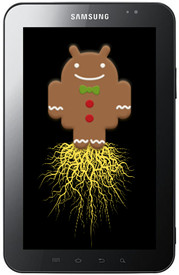
For those of you unfamiliar with the line-up of CF-Root kernels for Samsung devices, CF-Root is built upon the stock Samsung kernel and adds root, Busybox and ClockworkMod recovery to it. Please note that this is not in any way, a ROM.
This kernel is meant only for the GSM version of the Galaxy Tab and anyone wishing to try it out on another variant shall do so without any support from the developer.
So, on with rooting the Galaxy Tab!
Disclaimer: Please follow this guide at your own risk. AddictiveTips will not be liable if your device gets damaged or bricked during the process.
Requirements:
- Galaxy Tab running stock Android 2.3.3 Gingerbread firmware.
- ODIN installed on the PC. Download.
- Samsung USB drivers installed. Download USB drivers for 32 bit Windows | For 64 bit Windows.
- CF-Root-TAB7_XX_OXA_JQ1-v3.3-CWM3RFS.zip.
Instructions:
- To begin, download the CF-Root file from the link above and extract it to find CF-Root-TAB7_XX_OXA_JQ1-v3.3-CWM3RFS.tar.
- Make sure your device is disconnected from the computer and then start ODIN.
- Click on the PDA button in ODIN and select the file named CF-Root-TAB7_XX_OXA_JQ1-v3.3-CWM3RFS.tar.
- Now put your phone in download mode and connect it to your computer.
- Make sure to see that Repartition is not checked.
- Once all the above steps are completed, simply hit the Start button in ODIN.
- Once the process completes – which should not take more then a few seconds – the device will reboot.
That’s it! You should now have complete root access on your Galaxy Tab.
For updates and further queries visit the forum thread at XDA-Developers.

Sir, after finished and reboot I didn’t see “superuser”..why
Thaks a lot. Works nice. Now my tab works well.
if it stuck on pc/phone screen. u need p1wifi_20110128_r10_00.pit
P1010-CSC-ZZHKF1.tar.md5 and P1010ZHKF1-REV03-ALL-mid-CL1008827.tar.md5
should be available on the net. load them up using odin and it will reinstall fyro.
you can then update this to the new gingerbread using odin again
hope this helps
I’ve rooted my Galaxy tab successfully but after my device rebooted it’s stuck on home screen and is not responding on touchscreen at all. Please help what to do next guys!?
Thanks in advance!
Can I use this to upgrade my OS from froyo 2.2 to gingerbread and root it at the same time?
This works perfect
Great tutorial on Rooting Galaxy Tab
i dont know what happend, the system restarted but touchscreen doesnt work!
the same occured with me.
thanks a lot it works
IT WORKS, OBRIGADO !
my galaxy seem as if every thing went well but it won’t power on and keep’s flashing on and off with the samsung logo .help please
Anyone know where to get ( or how to build ) the tun module (tun.ko ) file for this kernel?
Thanks
thnx
I did everything as above. Device restarted. But I dont see superuser. Its not rooted. Any idea what should I do?
Cheers
Thanks for a quick, painless rooting procedure. Worked flawlessly.
Added Titanium Backup and it was smooth sailing.
Linking this to my blog, where I’m describing the process.
[leftystrat.blogspot.com]
Can you root a galaxy tab using a mac? Ive tried tons of times, but it wont work!
Hi.. i tried the steps exactly as above….but my tab is taking ages to root..
Odin v.3 engine (ID:9)..
File analysis..
SetupConnection..
its just stuck up there….any ideas?
> SetupConnection..
Stuck at that same point too. Did you figure out how to get past that?
Thanks
nvm, just restarted the device, re-hooked and clicked START on Odin after re-detection and it worked fine the second time.
The big yellow “Don’t Turn Off Target” message gave me pause from restarting outright 🙂
After getting my first Android device and after hours of trying other methods of rooting my Galaxy Tab running 2.3.3 I was about to give up when I found the link to your post… Quicker than you can say “I’m rooted!” my tablet was done!
Thank you!
The whole procedure was ok, but after boot the device does not respond to touch…
Any ideas ???
Having the exact same problem… my GT is not responding to touch… Did you solve this?
Touch stops working!!!
ok i will try out this one…but is there anyway to unroot it back
thanks!!!! you rule!!!
thank you it worked flawlessly !!!!!!!
I figured out hot to fix the problem…I think we used a tar file that didn’t work. Use this link and it will work perfectly 🙂 http://droidangel.blogspot.com/2011/07/how-to-root-sprint-samsung-galaxy-tab.html
Not for GSM
I current have the EXACT same problem…did you figure this out??
Im sure there was something at the end of the line :
Removed!! (is 009 in my case), so pls all help me to format or roll back
Hi all pls help me , i follow step by step and now my samsung galxy tab and all not good at all, the phone go crazzy reboot after reboot, what can i do , pls help, or mai me. Added!!
Odin v.3 engine (ID:9)..
File analysis..
SetupConnection..
Initialzation..
Get PIT for mapping..
Firmware update start..
zImage
Removed!!
Completed..
All threads completed. (succeed 1 / failed 0)
Pliz help me… i had to upgrd my galaxy tab. Then its failed. At now its just only stuck in the samsung screen. Pliz mail me if somebody knows the solutions. Tq before
it tells me it can’t connect to port and then failed
any suggestions please
i have a quit similar problem with Oops, currently my version is DXJPD. any idea, please share with me, thanks
Thanks a giga….. Will buy you a beer asap
It worked Great Thnx
I got the following messages on ODIN:
Added!!
Odin v.3 engine (ID:16)..
File analysis..
SetupConnection..
Initialzation..
Get PIT for mapping..
Firmware update start..
zImage
Complete(Write) operation failed.
All threads completed. (succeed 0 / failed 1)
And now the Tab is stuck on a screen showing an image of:
Phone../!\..PC
Any ideas?
Have I well and truly shafted it?
Happened to me when i attempted to restock to Rogers. i charged it for days and the only thing that happened was the screen would turn on and off with the sybols you described( phone to pc) simply connect your phone to the pc with odin open and rotohammers 001001-GB-Stock-Safe-v5 and EVENTUALLY(took 10 minutes for me the first time and had it go off and had to wait another 20 minutes before it was recognized again) the phone will be recognized by odin and flash away. will restock everything to stock GB euro firm.
Unfortunately can’t make it work on mine…I am not sure if it has something to do when I initially rooted my tab with Z4root before upgrading to Gingerbread. My device current Kernel is showing 2.6.35.7 root@se-s604 #8.
Is there another way of re-rooting my TAB. Thanks.
Dear Zayed Rehman,
You are simply awesome! Installed Gingerbread + Rooted my device.
Suyog Dixit
Awesome thanks, worked for me! Love this new rooted gingerbread on my tab