Overclock Xperia Arc To 1.9Ghz With DoomKernel Custom Kernel

Kernel features with credits:
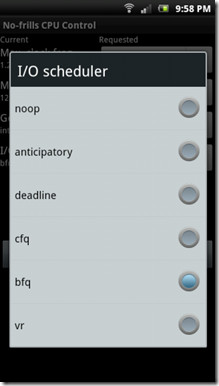
- BFQ I/O Scheduler ported from richardtrip’s Kernel sources for Bravo by richardtrip.
- V(R) I/O Scheduler ported from LeeDroid Kernel sources for Ace by LeeDroid.
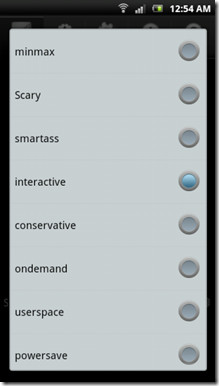
- Smartass CPU Governor ported from UmaroKernel sources by umaro (original posted by erasmux) [Fixed/modified for SEMC Devices].
- Scary CPU Governor ported from UmaroKernel sources by umaro (original posted by scaryghoul).
- MinMax CPU Governor ported from UmaroKernel sources by umaro.
- New Logo thanks to soheil_rf.
- Interactive CPU Governor ported from UmaroKernel sources by umaro & from Bukington gaosp Kernel sources.
- VDD control “sysfs” interface ported from UmaroKernel sources by umaro (original posted by snq– here).
- CWM Recovery thanks to FreeXperia Team.
- {OLD} initial freq-Overclock table if2.
- {OLD} bootscreen/bootlogo/bootimage used from here, with permissions of Sentinel196.
- Original RootXperia.zip file from Bin4ry.
- Autorooting inspired from CF-Root for SGS2 (Chainfire).
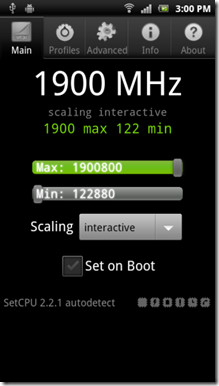
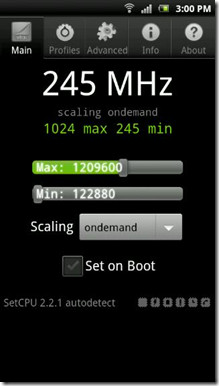
Screenshots below our courtesy of the developer.
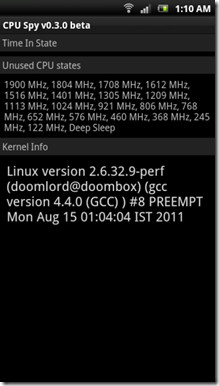
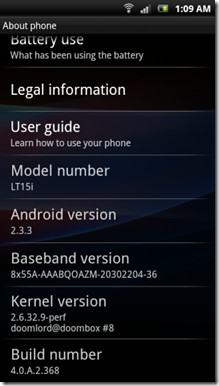
Like what you see? Here’s how you can get this kernel up and running on your device.
Disclaimer: Please follow this guide at your own risk. AddictiveTips will not be liable if your device gets damaged or bricked during the process.
Requirements:
- Xperia Arc with an Unlocked bootloader. See our guide on unlocking the Arc’s bootloader.
- ADB installed on your system. See our guide on what is ADB and how to install it.
- DooMKernel.
Instructions:
- To begin, download the kernel from the link above and copy it to the tools folder in the Android SDK where fastboot.exe is.
- Put the phone in fastboot mode and connect it to the computer.
- Now run command prompt or terminal and navigate to the toolsfolder and enter the following command:
fastboot flash boot boot.img
- This should flash the kernel to your phone, so reboot the phone now.
That is it! Your phone should now reboot with the new kernel in place and you should also have root access. To overclock, use SetCPU or NoFrills CPU Control from the Market.
For updates and queries, visit the forum thread at XDA-Developers.

hi there. 🙂
just wanna ask, is there got any way to overclock my Arc S?
my android version is ICS 4.0.3 with kernel version 2.6.32.9..
i hope that u guys can help me.
There is DooMKernel V3+ (now v4)
Hi,im using flash version of “Xperia_arcS_ICS_beta” on my xperai arc, the problem is that when i flash the doomkernel img, my phone wont start, so is there any way to merge the two image.img files (doomkernel and ICS) ?
Do you have flashed the kernel (boot.img) for ICS? If you flashed the version for Gingerbread, you now have a bricked phone (phone won’t start) flash the kernell for ICS (go have a look on XDA-developers) and your phone will work again:)
me too .. my arc s is wont start when i flash the doomkernel .. whta should i do ? 🙁 help me ..
waah. my sony ericsson experia Arc is very fast now (1.4) ghz, but my wifi stoped working. Also i cant connect with my computer trough usb anymore.. Somebody knows what to do?
Have a look for wifi fix;) also there are new kernells where the usb-mount problem is solved