How To Install And Use Ubuntu StartUp Manager
Almost all operating systems offer facility to customize and secure the system start up process. Ubuntu has it’s own “Startup Manager” but is not installed by default. It can be used for managing the settings of your Ubuntu boot screen and boot loaders. Startup manager can also be used to change the splash screen you see at boot up when you are asked for a login and password. Apart from it, it can be used to password protect your boot loaders, customize your desktop appearance, and secure your system boot process.
To install Startup Manager you will need to run below command in Terminal:
sudo apt-get install startupmanager
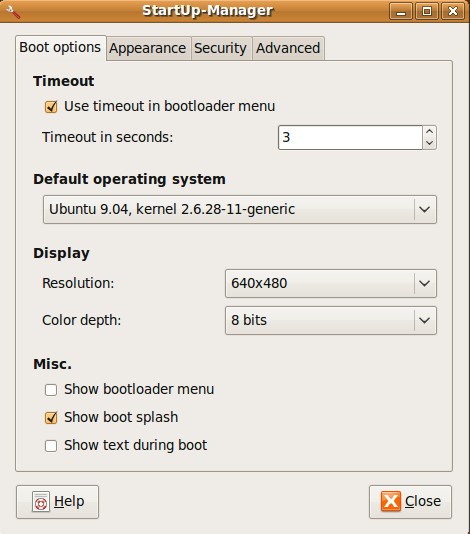
Once installed, you can load it from System > Administration > Start up Manager option. On the main tab(Booth options) you can choose the boot loader menu timeout, change resolution, color depth, and change various other options.
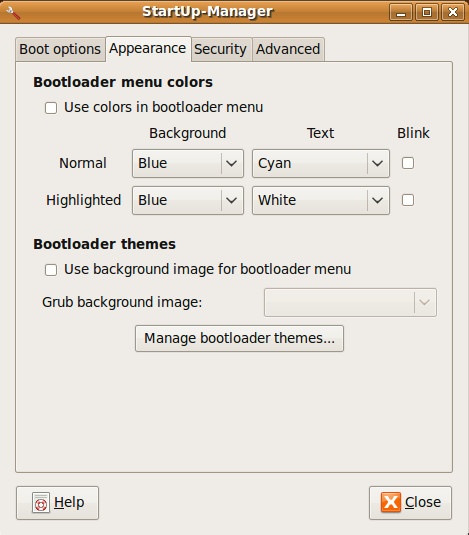
In the Appearance tab, you can change the Bootloader menu colors and themes instantly.
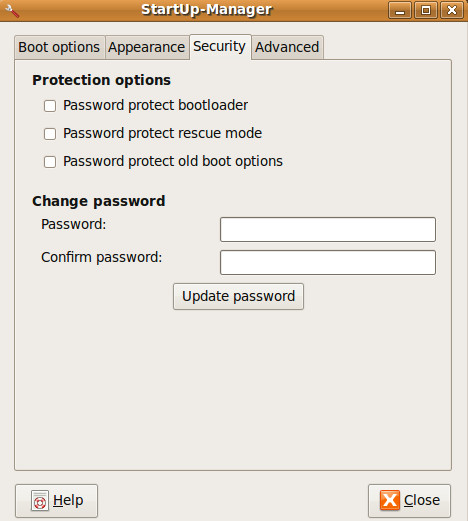
You can secure your boot loader by going to Security tab. Here you can set password for boot loader (grub) so any one accessing your grub will have to enter the password.
Startup Manger makes Ubuntu more user friendly because it offers a very easy-to-use graphical interface for changing settings of system start up and boot loader otherwise you will have to make changes in system files manually, which could lead to potential system crash. Enjoy!

I use Ubuntu 16, and it’s not in the default repositories.
I am using 11.04 Natty & I got this installed but, mine looks totally different. I only have boot
options and advanced tab and that’s all. Any reason I should not be
able to see all the tabs?
I am using 11.04 Natty & I got this installed but, mine looks totally different. I only have boot
options and advanced tab and that’s all. Any reason I should not be
able to see all the tabs?
I got this installed but, mine looks totally different. I only have boot
options and advanced tab and that’s all. Any reason I should not be
able to see all the tabs?
you could also try to install it by command line…ie “sudo apt-get install startupmanager” or sudo apt-get install startup-manager…good luck.
I’m using Ubuntu 10.4, but i can’t install this application ..
“ouldn’t find package startupmanager”
Thx,
I dont have the appearance & security tab in startup-manager
Me neither. If only it were as easy as described here.
I also do not have these tabs. I’m using UNR 10.10
You can install either through above command or direct through Synaptic Package Manager(SPM). In SPM search startup manager and install it.
look in the software center, you should find it there. if that fails try the synaptic package manager.
What does the field labeled “Show text during boot” mean? Does it mean that you have some text coloured output below the logo of the splashscreen, or does it mean that you go leave graphic mode to text mode?