7Zip To Exe Converter
Do you want to convert 7Zip to self-extracting Exe files? Self-extracting Exe files can be useful when you need to send the files to a less technical person(e.g, your parents) and also when you need to carry the content in a USB flash drive.
7-Zip Sfx Maker is a free tool that can batch convert 7zip archive into self-extracting Exe file.
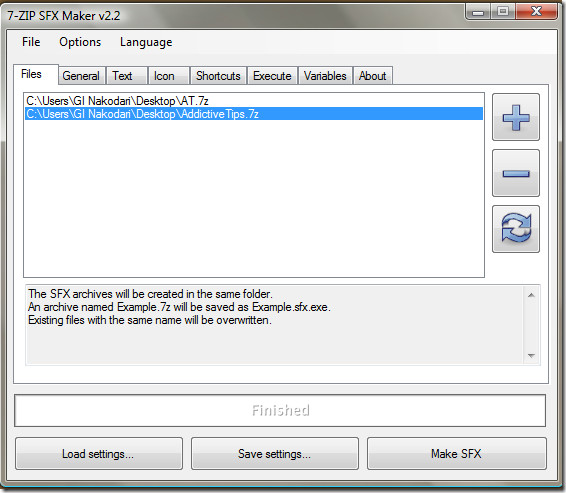
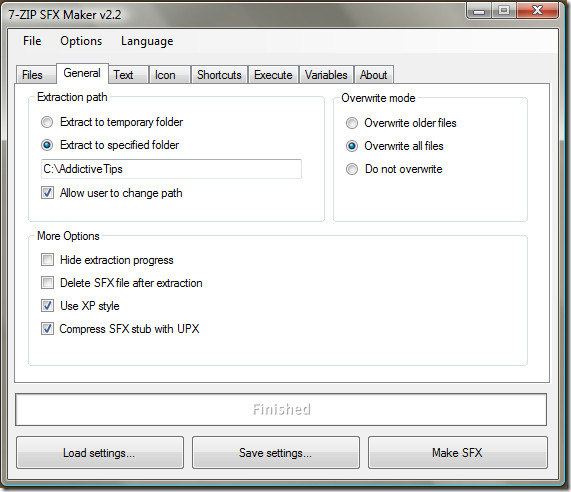
It provides vast number of options that allow users to tweak almost every aspect of the Exe file. First add 7zip archives(you can add as many as you want) to the list(it supports drag & drop), go to General tab and choose the extraction patch, overwrite mode, and some more options.
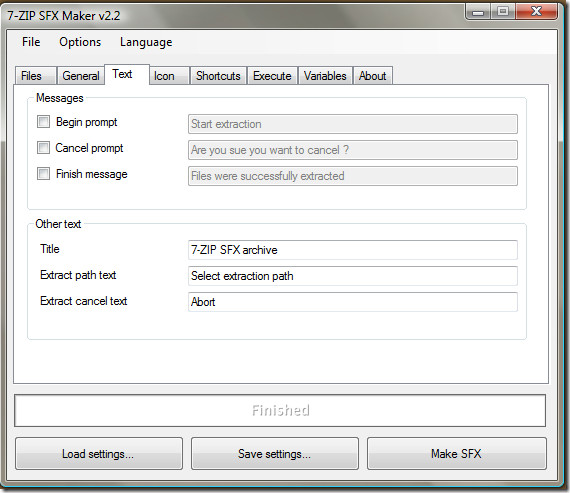
You can even choose when messages to display before the extraction begins, after it end, and when cancelled. Apart from it you can also rename the text of Title, extract path, and cancellation.
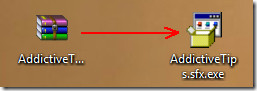
When converted, the extension AddictiveTips.7zip becomes AddictiveTips.sfx.exe.
Once you load the newly created exe archive, a new dialog will open asking for extraction path.
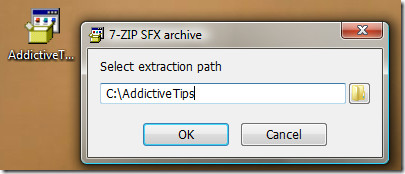
Hit OK and the files will be extracted instantly. There are almost limitless uses for a self-extracting Exe files.
Note: This program uses Resource Hacker to change the SFX icon. Resource Hacker can also be downloaded from the developer’s page. If you don’t want to change the icon, then you can ignore Resource Hacker.
It is a portable converter and works on Windows XP, Windows Vista, and Windows 7. A minimum .NET Framework 2.0 is required, but 3.5 or 3.5 SP1 is recommended. Enjoy!

for the “specified folder” – can you use directories like %temp% etc?
Are the so made archives compatible with OSX ?