AddictiveTips


  • Home
  • Windows
  • Mac Os X
  • Linux
  • iOS
  • Android
  • Windows Phone
  • Web
  • Office
  • Tip Us

Create HTML5/CS5 Icons, Logos & Star Badges With Icon Generator Pro

by Farshad on January 10, 2012
  • Windows
Leave a comment

Creating professional looking icons and logos is often difficult, even with the help of online web services that allow creating custom logos/icons. The reason is that, most web services do not offer inserting images to tweak the icons, and present quite dull background images or templates for creating these. Icon Generator Pro is an Adobe AIR based application that provides icons for HTML5, CS5, CS4 and Star Badges, that can be fully customized to create attractive logos and icons. The icon generation can either be performed by downloading the Icon Generator application, or via the developer’s website.

You can easily tweak the default HTML 5, CS5, CS4 and star badge icons by changing the text color, size of the internal elements etc. The icons can be saved in different sizes on the local drive, including 128×128, 48×48, 32×32 and 16×16.
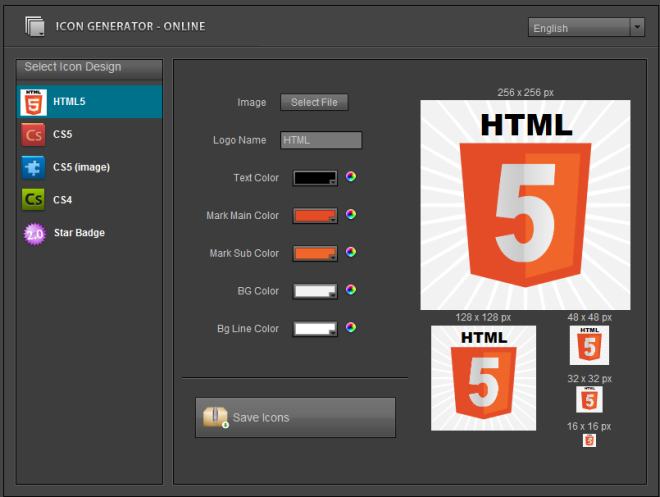
Icon Generator - Generate CS5 or Web 2

For example, the below HTML 5 icon was changed by selecting a custom image and changing the icon colors.
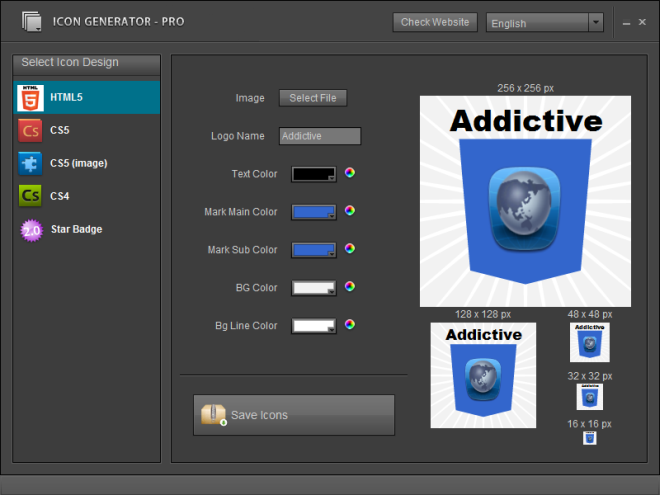
Icon Generator Pro


Each icon type has its own set of features, and provides different kinds of effects and shapes for creating your icons. For example, unlike the HTML 5 icon template, the CS5 icon template has a book like shape, and provides extra options to adjust contrast, glare shadow and font. Once you have designed an icon, click Save Icon. This will create a new folder in the selected system location, and the icon will be saved in numerous sizes in PNG format.
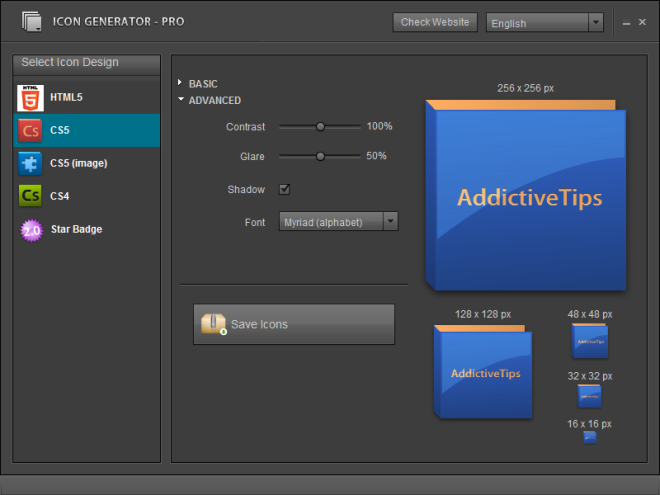
Icon Generator Pro

Icon Generator Pro comes with English, Japanese’s, Chinese and French (interface) languages, and works on Windows XP, Windows Vista, Windows 7, Mac OS X and Linux.

Download Icon Generator Pro

Advertisement
Advertisement

Do You Like This Post?

Tweet
Email a Friend

Recommended For You

  • Icon Maker Helps To Make Your Own Icons
  • Lion Icon Pack Transforms Windows 8 Icons to Mac OS X Lion Icons
  • Change Position Of Notification Badges On iPhone App Icons With Boover
Tweet

Previous Post

← InstaFlow For iPhone/iPad Adds Gesture Control To Instagram

Next Post

Blotter: View iCal To-Dos, Events & Week Schedule On Desktop [Mac] →
Facebook Twitter Google + RSS Youtube

Daily articles in your inbox each day for free

Close

Join 35,000+ other readers

Popular posts

  • Unreal Commander Is The Swiss Army Knife Of File Managers For Windows

    Poor file management can lead to poor performance of your system, and can cause a...

  • A Look At The New Features In Firefox 21

    The next installment of Firefox i.e. version 21 is now available. The new version brings something...

Readers Activity

Go to top

Topics

  • Windows
  • Mac OS X
  • Linux
  • iOS
  • Android
  • Windows Phone
  • Office
  • Web

Authors

  • Sameed
  • Fatima
  • Hamza
  • Waqas
  • Zayed
  • Haroon
  • Awais
  • Michael
  • Usman

Daily articles in your inbox each day for free

Close

Join 35,000+ other readers

Facebook Twitter Google + RSS Youtube

About Addictivetips

AddictiveTips is a tech blog focused on helping users find simple solutions to their everyday problems. We review the best desktop, mobile and web apps and services out there, in addition to useful tips and guides for Windows, Mac, Linux, Android, iOS and Windows Phone. Read more...
© 2013 AddictiveTips. Hosted by Presslabs
  • About
  • Featured Articles
  • Archives
  • Contact
  • Disclosure
  • Privacy Policy
  • Apps
  • Tip Us
BACK TO TOP