Customize Toolbar: Notepad++ Plugin To Add And Delete Custom Buttons
Notepad++ is one of the most powerful alternatives available to the default Windows Notepad. The main reason for its superiority over the default Notepad, is the huge number of plugins available for performing advanced operations. Each plugin is designed to perform a different operation and it is aimed to make the usage of Notepad++ more simple for the users. Here at AddictiveTips, we keep finding new, useful plugins for you that enable you to enhance your Notepad++ usage and allow you to perform extended operations that cannot be performed by using the stock options of Notepad++. Today, we have one such plugin for you called Customize Toolbar. It is a rather simple but useful plugin for Notepad++ that allows its toolbar to be fully customized by the user. You can put the frequently used options of Notepad++ in the toolbar that allows you to quickly access them without opening any menus and dialog boxes. Having the frequently used buttons in your toolbar saves time and increases user efficiency, and this application allows you to add and delete additional buttons in your toolbar for frequently-used menus.
When you open an application and navigate through its various options, if there are a lot of menus and sub-menus, it is easy to forget where the required option was. You have to move through lots a huge number of options just to find the one that you are looking for. Instead of going through every available menu, if there is a toolbar that allows you to keep all the frequently accessed and most used options in a single place, it will save a lot of time of the user. This plugin, Customize Toolbar, does exactly that. It lets you create a custom toolbar containing all your favorite and frequently used options. This way, they are always available, and only a click away, right on the main interface of Notepad++.
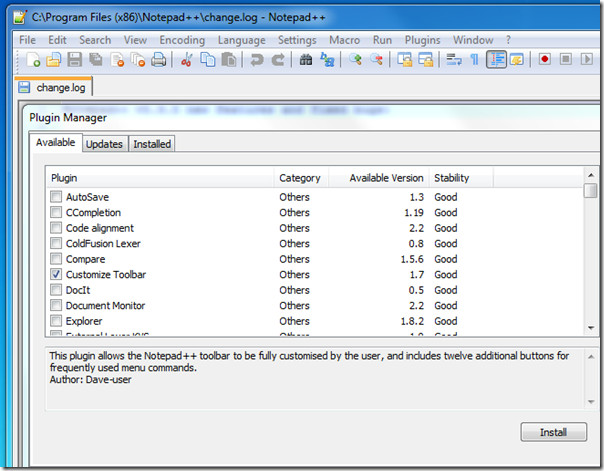
To install Customize Toolbar, open Plugin Manager from Plugins—> Plugin Manager—> Show Plugin Manager. Under the Available tab, select Customize Toolbar and click Install.
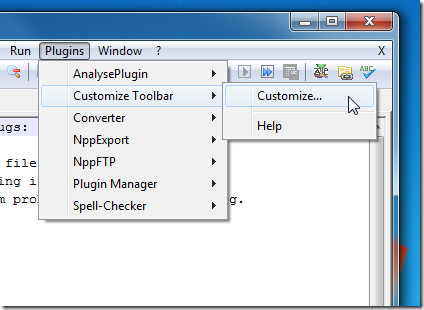
Once installed, click Plugins—> Customize Toolbar—> Customize to open the Customize Toolbar dialogue box.
The Customize Toolbar dialogue box enables you to Add and Remove current toolbar buttons from a list of available options. Select your desired buttons from the list on the left, and click Add.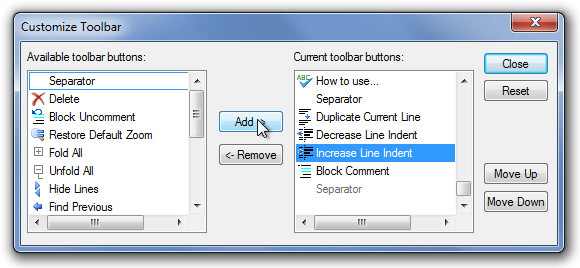
Click Close and the selected buttons will appear in your toolbar.
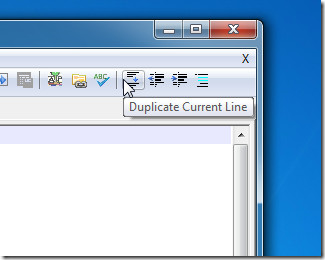
Customize Toolbar is an open source plugin that works with all versions of Notepad++. Testing was done on Notepad++ 5.9.5.

Que droga de plugin. Para que eu vou instalar um plugin instável que não me deixa criar botões (há somente a possibilidade de habilitar alguns botões que já foram desabilitados por padrão porque ninguém usa mesmo). Nem um simples botão pra lançar o Chrome (função disponível via meu/atalho) pode ser feito. Muito ruim. Não recomendo a instalação.
This is buggy plugin. For many users, including me, it hides the toolbar and also makes it disappear behind the editing pane. Not just that, while opening a file (with no instance of Notepad++ running), it causes the toolbar to expand all the way to bottom and hides editor window. To see the editor window, you have to close all tabs, then open any file (while Notepad++ is still running). However, even then the toolbar isn’t visible and hides behind the editor window.
The only solution so far (July 2013) is to remove this plugin.
Cheers,
A
We can add only the Tool default tools not the options from plugins
just learn the keyboard-shortcuts 😉
just learn the keyboard-shortcuts 😉