How To Easily Disable Auto-Login Of Last User At Windows 8 Startup
Users Accounts are meant to provide a personal space to each user on a shared computer and therefore, a Windows User Account holds a lot of information related to the owner of that account including financial information, personal documents, passwords to email, social networking and communication accounts, browsing history and several logs. Therefore, if an unauthorized person finds a way of accessing someone else’s account, it can possibly have serious consequences for the account owner. So to be safe, most users protect their user accounts with a password. One annoyance with the login system in Windows 8 is that if there are multiple users added, the computer automatically boots up the account of the last user without asking for password, unless the user has set a PIN. While this is fine if only one person uses the computer, it can result in a breach of privacy in case of multiple users. User List Enabler for Windows 8 takes care of this issue by bringing up the user list at every system startup, allowing you to choose an account for login every time you boot up the computer.
The tool uses the group policy’s ‘logoff script’ method and sets the user switch DWORD value in Windows Registry to 1 at every logoff. The application provides you with a one-click solution for the purpose, eliminating the need to directly mess with Registry entries. When user list is enabled, you will need choose an account to login at every system boot, and provide the password for it. Just run the tool and click the Enable user list button to enable it.
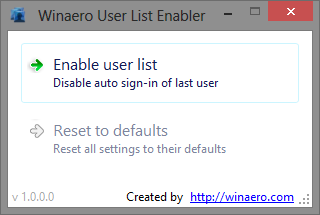
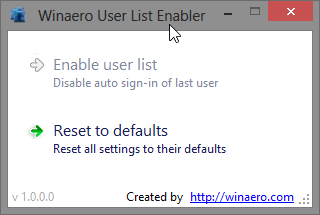
The utility also lets you revert this change in one click, so if you need the user list just for a specific time period, you can enable it for the time being, and disable it once you are done. For instance, if you are in a situation where you have to share the computer with another person for a few days, you can make a new user account for them, enable this feature to make sure they can’t access your account if you last used the computer, and when the need is over, just select the ‘Reset to defaults’ button in the tool to set everything back to the way it was.
User List Enabler is a portable application and works on both 32-bit and 64-bit versions of Windows 8.

Sorry ,but Winaero User List Enabler doesnt work on my PC (DWORD value still stays at 0)
I worked out how to fix this with out causing any other issues. This is what I did.
1. Backup/export HKEY_LOCAL_MACHINESOFTWAREWow6432NodeMicrosoftWindowsCurrentVersionAuthenticationLogonUIUserSwitch
2. Change the UserSwitch Enable value to 1
3. F5 to refresh registry, then delete the UserSwitch Key
4. From the Parent Key ‘LogonUI’, right-click it and select Permissions
5. [Disable Inheritence] and select ‘Remove’
6. Now edit each User, Advanced Permissions and uncheck/untick ‘Create Subkey’ (This stops the key being recreated).
Reboot to test.
If there is an issue you can just merge the Userswitch.reg file you backed up and then re-edit ‘LogonUI’ key and check create subkey. But I haven’t had any issues at all with this method. Works in Windows 8 and 8.1, Pro and Core.
Good Luck
Two problems with your solution:
1) It breaks UAC in (at least) OTS mode. consent.exe crashes with an interesting error while trying to display the administrator tiles.
2) Because you’re addressing Wow6432Node, you’ll find it only works on 64-bit Windows. On 32-bit Windows, it will have no effect.
I didn’t mean to address Wow6432Node. That bit can be ignored, just carry this out under the main Microsoft key under Software. My mistake there. I don’t know what OTS mode is, I’ve done this on a 2 Windows 8.1 systems (32bit and a 64bit), and a 32bit Windows 8 system and have had no issues what so ever.