Edit MS Access Database (MDB File Format) Without Having MS Access Installed

If you want to access MDB(MS Access Database) file and do not have Microsoft Access installed, what other choice do you have? MDB Viewer Plus is a free standalone tool for Windows through which you can edit any MDB file quickly. It doesn’t require any installation, just load it up, open the MDB file and start editing.

It has very useful functionalities and most of the features are similar to MS Access, you can perform an advanced search, apply filter, Import/Export and Print Table, Show/Hide Columns, Execute a Query, Find Table info and types, and much more.
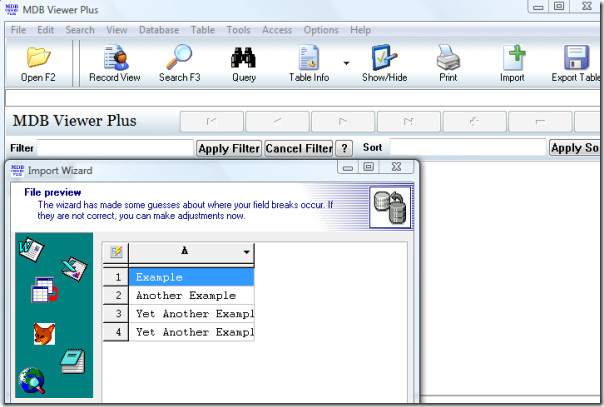
mdb viewer plus screenshot

According to the developer, it is not a full database development solution but does allow you to view MDB files without an Access license. To see the full list of features, please visit the link below.

Download MDB Viewer Plus

It works on all versions of Windows. Enjoy!

  • Share this article!

    • Digg this!
    • Bookmark on Reddit
    • Bookmark at Delicious
    • Stumble this!
    • Share this post at Facebook
    • Tweet this!
    • Share on Yahoo! Buzz
    • Add AddictiveTips to your Technorati favorites
    • Share on Friendfeed
This entry was posted in Windows and tagged , , , . Bookmark the permalink. Post a comment or leave a trackback: Trackback URL.

2 Comments

  1. Posted December 2, 2009 at 7:04 am | Permalink

    Thanks for this, I had seen it before, but the name implies its only a viewer, did not realise you could edit with it.

  2. danprtr
    Posted January 8, 2010 at 9:55 pm | Permalink

    Using Ver1.63 I can view but not edit a database produced by another program (maybe that is why).

One Trackback

  1. Ms Access Database Project…

    It is a long long time since my last Ms Access project. I never use Ms Access in my work. But this time have to develop a simple database system for training assignments, a small project for myself.
    The previous trainer use manual way to assign trainin…

Post a Comment

Your email is never published nor shared. Required fields are marked *

*
*

You may use these HTML tags and attributes: <a href="" title=""> <abbr title=""> <acronym title=""> <b> <blockquote cite=""> <cite> <code> <del datetime=""> <em> <i> <q cite=""> <strike> <strong>


More in Windows (5 of 5 articles)