fTalk Is A Facebook Chat Client For Desktop That You Will Love
Facebook is known for making random and distasteful changes to their website interface which leaves most users disgruntled and stranded. The recent Facebook interface change which has invited much criticism from its users is the new chat interface. The new Facebook chat layout makes it quite hard to identify online and offline contacts as they are aligned in same lane. If you are looking for a fun and easy way of using Facebook chat without the inconvenient new layout, try fTalk. It is a desktop client for Facebook chat with a clean interface. It aligns online and offline contacts separately and shows system tray notifications when a contact is online.
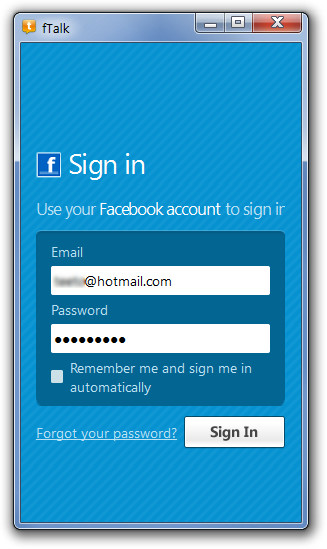
To begin, launch fTalk and login with your Facebook account details. You will be redirected to the authorization page via your default browser. fTalk has a minimalist interface and is fast, faster than other desktop clients we have seen. It imitates the classic interface of the MSN messenger.
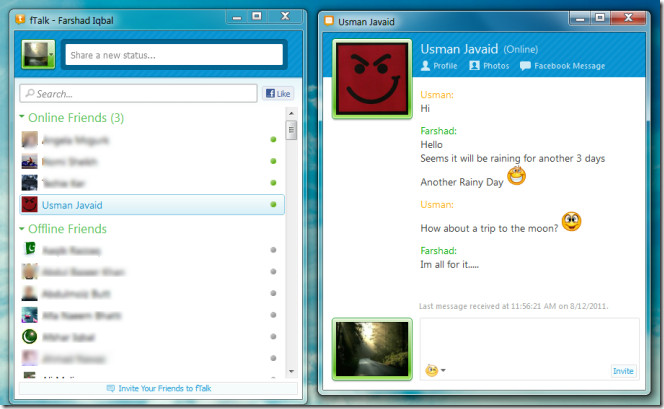
Once done, you will be logged into Facebook chat. Online and Offline contacts are displayed in Online Friends and Offline Friends categories, which makes it easy to identify online contacts in a glance. Like any other messenger, double click contact name to initiate conversation. You can also view a friend’s profile, photos and Facebook messages (on your default browser) through options present on a contacts chat window. You can instantly update your status from status text box present above the search bar.
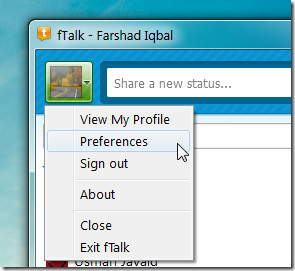
From profile picture drop-down menu, you can access your profile, bring up Preferences and sign off from Facebook chat.
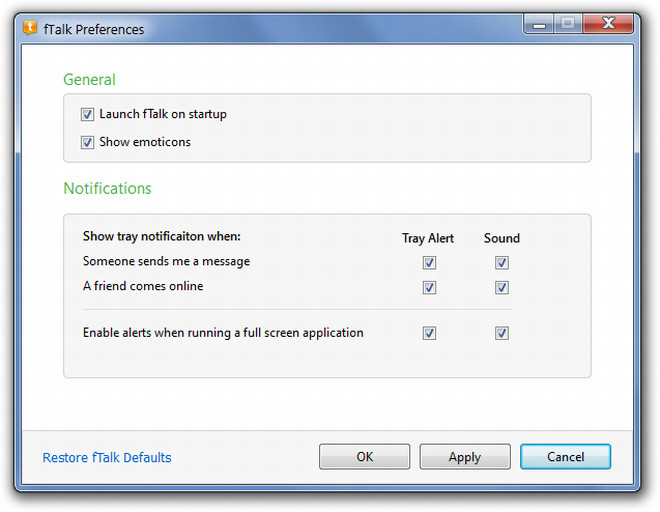
Under Preferences window, you have options to launch fTalk at system start up, activate emoticons, and enable or disable system tray/sound notifications for message alerts, online friends & full screen mode.
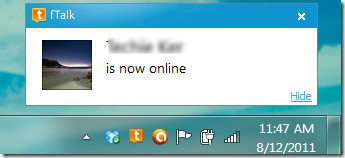
In case you have enabled system tray notifications for receiving alerts for online friends, you will receive a notification from the system tray when a contact comes online.
fTalk may not have a lot of fancy features, but it serves as a lightweight Facebook chat client with a clean interface. During testing, fTalk had a memory stamp of approximately 36MB. fTalk works on Windows XP, Windows Vista and Windows 7.

Definitely …very nice software…..
Awesome, I love it!!
Thanks 😉 AWESOME
But Skype is being serious security flaws
Pointless. It’s already integrated with Skype 5.5
I can’t log on