Merge Multiple PDF Files Or Convert Them To ePub, HTML Or Plain Text
PDF is a popular format for documents since it ensures the integrity of how the document looks and prints on someone else’s systems. Reading a PDF file is simple enough with web browsers acting as fairly decent PDF readers but there is more to a PDF file than just reading it. To create or edit a PDF file, you need Adobe Acrobat, a paid app from Adobe. For small and simple functions like merging or converting a PDF file, the app is not worth the purchase. If you need to merge or convert a PDF files, a more sensible solution is to use an app that can do that for you. PDFMate has two apps that do just that. Free PDF Merger and Free PDF Converter can merge two or more PDF documents into one, and convert a PDF document to multiple EPUB, Text, Image, HTML or SWF respectively. More on these applications after the break.
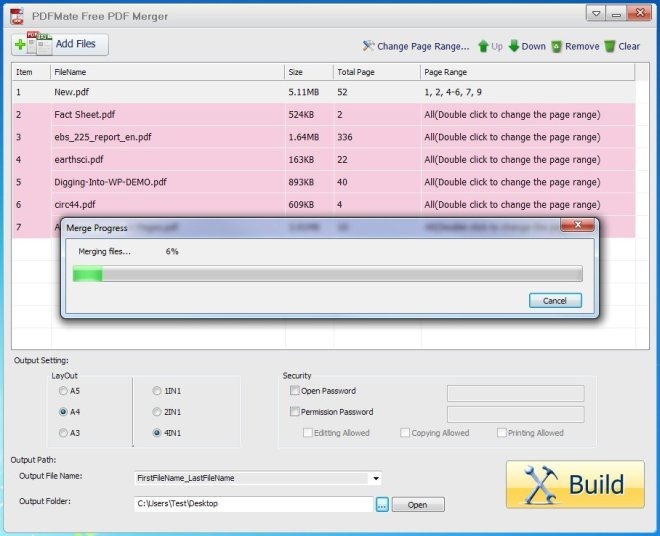
The main interface of both applications is designed to be very simple and user friendly. In Free PDF Merger, you have the option to select the Layout, Security and Output Path. The Layout settings include A5, A4 and A3 as the paper setting, while 1in1, 2in1 and 4in1 are the number of pages you want to merge in a single page of the new document. The Security settings allow you to set Open Password, as well as Permission Password with Editing, Copying and Printing permissions.
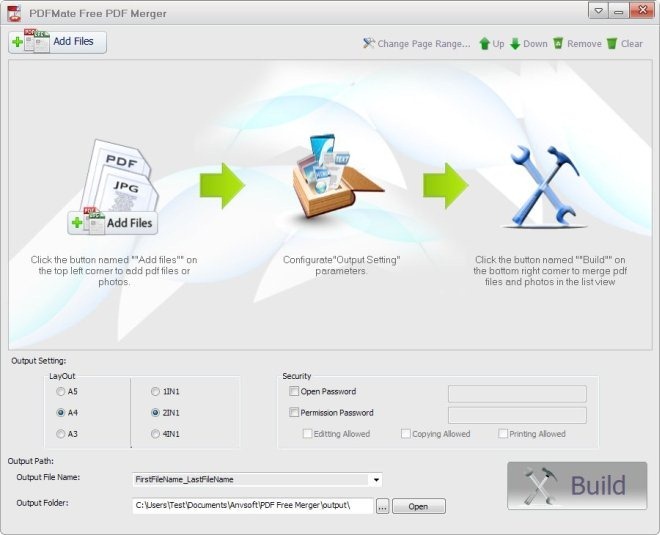
To add PDF files for merging, just drag them over to the main interface. The Change Page Range button at the top allows you to choose which pages from the old document should be included in the new one. When all settings are done, click Build button in the lower-right corner.
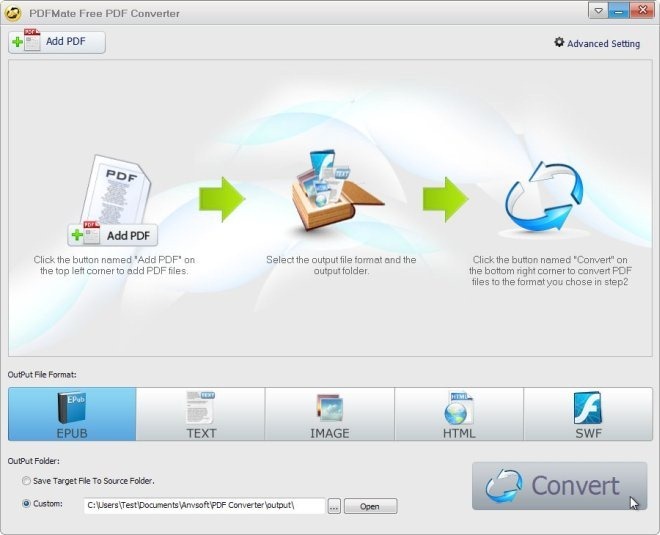
The Free PDF Converter works in the same way, and allows adding files via drag and drop. Click to select the required Output Format from EPUB, Text, Image, HTML and SWF available at the bottom of the interface. You can choose to save the target file in the same location as the source file or select a new location by clicking the Browse button. When all settings are done, click Convert.
Both Free PDF Merge and Free PDF Convert work on both 32-bit and 64-bit versions of Windows XP, Windows Vista, Windows 7 and Windows 8.

Happy to read the article, now I don’t need to pay about $50 to buy a PDF converter or merger. Your mentioned PDFMate Free PDF Converter can do many things. Great! And the PDF Merger is very helpful. I tried to use it to merge two scanned PDF into one. Perfect!