Resize Any Window Dialog Box With ResizeEnable
Some Programs cannot be resized because the developer doesn’t want users to resize them, the same goes with some dialog boxes in Windows. This annoyance can be fixed with ResizeEnable, which is developed by the same author behind the previously reviewed SplashKiller. It allows users to resize the unresizable windows dialog box.
The app is portable, has no interface, and sits in the system tray. All you have to do is to run the program and try resizing the window. For example, the Screensaver dialog in Windows cannot be resized. After running the app, we can easily resize it as you can see from the screenshot below.
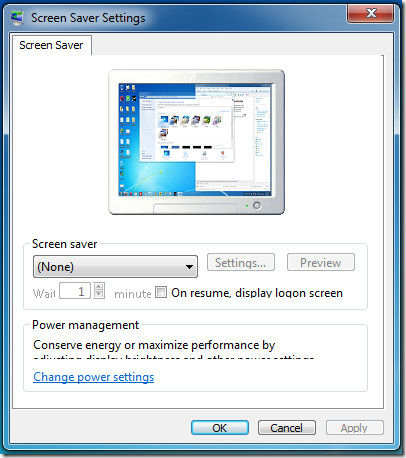
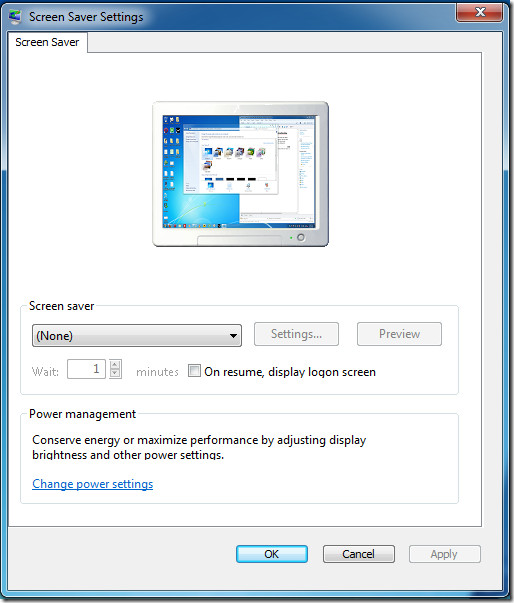
This niftly little portable app is not new, it was developed back in 2003 but we were surprised to find it working seamlessly in Windows 7 as well.

I just want to say THANKS – the Resize Dialog Box fix works like a dream. I tried everything and then stumbled upon this site. Kind Regards Gerry
dont worry
but how do i install it??????????????
HOW TO DISABLE IT
thank u for the person how post this u helped meeeeeeee thanksssssssss
I recommend ScreenSpace. You can resize any window to any size, even larger than screen size: http://dandeware.com/products/
ResizeEnable works for 32-bit dialog windows only on an x64 system!
I hope this also works for Firefox 3.x “Bookmark this Page” dialog boxes, but if not, then there are plenty of other windows and dialogs that lack resizability, so this utility that I just learned about at techsupportalert.com should come in user-friendly handy.
altmove can resize and more- “you can move windows and controls which do not support this ability ” is the best,and more.
site: http://www.deskex.com/Altmove/index.asp
Whoa!
Are you sure you want to go there?
http://www.deskex.com/Altmove/index.asp may be risky to visit.
Why were you redirected to this page?
When we visited this site, we found it exhibited one or more risky behaviors.
Sure as H beats having to re-size my Windows manually all the time! I just downloaded this. Great app!