Simple Text Splitter – Split Large Text Files In Windows 8 & 7
Are you looking for a way to split a big text file into multiple chunks? Simple Text Splitter is an easy-to-use portable text splitter which is basically designed to split text based files such as TXT, LOG, SRT, CSV etc., into smaller chunks. The application offers a miniscule interface, allowing users to quickly set the file splitting options and begin splitting text files. Furthermore, in order to quickly join the split text files, you can choose to add .part or file number as file extension.
This post has been updated to let you know that Simple Text Splitter also supports Windows 8. The article was updated on March 30, 2012.
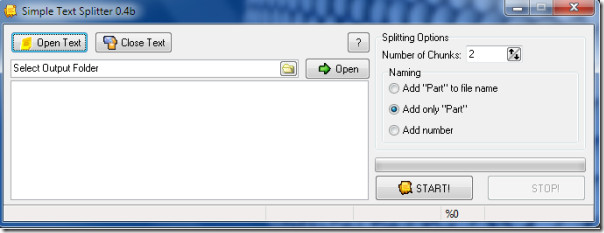
All the options are self explanatory, simply run it and specify the file to be broken into smaller pieces from the Open Text button. Now choose the number of chunks from the Number of chunks drop down box, then specify the destination folder for the resulting chunks by selecting the output folder. You may distinguish these chunks by adding the desired output naming style from the Naming portion. Choose any one between Add Part to file name, Add only part, or Add number as per your requirement.
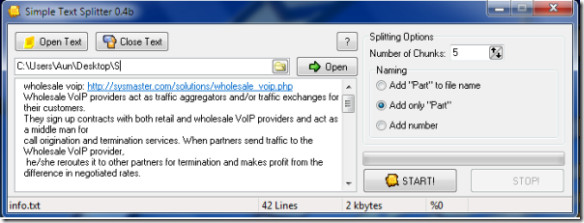
Once done with the settings click the START button to split the large file into smaller pieces. Simple Text Splitter works on Windows Vista, Windows 7 and Windows 8. Both 32-bit and 64-bit editions are supported.
This tool is a good choice for those who have limited system resources as this consumes less than 1 MB of memory. It works perfectly on Windows XP, Windows Vista and Windows 7. For more, also check out our previously covered file splitter called VY-Splitter. Enjoy!

would be better if it includes split by chunk size.
Unfortunatly, i can’t split 612 Mb log file 🙁 “Out of Memory”
as others have said, not very useful at all when it can’t handle really large files. The potential is there but no cigar for now.
extremelly convenient for my 60 Mb files, thanks!!!
agree – not very helpful in using large files.
not bad..
Could be a useful tool, but crashes when trying to split a 2.4Gb text file.