Use Your Android Device’s Camera To Identify Colors In Real-Time With Color Grab

Smartphone color picker apps such as LifeDropper and SwatchMatic can prove to be quite helpful for both graphics designers as well as users suffering from color blindness. Both aforementioned apps use your Android device’s camera to identify the colors around you, and present you with detailed info, all in real-time. While both apps are quite effective, they come with their share of limitations. The former is ad-supported and could use a UI overhaul, whereas the latter seems a bit overladen with several unnecessary features. Moreover, neither app supports the front-facing camera . That's not the case with Color Grab, the latest entrant to the family of Android color picker tools. Besides being free, Holo-themed and ridiculously simple to operate, Color Grab allows real-time color recognition and capturing through both front and rear cameras. Read More

FFF Is A Dedicated Gallery For Facebook Photos & Videos [Android]

The social networking giant, Facebook, is all about sharing. Be it your thoughts on a specific topic, details of an upcoming event, photos of your new skateboard, video highlights of a local football match, or birthday wishes, the popular online service lets you share it all with utmost ease. Amid the sea of shared content, it can prove quite challenging to sift through and enjoy the the posts you want to see on your Facebook Wall. What’s more annoying is that even the official Facebook mobile app doesn't help a great deal in this regard. Enter Fun From Friends (or FFF), a free Android app that focuses solely on presenting your Facebook Wall photos and videos in fine style. The app comes with a native video player, image gallery & bookmark manager, and lets you enjoy slideshows of images & videos plucked from your Wall. In addition, FFF supports HD video streaming, and allows you to specify a preferred image quality. Read More

Stream Google Drive MP3 Songs On Android With Music Drive

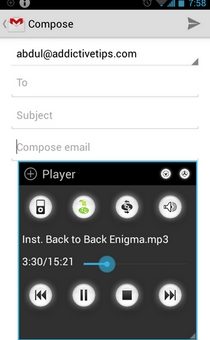
In Google Drive and Google Music, the folks over at Mountain View have offered their users two truly competent and reliable universal cloud storage and online music storage & streaming services, respectively. However, to the dismay of a considerable majority of users, there is currently no way to link both services together to access your Google Drive music files from Google’s dedicated music service, and vice versa. This ultimately means that you can’t stream your Google Drive music files from the Google Play Music app. With the Google Music service currently available in only select parts of the world, most regular Google Drive users can only wish that the service’s companion app for Android would let them stream their favorite music tracks on the go. As it currently stands, the official Google Drive Android client doesn’t support this feature, and there aren’t many solutions available on the Google Play Store in this regard either. Enter Music Drive, a simple, free Android app that allows live streaming and seamless playback of MP3 files in your Google Drive storage on your Android device. Read More

Enjoy Quick P2P File Sharing On Android With JustBeamIt

Reviewed in October last year, JustBeamIt is a free Peer-To-Peer (P2P) file sharing service that allows users to securely share data with others over the web. Neither does it require users to sign up for an account to start sharing content, nor does it involve any desktop/FTP clients. Besides an immensely simple-to-use interface, the advantage JustBeamIt holds over regular file sharing services is that it doesn’t store your personal data on any servers. Instead, data transfer (buffering) begins only when the recipient accesses the download link of the file or files being shared. To make using the service easier on the go, the team behind it has released its official Android client to the Google Play Store. The mobile app supports two way data transfer, allowing you to wirelessly share and receive content on your mobile device. How does it fare as compared to the likes of EZ Drop and other similar alternatives? Read on past the break to find out. Read More

Nuance’s Dragon Mobile Assistant Brings Siri-Like Voice Actions To Android [Review]

Ever since the arrival of Siri on iOS, numerous attempts have been made by developers to offer Android users a similar – if not better – virtual mobile assistant that allows natural interaction, and can perform various tasks on your behalf. Having already released a comprehensive voice-controlled search engine titled Dragon Go!, supporting arguably one of the best speech recognition engines in the form of Dragon Dictation (as can be found in the latest version of Swype), it was about time that Nuance came up with a virtual assistant of their own. Available in the Google Play Store for Android 4.0 (Ice Cream Sandwich) and higher devices and soon to be released for the iPhone, Dragon Mobile Assistant is Nuance’s promising attempt at presenting users with a Siri-like smart virtual assistant. With all the features of its aforementioned predecessor and more, the app aims to help you with conducting online searches, scheduling events, posting status updates on social networks, making phone calls, replying to text messages & emails, finding nearby amenities, checking weather forecasts, getting sports updates, and lots more. Read More

Live 140 By OneLouder Apps Is A Social TV Guide For Android & iOS With Live Tweets

Fresh out of the oven, Live 140 by the renowned OneLouder Apps is an ideal platform for all the TV addicts out there who love sharing what they think about their favorite shows. Available for both Android and iOS, Live 140 is a relatively fresh take on the concept of online TV guides that not only brings to you up-to-date info about your favorite shows and sporting events, but also lets you follow and contribute to a live feed of relevant tweets flowing in from all parts of the globe. Anyone who has laid their hands on the company’s recently-released Twitter client, Slices, will instantly identify Live 140 as a carbon copy of the app, both in terms of aesthetics as well as functionality. The difference, however, lies in the fact that Live 140 is dedicated entirely to the top TV shows and all the tweets addressing them. Like Slices, Live 140 sports a well-crafted UI that makes navigating to desired content a breeze. In addition, it is equipped with all the necessary socializing tools to help you with exploring, sharing, searching for, following, retweeting and bookmarking stuff. Read More

ReNotify Adds Notes Or Reminders To The Android Notification Panel

The Google Play Store is filled with all sorts of Android alarm, notification and reminder apps, but if you wish to be reminded of your most important tasks via personalized toast alerts or status bar notifications, you’d be hard-pressed to find solutions that are better or more convenient than previously-reviewed apps, toastr and Notif. While the former displays a user-defined text message via a customizable toast notification each time the device is unlocked, the latter allows you to generate custom status bar notifications. The catch with Notif, however, is that it’s meant to take advantage of Android 4.1 Jelly Bean’s expandable notifications, meaning that a large contingent of Android users out there is still unable to benefit from the app’s features. Envy not, as we have found a handy alternative that is compatible with any device rocking Android 2.2 or higher. ReNotify is a free Android app that allows creating custom status bar notifications, thereby helping you with staying apprised of your most important tasks via notification drawer alerts. Read More

Smart Memory Booster Is A Rich Android System Optimizer With A Floating Widget

Whether or not an Android memory optimization app enhances system performance is a disputed topic. Regardless of all the claims about Android being self-sufficient in handling memory resources, we keep seeing more and more memory boosting apps hit the market at frequent intervals. The latest to join the list is Smart Memory Booster that, as its name suggests, claims to be yet another solution to your Android device’s memory-related issues. Like most apps belonging to the genre, Smart Memory Booster tries to offer its users the maximum available memory resources to work with by terminating all such background apps, processes and tasks that are unnecessarily consuming memory. Optimization with this particular app can be performed at five different levels, ranging from gentlest (mild) to craziest (forced app termination). However, the most remarkable aspect of Smart Memory Booster remains its four different ways to boost memory. These include a notification panel toggle, a home screen widget, a floating widget, and rule-based automated optimization. Past the break, we shall explore in detail the level of customization each mode supports. Read More

snapp! Is A Social Location Sharing App For Android & iOS With Indoor Check-ins

There aren't a lot of apps out there that allow you to keep track of your social contacts’ whereabouts, and that too integrated with multiple social network services. Using snapp!, a free social location sharing and tracking app for Android and iOS, you can do just that. Powered by Google Maps and Sensewhere’s crowdsourced indoor maps, the app helps you view the current locations of your Facebook, Twitter, Foursquare and Sensewhere friends (other snapp! users), using color-coded placemarkers and avatars to make it easier. You can opt to check in to a particular building/location, or a specific room within a building. In addition, it lets you post status updates and photos across multiple networks simultaneously. The app can also be set to register automatic check-ins for your favorite places and constantly track your current location at predefined intervals. You could say it is like Google Latitude with extensive social media integration and indoor check-ins. snapp! for iOS hit the iTunes App Store a while ago, while its Android variant is fresh to the Play Store. Read More

Get Google Now-Like Search Features On Any Android Device Using GTalk

The latest iteration of Google’s mobile operating system, Android 4.1 Jelly Bean, was released in June this year with a plethora of feature enhancements and performance improvements. Besides introducing the Android world to Project Butter, a predictive keyboard, interactive & expandable notifications, auto-arrangement of home screen icons & widgets, and various other useful features, the OS brought with it faster and smarter search, and a super-intelligent search assistant called Google Now. Currently exclusive to Jelly Bean users officially and Ice Cream Sandwich users unofficially, Google Now is something that even the users of other mobile platforms will be itching to get their hands on. If you think that you might never be able to take advantage of said feature on your Android device as you are not one of the lucky few users to have received JB or ICS updates, think again. XDA member J_M_V_S has come up with the simplest of solutions that lets any Android user avail text-based Google Now-like search capabilities on their devices. Read More

Control The Camera Of One Android Or iOS Device Using Another With Remote Shot

Just recently, one of my AddictiveTips colleagues covered WiFi Camera, an iOS app that, by pairing a couple of iDevices together over Wi-Fi or Bluetooth, allows one to snap photos with the camera of the other. As is often the case, whenever an interesting app arrives on one platform, users across the other platform tend to become curious about the availability of similar apps for their devices. While it is unknown whether or not WiFi Camera will be made available to Android users, we do have a very fine alternative for our readers. Remote Shot is a free Android and iOS app that works in almost the same way as WiFi Camera, meaning that you can remotely view and capture whatever the camera of the other device is looking at. However, connection can only be established over Bluetooth. Once paired, you have complete control over the camera of the target device, including toggling between front and rear camera view, capturing images or videos, selection of flashlight mode, and triggering the self-timer or burst mode. Read More

Get Windows Phone 8 Lock & Start Screen On Android With LauncherWP8

Originally released in the Google Play Store in Chinese and later on translated into English by a couple of XDA members, LauncherWP8 is a Metro Modern UI-based free, customizable home and lock screen replacement app for Android. The launcher replicates the Windows Phone 8 UI to quite an extent, and puts you in complete control over the modification of various home screen elements, including the overall theme, the number, title, placement & layout of tiles and the associated app shortcuts & widgets. LauncherWP8 comes with a search tool for apps and a Windows Phone-like app drawer that displays all apps in alphabetical order on a vertically scrolling list. In addition, it comes packed with a customizable lockscreen whose layout, background image and font color can be tweaked as desired. While the launcher impresses with its extensive set of customizable features, it has leaves much to be desired when it comes to performance. However, if you are willing to overlook the slight lag, you will find the Windows Phone 8 launcher a treat to use. Read More

CallFlakes Links Caller IDs To Facebook Profiles, Allows Quick Call & SMS Follow-Up

If you’re often required to follow up on important calls and text messages with instant replies or reminders, but don’t want to rely on a number of different apps to do so, then you should give CallFlakes a try. Fresh to the Play Store, this free Android app offers some of the most sought-after follow-up options for whenever you receive a text message or hang up a call. Using the various options on offer, you can opt to call back your contacts, reply via text message or email, set a reminder, schedule a meeting or share important files. Better yet, once you affiliate your Facebook ID with CallFlakes, you can also take advantage of the app’s caller ID replacement screen to view your friends’ Facebook profile pictures and latest Wall activities. Read More

Newscover For Android: Neat News App With Latest Videos & Tweets Related To Each Story

Available in English and Spanish, Newscover is an elegant news reader for web, iOS and Android that presents you with the top news stories from five of the most sought-after categories, including current affairs, business, style, technology and sports. Through a well-crafted layout, not only does this free mobile app let you filter content in multiple ways, but also lets you keep an eye on what the worldwide Twitter community has to say about a particular story. Unlike most news readers, Newscover is void of any customization. However, its support for some of the most trusted and reputed sources, such as Yahoo!, Daily Mail, The Guardian, CNN, Telegraph and Reuters should prove to be sufficient for most. Besides sharing and bookmarking your favorite stories, you also get relevant news and videos with each article. Another neat little feature of Newscover is the way it assorts and presents all bookmarked articles under their respective channels on the same screen. Read More

Share Local & Cloud Files Privately Using Bistri For Android

Bistri is a relatively fresh private file sharing and video chatting web service that lets users share photos, videos and document files with their friends and family. Besides offering its users with a readily available, secure file sharing platform, Bistri impresses with its support for a large number of sharing media, including Facebook, Jabber, Windows Live, Google, Yahoo!, Dropbox and more. The company has just released a companion app in the Google Play Store that allows Android users to access, view and share their personal Bistri content on the move. The mobile app is laced with quite a few neat features, such as integration with cloud services like Dropbox & SkyDrive, commenting on shared content, complete profile management, instant sharing of local media, a visually attractive timeline of your sharing activities on Bistri, a built-in file explorer, and the best of all, a dedicated gallery with separate filters for images and other shared content. Like the service itself, the mobile app of Bistri is free to use, and what’s even better is that your contacts can view shared content even if they don’t have the app. Read More

Official Android App Of VPN Service TunnelBear Now Available In Play Store

The official Android app of popular VPN service, TunnelBear, has just been released to the Google Play Store. Initially available for Windows and Mac only, TunnelBear now allows Android users to privately browse the internet on their mobile devices with complete freedom. With this free app running on your device, you no longer have to worry about not being able to access location-restricted websites or services, such as Facebook, YouTube, Hulu, Spotify, Netflix and Pandora. Unlike most Android VPN tools, TunnelBear works on both rooted and non-rooted devices, and more importantly, can be downloaded and used without paying a dime. Apart from its overall effectiveness, the app’s interface is praiseworthy, since it’s both intuitive as well as quite simple to use. If you've ever used TunnelBear on desktop, you won’t have much trouble using its mobile counterpart. Once activated, the app’s services can be monitored and toggled from anywhere within the entire OS through the TunnelBear notification panel widget. Read More

Google Play Store 3.9.16 Brings Expandable Notifications, Removal Of Apps From ‘All’ List & More

The official Android client of Google Play Store has just been updated with quite a few significant features. Currently standing at version 3.9.16, the official Play Store Android app now allows you to remove uninstalled app entries from your All Apps list. Another tiny yet sought-after feature is the app’s ability to remember your position on both the All Apps and My Apps list for whenever you navigate away from either. Several feature enhancements can also be noticed in the app’s notification system. For instance, for each newly installed app, you are now presented with its original icon rather than the generic one that used to appear in the notification panel. Support for expandable notifications, as well as the overall count for the total number of ready-to-be-updated apps has also been added. The update has already started rolling out to worldwide users, but if you can't wait for it to come to you, we have a download link to its APK at the end of this post. Read More

Tapestry Allows Real-Time Photo Streaming Across Multiple Android Devices

There are numerous Android photo sharing apps available in the Google Play Store, and quite a few of them are based on the concept of real-time photo syncing or streaming across multiple devices, both over the same network and over the internet. Previously-reviewed Familiar is arguably one of the finest solutions in this regard, as it supports cross-platform private photo-syncing with friends and family in real-time. Fresh out of the oven, Tapestry is another promising app from the genre. Although not as comprehensive as Familiar, Tapestry lets you privately share your photos with required contacts in real-time over Wi-Fi as well as the internet. Streaming takes place in full-screen, where the sender has control over switching, zooming and panning of images, and the recipients can effortlessly enjoy the stream, and download their favorite photos with a mere swipe. Besides being a handy photo sharing tool, Tapestry can also serve as a nifty alternative to the stock Android Gallery app. Read More

Firefox 16 For Android Brings Reader Mode & Sharing Of Individual Tabs Across Devices

Mozilla Firefox, one of the crowd-favorite  desktop web browsers, has progressed to version 16, bringing along with it a plethora of new features for both platforms. While the desktop variant of the popular browser seems to have benefited the most from the latest update, the Android equivalent has brought a couple of noteworthy features along with it, too. To begin with, the latest iteration of Firefox for Android now supports a Safari-like Reader Mode, which undoubtedly is a great step ahead in enhancing your reading experience. Not only the reader mode strip away ads and bloat content, it is actually laced with several neat tools, such as day/night reading modes, font and margin adjustment options, easier bookmarking and sharing, and more. Read More

Swably: Android App Discovery & Sharing Community Where Users & Developers Interact

Fresh to the Play Store, Swably (Beta) is a multipurpose Android app that can best be described as an innovative app sharing social platform which allows users to discuss the latest apps and games with each other, share their thoughts about their favorite apps with like-minded users, upload or download free apps to or from Swably servers, post app reviews, and discover some of the best apps available in the Google Play Store. Besides serving as a handy alternative app discovery, sharing and discussion platform, Swably claims to be the ‘first and only community’ that lets developers interact directly with the users. Regardless of the authenticity of these claims, one thing’s for certain, this Holo-themed tool is an ideal way to bypass all the junk apps cluttering the market. Not only is Swably equipped with all the necessary socializing tools – sharing, commenting, following, bookmarking and liking etc – but also lets you natively launch and uninstall apps as required. Read More