Add Facebook Birthdays & Events To Google Calendar
People who plan and manage their events using Google Calendar know how important it is to keep track of it on day-to-day basis. Most of you would also be familiar with Facebook Events which has become quite popular. Now how would you keep track of events on both Facebook and Google? Wouldn’t it be easier if you could import all events from Facebook to Google so that everything can be managed from Google Calendar?
fbCal is a dead-simple app for facebook. In fact, it is one app that I find extremely useful and can’t live without. Once you install this app and give it permission, you will be bought to a simple main page from where you can add Events and/or Birthdays to iCal, Outlook, Mozilla Sunbird, and Google Calendar.
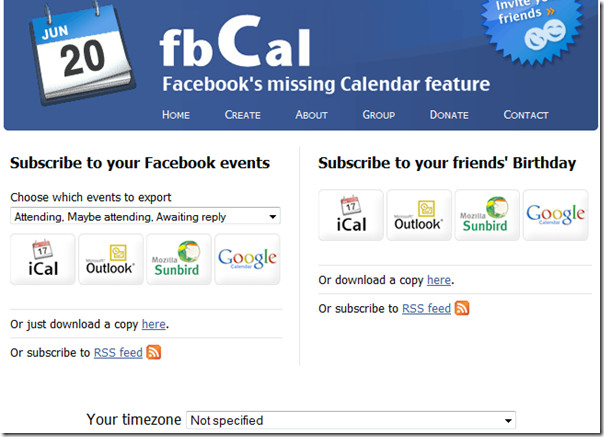
There are two columns, from the left you can subscribe to Events and has an option to choose which events to export, while from the right you can subscribe to Birthdays. There is also an option to choose the timezone.
For some reason clicking the Google Calendar button didn’t work for me, so I downloaded the copy to the desktop. Once done, now head over to Google Calendar, go to Settings and then to Calendar’s tab.
Click the Import Calendar link and choose the calendar that you downloaded using the fbCal app. This will take some time to import all birthday/events depending on the number of entries.
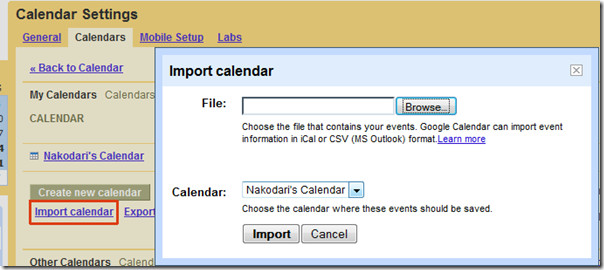
Note that using this method will only import the events/birthdays once. If you want to sync it then you will need to import the events/birthday by URL. This can be done by hitting the button directly in the app.
You can import both Events and Birthdays one by one. Personally, I have Google Calendar synced with my iPhone and since I usually miss important events and birthdays on Facebook, importing them to Google helps me considerably since I get instant push notifications.
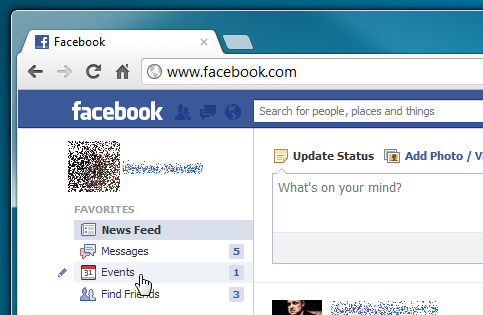
Update: FbCal has been discontinued. However, Facebook natively supports exporting all your Birthday and other important events, so that you can easily import them into your calendars. In order to export Birthday events from Facebook and import them into Google Calendar, sign into your Facebook account, and hit Events in the left sidebar.
Now, from the Search drop-down menu, choose Birthdays. Once selected, open the search drop-down menu again to select Export Birthdays option.
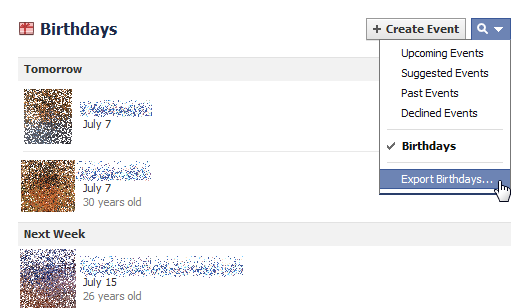
This will generate an universally accessible calender URL. Now, copy the complete URL and hit Close.
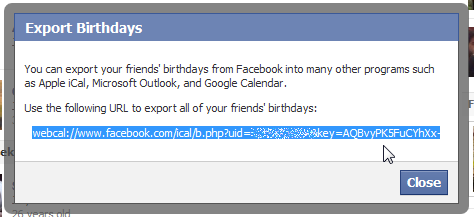
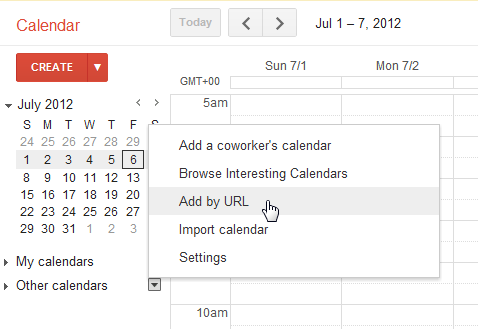
Once copied, open Google Calendar, and from the Other calendars menu, select Add by URL option.
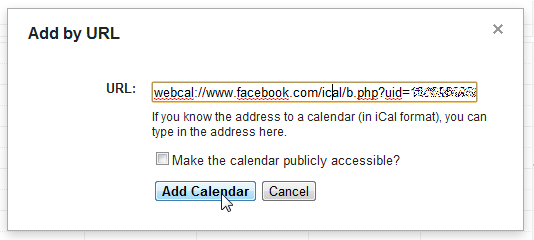
A window will pop-up, asking you to enter the URL of the calender you wish to add. Just paste the copied URL and hit Add Calender.
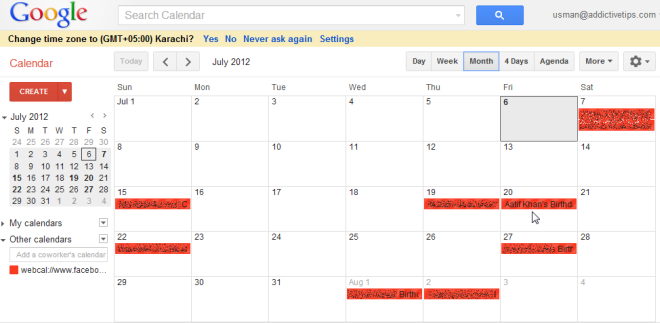
Upon click, it will start adding all the Birthday events from your Facebook account. You can assign different color to imported events in order to easily differentiate them from other events.
Enjoy!
