Adding Outlook Email Tool In Excel 2010
Sometime it happens that you need to send Excel worksheets via email, but for that you don’t need to follow the orthodox way of sending datasheet by attaching it with email. Excel provides a tool, which enables you to send it over with a single click. This post illustrates how to make Email option apparent in Excel 2010, and how to use it.
Note: This procedure requires Outlook to be installed and configured on your computer
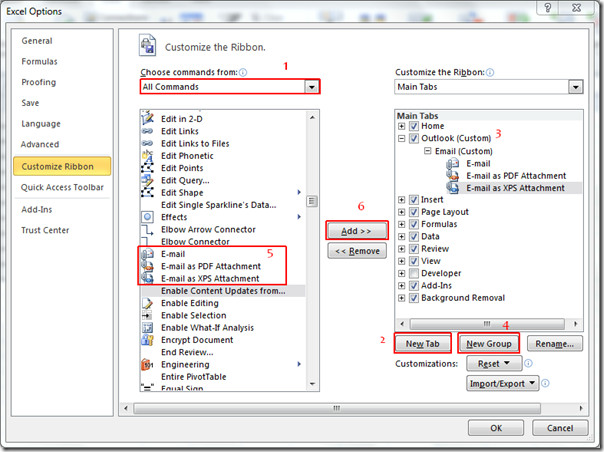
Launch Microsoft Excel2010, go to File menu, click Options, and in left pane click Customize Ribbon, in right pane select All Commands from Choose commands drop-down options and look for Email, Email as PDF Attachment, and Email as XPS Attachment commands. Now from left pane, hit New Tab, change it’s name to Outlook, and then click New Group to create group in the newly created tab, give it an appropriate name. Now click Add >> button to add Email-related commands to newly created group. Click OK to close Excel Options dialog.
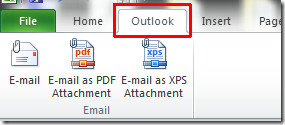
Now navigate to newly created Outlook tab, you will see commands added earlier.
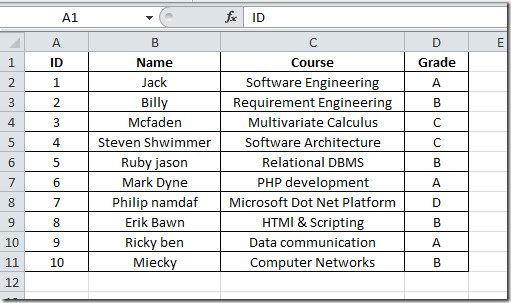
Now open the datasheet which you want to attach with an email.
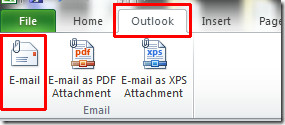
If you want to attach datasheet as default Excel format (.xlsx), then click Email on Outlook tab.
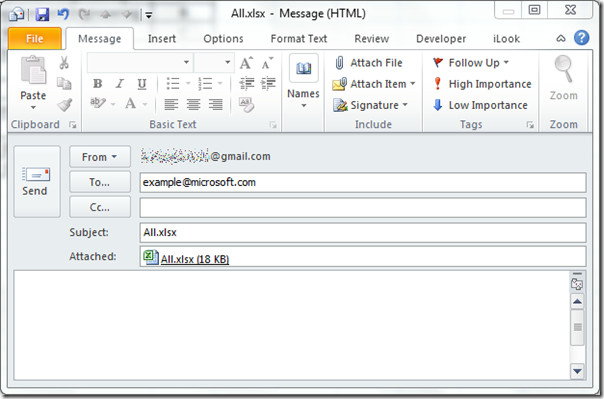
Outlook mail window will open, you can see the attached Excel datasheet. Now you just need send it to the recipient.
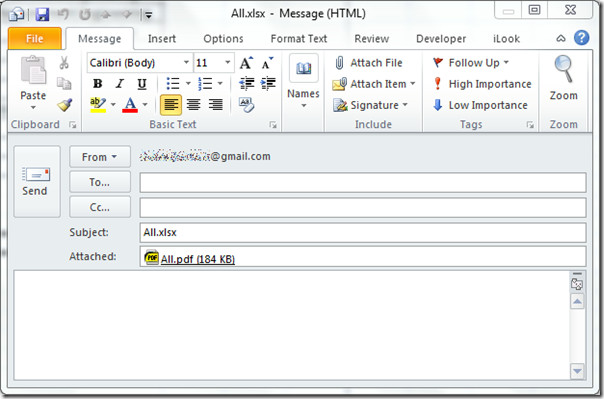
For sending datasheet as PDF copy, click Email as PDF Attachment on Outlook tab. Outlook mail window will open, showing PDF format as attached file.
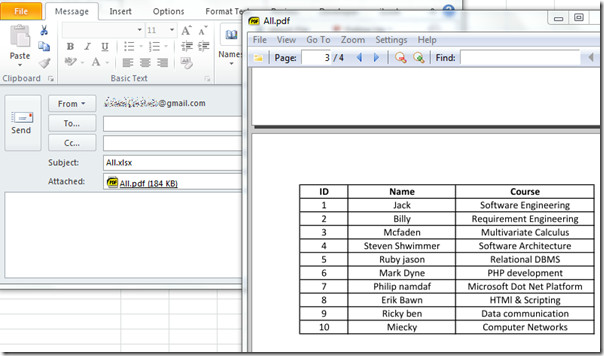
Upon double-click the attached file, you can open the datasheet in PDF format to verify the data positioning etc.
You can check out previously reviewed guides on Excel 2010 Data Bars & COUNTIF function in Excel 2010.

hello. what if i have a warning flag when some number is below 100, there is a way the “if” function could send an email if that happen?
Hi,I Have MS outlook 2010.I want to paste the link of different emails in excel sheet.means when i click the link in excel it will open the required email.
when I email the worksheet to my printer it comes out ion 3 seperate pages. How do i send it where it fits one page?
Like Shae I am trying to send just one sheet by email, not the whole workbook. I’ve read the articles but it keeps sending the whole book. Can just one sheet be sent??
I setup the email tool as explained and it worked brillantly on my home computer but when i set it up on my work computer – it won’t let me just send one worksheet it keeps sending whole workbook please help
@ Duane and Rob – check the links below
http://www.rondebruin.nl/sendmail.htm
http://msdn.microsoft.com/en-us/library/bb268022%28office.12%29.aspx#Excel2007DifferentWaysEmail_SendingaSingleWorksheetbyEMail
http://www.rondebruin.nl/mail/folder3/mailenvelope.htm
http://www.yogeshguptaonline.com/2010/07/excel-macros-send-email-with-vba.html
This is a great tool but what if I want to make it really, really simple and have a button at the bottom of a form that when hit by the users of the form, will send the worksheet (form) to me in an Outlook e-mail? Everything I’ve seen on the web hasn’t worked. I have the button. I just need something to make it work.
@Duane – I’m also searching for a way to do this. I’ll let you know if I find anything close to that solution. I’m leaning towards VBA since everyone seems to be doing it that way. Let me know if you find another quick method.