Set Up Single Inbox Folder For All Accounts In Outlook 2010
Undoubtedly, Outlook 2010 stands out when it comes to managing multiple email accounts, but it does not present any direct way to create a single Inbox folder, containing all mails from different email accounts. For example, if you want to view emails received from all configured email accounts including Yahoo Mai, Gmail, Hotmail etc., you cannot set a single folder for receiving or mirroring emails received in each email account. Fortunately, the Rules feature has the ability to set up a single folder for receiving mails from different email accounts. It allows you to set up a generic Inbox folder for receiving all mails in one folder. Thus, you don’t need to check each account for new emails manually since all emails will be collected in a single folder. In this post, we will create a simple rule that will direct all received emails to the specified folder.
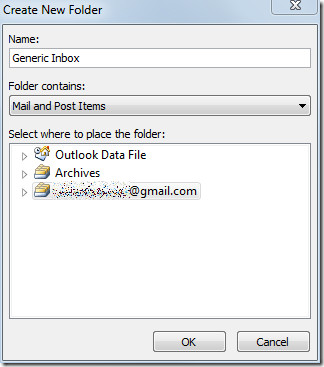
Launch Outlook 2010 and from the left sidebar, select an account, right-click it and hit New Folder. From the Create New Folder dialog, enter an appropriate name and click OK.
Now head over to the Home tab and click Manage Rules & Alerts from Rules drop-down button.

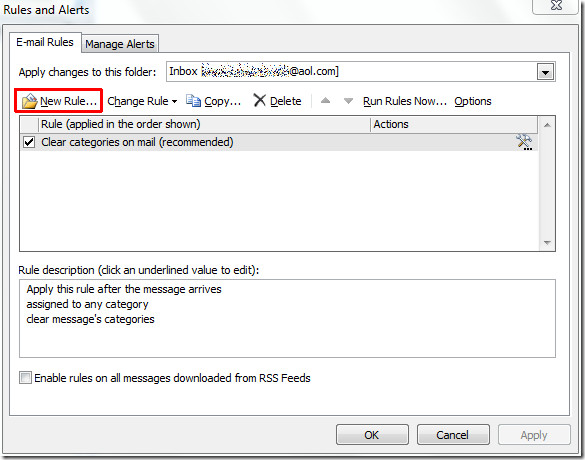
From Rules and Alerts dialog, select an account and click New Rule.
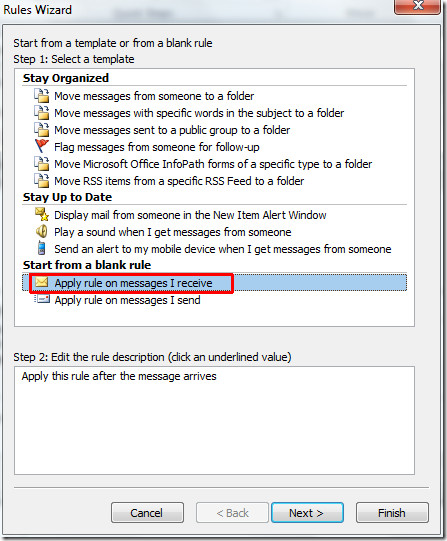
In Rules Wizard, we will start off by creating a blank rule, click Apply rule on messages I receive and hit Next.
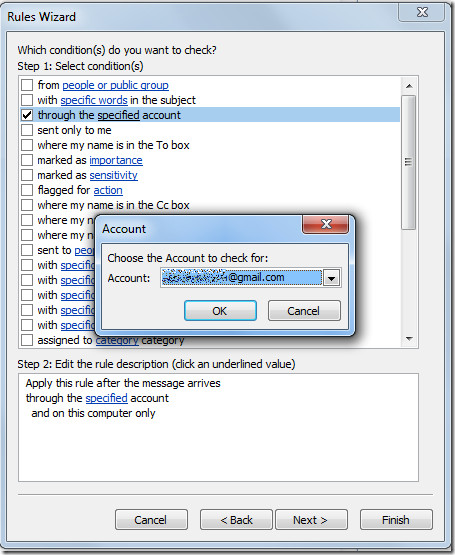
In this step of the wizard enable through the specified account option. From the bottom of the dialog window click specified account and select the desired account from the Account dialog window, and click OK.
You will see the specified account in the bottom of the dialog window. Now click Next to continue
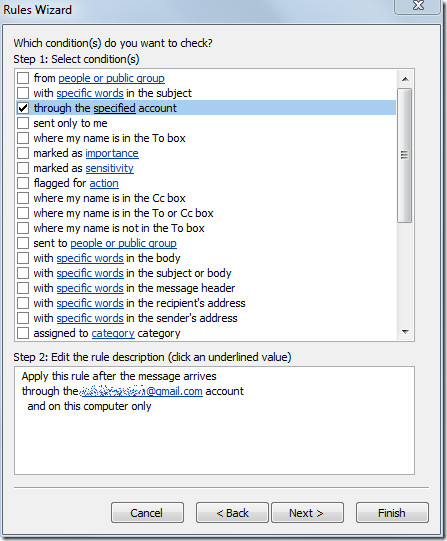
In this step, enable move it to the specified folder option, now click specified at the bottom of the window and select the Generic Inbox folder recently created, from New Rules and Alerts dialog.
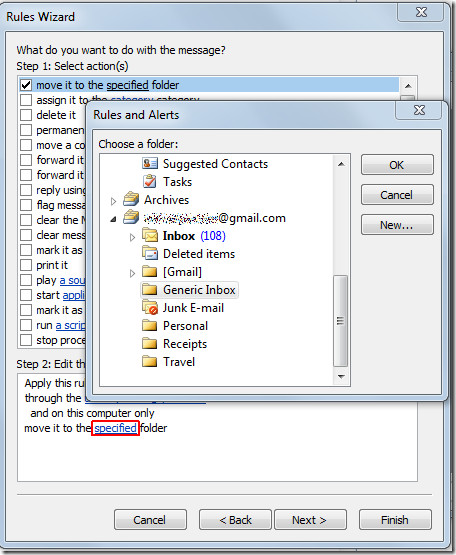
You will see the folder name at the bottom of the window. Click Finish to end the wizard.
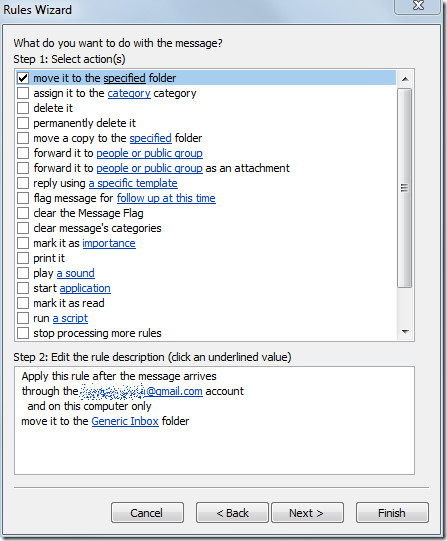
It will bring you back to the Rules and Alerts dialog, showing newly created rule. Click OK to apply this newly created rule.
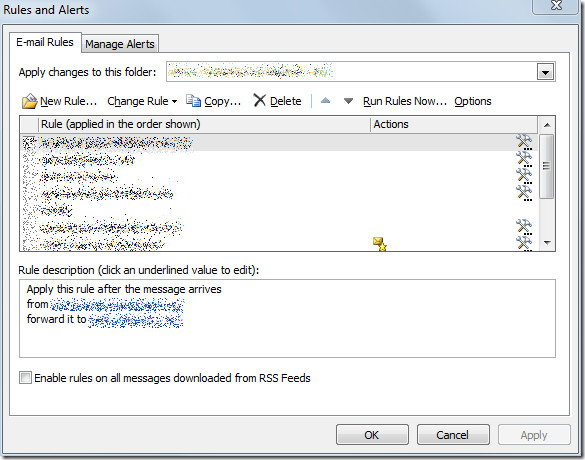
For associating this folder with other accounts, repeat the whole procedure to direct all mails from multiple accounts to the Generic Inbox folder. On receiving emails, you will see all the emails in the specified mail folder.
You can also check out posts from Outlook 2010 notification series:

Awkward and flawed. What about the “sent” items for several email addresses and the un-sent “drafts”? Outlook 2003 was a better designed product? I have the outlook.pst file from Outlook 2003 and I need to use it for Outlook 2010 to manage 6 email addresses.
hi
People sending me email on Microsoft outlook 2010 and mail going bounce back to them , massage coming your inbox is full.
what should I do, please help me.
thanks … its work for me … great article …
thanks again
Hi. I created the rules in outlook but when i received the mail which is stored in both rule folder and inbox folder. please give solution for this
How do you mark the sent email as read? It always stays unread.
How do I undo these settings? For some reason now both users have their own generic inbox an still do not share an inbox?
thanks, that 1) mirrors or 2) duplicates i.e. taking up double the space, the emails or 3) just routes the incoming to the new folder?
THANKS A LOT ITS WORKING FINE
This is a crappy workaround and doesn’t fix the problem. This moves your messages from one inbox to another. When people want a unified inbox, they want it the way it works in Microsoft Live Mail, or iMail or most smartphones – where you can see all your inboxes in one place, unified, but when you reply, it knows which account to reply on… and when you sync your phones and multiple accounts, they stay synchronized – as separate accounts. Anyone who follows this advice will surely be dissapointed when they realize that their phones and accounts are all completely screwed up now because of how their mail got merged, and they’ll no longer be able to properly synchronize their smartphones.
This is a crappy workaround and doesn’t fix the problem. This moves your messages from one inbox to another. When people want a unified inbox, they want it the way it works in Microsoft Live Mail, or iMail or most smartphones – where you can see all your inboxes in one place, unified, but when you reply, it knows which account to reply on… and when you sync your phones and multiple accounts, they stay synchronized – as separate accounts. Anyone who follows this advice will surely be dissapointed when they realize that their phones and accounts are all completely screwed up now because of how their mail got merged, and they’ll no longer be able to properly synchronize their smartphones.
i was able to set up the multiple accounts dumping into one inbox folder….however is it possible when you go to new message to have a default email pulled in without having to select which account you want to send it from??
i was able to set up the multiple accounts dumping into one inbox folder….however is it possible when you go to new message to have a default email pulled in without having to select which account you want to send it from??
Usman…your solution does not work with Outlook 2010…you can create the rule for the 1st account, but the secondary account will not take the rule…surely you knew this before you posted this procedure…you say “easily set up”…really? Then why are so many people having so much trouble doing it?
This ought to be very helpful but isn’t now because Outlook 2010 has been altered and the New Rule window doesn’t have a box to say which folder it applies to.
Worked like a charm. Blaahh to Microsoft for making it so complicated. Many thanks to you for posting the solution so well.
THANK YOU! THANK YOU! THANK YOU!
Thanks for this, Outlook was driving me crazy with my many pop accounts! This really works! Kudos!
Thanks for this, Outlook was driving me crazy with my many pop accounts! This really works! Kudos!
I have been fiddling with this issue myself. I ended up choosing the ‘move a copy to folder’ – thereby duplicating the mail to the other folder, instead of just moving it. When simply moving it, it would be deleted from the server, which is not very ideal if you are running your mail on more than one device. So as this is not as ideal as a out-of-the-box working unified inbox from Microsoft themselves, it is working pretty alright.
I only had one account but for some reason when doing a clean install my personal folder “Archive” became the destination for the incoming messages. This was a good work around. Thanks
I found the easy and simple way is In Outlook-2010, do this:
File–>Info–>Account_Settings- Account settings click on the non default email account and underneath it click on- change folder and change it to the same as the default email account.
do this for any other accounts.
It also sends from whatever account you received it from.
Where do you find a “change folder” option. Are you referring to IMAP accounts (the subject of the OP) or to a different type of account. As far as I can see, IMAP account folders can’t be changed.
Greetings from the future.
Yes, it seems as though SB’s solution applies to only POP and Exchange accounts.
Pity.
So after arguing with the inept helpdesk tech at Microsoft, who was in India, for about an hour. He informed me that the problem was because I had multiple Imap accounts. I can not understand how Microsoft would release a program to handle e-mail that makes organizing your e-mails an impossibility. Uhm, isn’t that the whole purpose of an e-mail program. BTW, all of these features are handled with a problem through the completely free MS Live mail program. So if you didn’t get this program for free, I’d suggest steering very clear from Outlook 2010 as it can not do very basic e-mail handling operations. It is a whole load of poop wrapped in a pretty package. But in the end when you open the box, there’s still poop inside.
This all seems too complicated. I have all different kinds of account (imap, pop, etc.) set up, and all I did was…
In Outlook 2010
– in the left pane, single click the “indox” (i.e. highlight it) of the account you want to set this up on
– In the ribbon at the top of the screen, click “Rules”…”Always move this folder”.
– Select the folder you want to move it too (I sent them to the outlook data file “Inbox”)
Thanks it, your done, outlook takes care of the rest
P.S. After you created the rule, you can click “manage rules” and you can even set it up so that a custom sound is played and a popup message appears everytime a new email comes in.
Hope this helps someone
This all looks too easy! I don’t get the option “always move this folder” I only get “Always move from the sender” (if you single click the indox in the left payne it always brings up the inbox which will always have a message selected to which the rules will apply). Any suggestions please
PS When will we the customers tell microsoft to give us what we want not what some geek sitting at a desk comes up with to justify their salary. Office 2010 is an overcomplicated, version of 2001 which I would more happily purchase.
Okay, so I tried what Usman suggested here, and it worked on the first email account when creating the rule. But it did not work going forward, nor is it working for the other accounts. I thought Outlook 2010 was meant to be good. I cannot believe you do not have the option of using one Inbox, and replying from whatever email account you want as it used to be the case before…
So am not sure what you are saying is the alternative which would allow me to have all messages in one Inbox and reply from the email account I select…
Thank You!!!!
This is a life saver.
James
I am in the same situation. I want to be able to read multiple IMAP accounts and keep them synced over several devices, but read them on outlook in an unified folder.
Ok, so does this work with multiple IMAP accounts? I have a few IMAP and a few pop3. Receiving in one inbox would be great… but of MAJOR importance to me is that if I REPLY to a message, it should send from the account to which it was originally sent. I can do it easily on my iPad and Blackberry. Thanks
Alexander. You’re a complete fool. What you are describing is not Outlook 2010.
Actually he is describing Outlook 2010, check again. It only works for POP3 accounts though.
In Outlook-2010, do this:
File–>Info–>Account_Settings->Account_Settings
This brings you to the “Account Settings” panel.
[ New ]
This gives you the Add New Account “Choose Service” panel. The default is correct.
[x] E-Mail_Account –> [Next]
This gives you the Add New Account “Auto Account Setup” panel. The choice here is not the default.
[ x ] Manually Configure server settings or additional server types.
This gives you the “Choose Service” panel. The default is correct.
[ x ] Internet e-mail –> [ next ]
This gives you the “Internet E-Mail Settings” panel. Note the section:
Deliver New Messages To:
This is where you select an:
[ x ] Existing Outlook account.
Browse, and pick the “Outlook” file.
That should do it.
Tool. You are not using Outlook 2010.
Does this work with IMAP accounts? When I select IMAP instead of POP3, it removes the option of routing to the existing folder.
Thank you very much Alexander…….you are a star! You saved me many hours of pulling my hair out 🙂
Alexander,
Thanks. It worked on my gmail account which is pop 3 using Outlook 2010 after i had tried usman’s adding an account which did not work for me. may be I did it wrong but Alex’s way is easy and fast.
thx man
Very helpful thank you
Alexander Danel that worked BRILLIANTLY. Many thanks for sharing this, thank you.
An elaborate page full of what is arguable the wrong advice.
I recommend this: Delete the auxiliary account if it already exists. Create a new account. At the very first panel, choose “Manually configure server settings” (instead of the default, which is “E-Mail Account”.)
Hi,
how about going to the manage accounts option and, on the tab Data files, select all accounts to refer to a single data file (such as the original outlook.pst)
that’s what I do and it works, apparently
sorry, let me correct myself
instead of the data files tab, its the first tab in which you manage the accounts
secondly, this only works for emails which you actually can choose the pst. so it works for gmail. but it won’t for a hotmail account synced through the outlook connector, for which case the instructions of this post seem to do the job!
Correct. Delete the additional data files you don’t need and leave only the default data file (in my case … Outlook.pst)