Hearing Saver Automatically Changes Volume On Plugging In / Unplugging Headphones [Android]
Do you listen to a lot of music on your Android device? Then you probably know how much of a hassle it is to adjust the media volume every time you plug in your headphones and again up when you unplug them. Well, no more. Introducing Hearing Saver for Android – a small yet extremely handy tool that allows you to set separate media volume levels for when your headphones are plugged in and when they’re unplugged, saving you the trouble of touching that volume rocker each time. In addition, the app can be set to automatically mute ringer and notifications whenever headphones are plugged in – once again, a pretty impressive option to have up your sleeve. Although notification sounds are usually no longer than a beep, most users would rather want they weren’t disturbed by the sound of, say, an incoming SMS or email, while listening to music on their devices. What Hearing Saver offers is a functionality that many would like to see as part of the Android OS. However, even if the guys at Google stick with manual volume control, custom ROM developers can always integrate said functionality into their ROMs. Hearing Saver is free and open source.
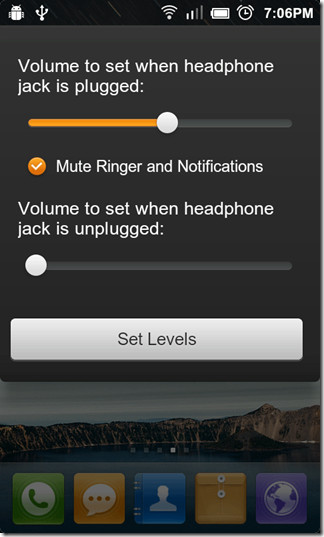
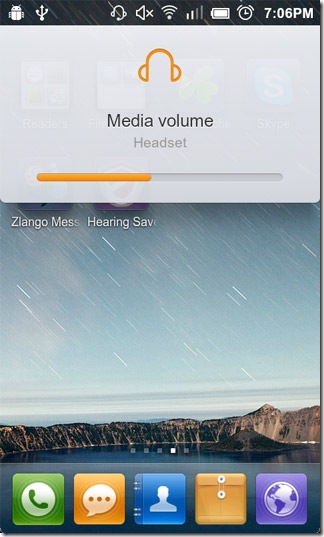
The app is extremely simple to use. Launching it displays a simple dialogue box from within which you can set desired media volume levels for both aforementioned scenarios. Tapping the Set Levels button at the bottom of the dialogue box saves your preferences.
Once that is done, the app begins to run in the background waiting for headphones to plugged in or unplugged. As of this writing, the app does not allow disabling said background service. The only way to stop the app from automizing volume control would be to uninstall it, or to Force Stop it from running in the background. Let’s hope said feature is included in future updates.
Download Hearing Saver For Android
[via Reddit]
Update: The app has been updated in the Google Play Store with a couple of very handy features. Firstly, the support for ringer volume control has been added, which means that you can now specify a ringer volume level of choice that will be automatically set upon unplugging the headphones. Furthermore, should you opt to tinker with your device’s general volume levels upon unplugging, the app now has the capacity to remember the exact volume level, and hence, can automatically revert to those settings upon unplugging.

There’s another app in the Android Market that does volume settings, WiFi settings, lockscreen and a whole lot more called Impel. There is a free version and it is really easy to use. Search for “impel” in the market app to find it.
I wonder if there is a similar application for a PC.