Switch Between Multiple Languages On Android With Quick Locale
English is undoubtedly the standard language when it comes to discussing things at a global scale. That said, the smartphones and tablets of today can be dubbed as being the very first electronic gadgets that bring true multilingual solutions to the table via various apps. For instance, take Quick Locale – an Android app that enables you to quickly switch among multiple languages with just a tap. The app is a handy tool for people who are constantly required to work with different languages. Whether you are a language student or a dedicated travelling operative, Quick locale allows a quick switch to the preferred language in no time at all. The app also supports a 3×1 widget that allows you to select languages from your home screen. You can add multiple widgets with each carrying different preselected languages. Each widget allows a maximum of three different languages. In addition, there is also an option to add a Show All button on the widget to display the complete list of supported languages.
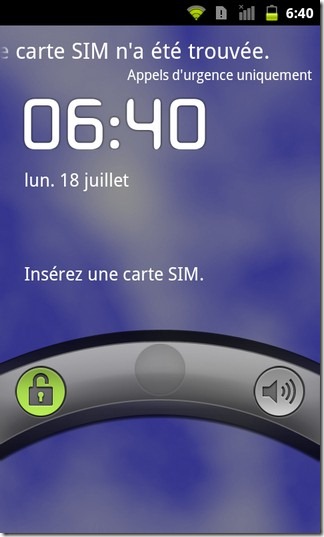
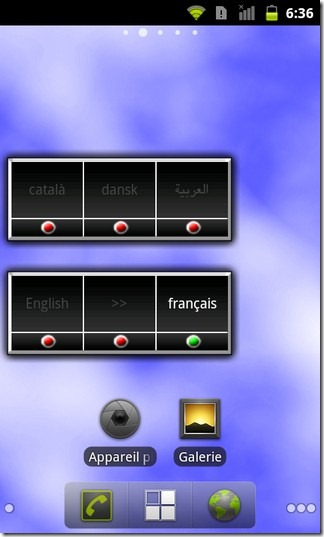
With Quick Locale, you can easily change the default language of your device. Anytime you wish to change the language, you can simply resort to the home screen widget instead of rushing through menus to the Language & Keyboard Settings screen in the settings menu. The app is quick to respond in most cases however, if you have loaded your Android device with excessive apps and widgets, switching among languages could take a couple of extra seconds. In either case, a notification message appears on your screen with a wait request while the selected language is being switched to.
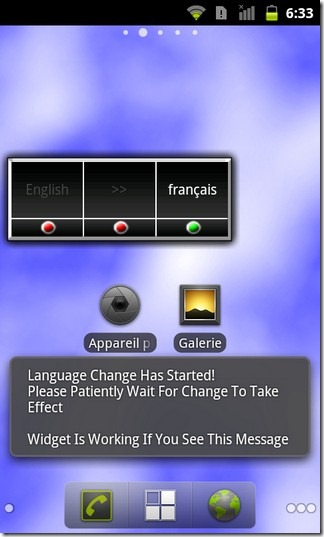
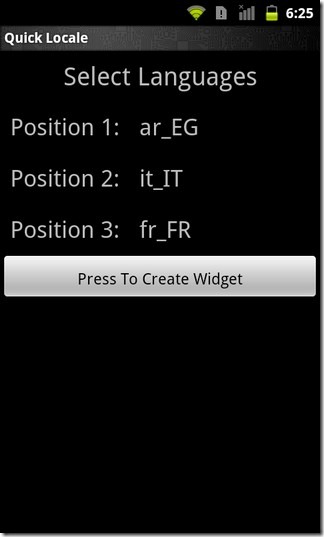
To add the widget, long-press a vacant area on your home screen, select Widgets > Quick Locale and specify the three preferred languages that would be displayed on the widget. Since Quick Launch is still in beta, the options are fairly limited but XDA-Developers member DevJackey promises a pro version of the app with quite a few added widget options.
Download Quick Locale for Android (Free)
[via XDA-Developers]
Update: As we mentioned in our review of Quick Locale, the developer had the pro version of the app cooking in the labs, that has finally been released to the Android Market Google Play Store. The pro version costs $0.99 and in turn of said amount, it provides you with several other widgets encompassing way more languages. What’s even better is that by going for the paid counterpart, you can get rid of the annoying ads that show up on the free version’s interface.
Download Quick Locale+ For Android (Paid)
