How To Configure Backup Options In Windows Home Server 2011

A new feature of Windows Home Server 2011 is that users can create a backup of the client PC’s backup database. This means that the backup of a system can be further saved to the home server. Furthermore, when the connector software is removed from an old PC, users are given the option to backup data from that system to the home server. In this post we will tell you how to configure Backup for your client system in Windows Home Server 2011. Read More

All You Need To Know About Windows Home Server 2011 (Vail)

Windows Home Server 2011 (aka Vail), is a home server operating system designed for families and small businesses (optionally) to securely organize and share photos, music, video, documents, etc. However, The Windows Small Business Server 2011 is more suited for businesses (small businesses) rather than the Home version. With Windows Home Server, Users can access and share content (including digital content) and stream media to other devices such as gaming consoles like Xbox 360. It automatically backup all computers connected to it, hence providing a centralized backup mechanism. A number of software and hardware add-ins can also be added in order to enhance the capability of the home server. In this post we will provide a comprehensive overview of “Vail” and its capabilities that you can benefit from. Read More

PickMeApp – Transfer Software With Saved Settings To Other Systems

Backing up installed applications before buying a new PC or installing a fresh copy of Windows on the system is always recommended. What if you couldn’t find installers of applications which you are intending to use on new system? Problems get much bigger when saved settings and preferences of important applications have to be ported as well. Apparently, there is no direct way to port installed applications with all the preferences to a new system. You can go for application virtualizers available out there which can make installed applications portable, such as, Enigma Virtual Box, but we think that you’d be better off using PickMeApp for this very purpose. It’s a portable utility which is capable of capturing personalized applications with all the saved preferences, so users can easily use them on newly purchased systems without hassling with lengthy installations followed by setting preferences. Read More

EvImSync Syncs Evernote Notebooks With Gmail

If you are an Evernote user on Windows, you might want to have a look at backing up your Notebooks to Gmail account. EvImSync is a new applications that does just that. It synchronizes Evernote notebooks with your Gmail account, thus saving them as emails inside one folder (of your choosing). Keep in mind that it is not a two-way sync, it can only sync one-way from Evernote to Gmail. Therefore, if an email is removed from Gmail, the note will not get removed from Evernote, you will have to remove the notebooks from Evernote to delete it from Gmail. The same goes for changes in tags. You must change them in Evernote to reflect changes in Gmail, not vice versa. Read More

Maintain And Schedule Outlook PST File Backups With Safe PST Backup

Outlook saves all emails, tasks, journals, calendar items in PST files for offline access, therefore their safety can’t be compromised at any stage. To stay on the safe side, you should consider backing up all the PST files on regular basis. Safe PST Backup lets you maintain and schedule PST backups. It supports all Outlook versions including, Outlook 2003, Outlook 2007, and Outlook 2010. With Safe PST, backups are created incrementally, meaning that it detects the changes in original PSTs and update them accordingly in destination path. Furthermore, you won't need to specify target location each time before backing up a PST file, backups are maintained automatically. Read More

Perform Scenario-Based Data Sync & Backup On Large Scale With SyncBack

If you’re planning to deploy a complete data synchronization system to seamlessly perform the backup tasks regardless of how big the work scale is, odds of you coming across one feature-rich but paid synchronization utility are high. What if you could find all the essential synchronization and data backup features for free? SyncBack attempts to offer all the characteristics which you’d like to have. It can perform sync and backup operation remotely while covering numerous scenarios to fit the need of advanced users. Despite having features of previously reviewed sync utilities, it takes data back up and synchronization to the next level, allowing users to backup and sync data over network and to optical drives, launch application after and before the sync/backup task, schedule by day/monthly basis, filter both files and directories, and compress destination data by 4 different levels. If data backup or synchronization is to be performed on a large scale, you can turn-on Expert mode to generate reports and send confirmation/ errors logs through inherent email system after sync or backup task gets finished. Read More

BOOTICE – Modify, Backup, And Restore Master Boot Record & Partition Boot Record

BOOTICE is a portable utility developed for power users who need to either modify or backup and restore MBR (Master Boot Record) and PBR (Partition Boot Record) of  local drives or removable media including external hard drives, USB drives, etc. For those who don’t have clue of these boot records, MBR is generally referred to as first sector (size : 512 bytes) of any partitioned drive whereas volume or partition boot record holds code to initiate booting and is invoked by MBR.
Warning for beginners: It is not advisable to fiddle around with master boot record or with volume boot record, as it can change system booting process and can leave your PC unbootable. We will recommend that you use BOOTICE with removable media and not with auxiliary storage disks.
Coming back to features, it lets you backup MBR of selected drives (primary or external) and enables you to create disk images (IMG & IMA format), fill up disk space with random data, manage partitions while allowing you to edit Boot Configuration Data (BCD file) to tweak with system booting process. Read More

Backup And Restore Saved Game Progress With SaveGameBackup

SaveGameBackup is a free utility for every gamer out there to easily backup and restore large collection of games. The database is constantly updated by the developer to support latest games, including Call Of Duty: Black Ops, Battlefield: Bad Company 2, Civilization 5, and many more. The reason behind the development of this tool, according to the developer, is that it makes it easier to migrate saved games to a new computer. Read More

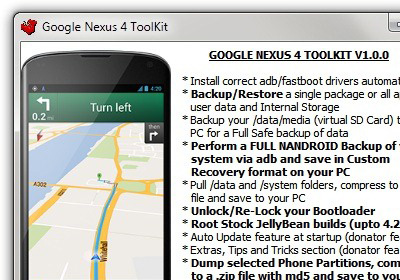
How To Backup Your Android Phone’s Boot, Recovery And System Partition Images

One can’t stress enough on the importance of backups and when it comes to tinkering with your Android phone, a backup of your system, recovery and boot partitions can save you a lot of hassle that you might otherwise have to go through if you mess things up and need those stock images. In this guide, we will tell you how to take these backups using a free tool called RomDump. Read More

Backup Drives In XML Format, Restore, And Browse Backed Up Content With DriveImage XML

In past, we have covered numerous drive backup applications such as, Driver Dumper, Back4Sure and EASEUS Todo Backup. Compared with Windows native Backup function, these applications are enriched with features like compression, error logging, etc to give users highly-customizable backup solution. DriveImage XML also belongs to the same category, allowing users to not only backup data but also restore them with options like, extract only specified files, browse through backup images, and so on. Using Windows native VSS (Volume Shadow Copy) technology, it offers on the fly distraction free drive-to-drive data copy. As its name suggests, the backup images are created in XML format, so you can process XML-based image with any third-party tool. Read More

Easily Backup, Transfer, And Restore iTunes Library With TuneSwift

If you’re porting your data from one PC to another, you might be thinking as to how iTunes library are to copied/backed-up without following any lengthy procedure. If you’re not planning to use any of contrived methods available on web, here we have a simple tool called TuneSwift which not only backup and transfer iTunes library but also enable users to easily restore data with few clicks. TuneSwift is developed by CopyTrans which offers many paid iTunes related tools, TuneSwift comes with only one catch and that it is available as free (full-featured) till March 15, 2011. However, the shining aspect is that it provides seamless transfer of data without requiring any sort of conversion whatsoever. Even porting iTunes library from Windows to Mac is handled without causing any disruption from either ends. Read More

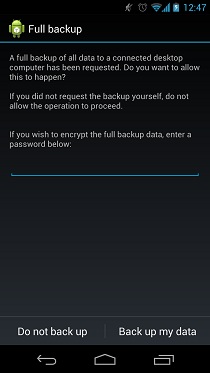
How To Perform And Restore A NANDROID Backup

A backup taken at the right time can save you a LOT of hassle. A NANROID backup is basically a backup of your Android operating system from the phone’s NAND memory, saved to the storage card. It is always advisable to take a NAND backup of your phone before you attempt to flash a new ROM to it so that in case anything goes wrong, you can revert your phone back to its previously working state. In the following guide, we will tell you how you can take a NANDROID backup and restore your phone from one you’ve already taken. Read More

Ainvo Copy Is Distraction-Free Backup Software

Ainvo Copy is data protection and backup utility which is based on Windows native VSS (Volume Shadow Copy technology. Shadow copy service working involves creating consistent backup of data or taking data snapshots to deal with any catastrophes that may erupt in future. VSS technology is based on similar plane, instead of capitalizing on data, volumes are consistently backed up to always keep a user on a safe side. Not only does it offer creating data backups, it is also suitable for checking system against widely common system vulnerabilities, application bugs, malwares, viruses, data loss, etc. Read More

Doc Backup – Small Backup Utility With Email Notifications, FTP, And Logging

Doc Backup is a handy opensource backup application to backup/copy your important documents, media files, project files on the disk, network drive, and on live server via FTP. The developer wrote this application to fill the voids he found in Cobian Backup (which he was using before for data backup). According to the developer, the reason behind developing this application was to provide user with incremental backup without compromising the FTP workability. Moreover, it comes with detailed log reporting system, you can verify and analyze the number of backup copies and problems respectively in real-time. If you’re planning to backup an enormous data, it offers you email notification feature to keep you informed about the backup process. The most interesting feature is document backup to disk and to FTP site, hence the name, Doc Backup. Read More

Make Compressed Backups And Sync Data Remotely With CopyTo Synchronizer

CopyTo Synchronizer is a data synchronization and backup utility that offers a vast range of features to promptly backup your data across all the nodes connected in network with other standalone systems or to any target folder. It is designed for system administrators, who need to backup all the data from multiple PCs to main system or to copy a set of files/folders onto different systems. Moreover, the application offer filters support, so users can narrow down the search to move/copy/sync only specific files.  The best part is that you can compress data (supports high-level ZIP compression) residing in source and target location to save some extra disk space. The sync/backup projects are saved in its native CP2 format, a saved project can always be retained back to recall settings for performing same set of actions over any other files/folders. Read More