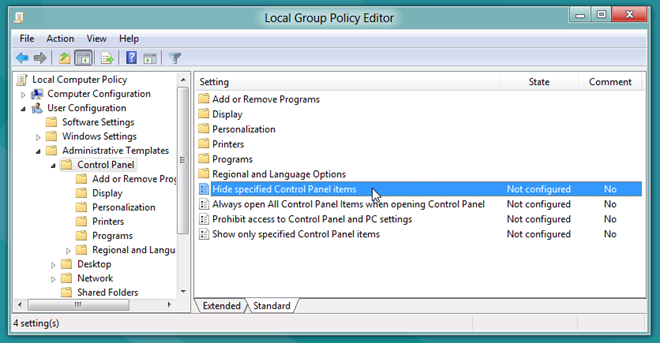
This tweak will prohibit all users from accessing the Control Panel. I know it seems a bit odd but sometimes this does come in handy, lets say you have several computers over the network and you know that these computers will never be used for Administration Purpose and the basic settings will pretty much stay static for these computers. Then in such a scenario it would be a wise decision to apply this tweak to make sure that users aren’t able to change any settings.
Recent Posts
- Dev Team Gives iTunes 10 Clean Chit For Jailbreakers And Unlockers
- Confirmed: Android 3.5 Honeycomb To Be Tablet Focused
- How To Change Color Of An Object In Any Photo [Photoshop]
- JayCut Is A Full-Featured Free Online Video Editor
- LanSpy: Network Security Scanner To Scan Open Ports
- iOS 4.2 For iPhone, iPad And iPod Touch Coming In November
- Windows Phone 7 Ready: RTM Roll Out Begins
- Download iOS 4.1 Gold Master (GM) Firmware
- iOS 4.1 Coming Next Week: Fix iPhone 3G Lag, Bluetooth And Proximity Sensor Issues
- Download And Install iTunes 10 With Ping
Add Programs & Folders In My Computer & Control Panel [Windows]
Some while ago we covered a neat little hack for Windows 7 that allowed you to put programs in My Computer under Network Locations. One of our readers, caschy, suggested using Folder2MyPC for the same reason. We gave the utility a shot and indeed, it simplifies the process far more, and also brings the option to add programs under control panel as well.
Read More…