Add A “Flash” To iPhone Front-Facing Camera With FrontFlash

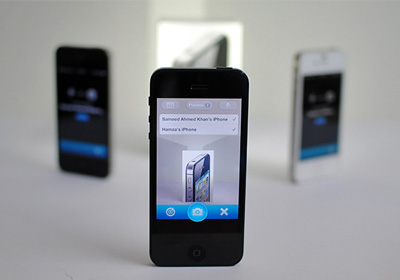
Rumors about iOS 7 and the next iPhone are pretty abundant these days. Of all the wild ideas that have been thrown around the blogosphere, one that has particularly appealed to me is the possibility that the next iDevice might have a dedicated notification LED on its front. The mention of an LED on the device's front also brings to mind the idea of having an LED flash for the front-facing camera under low light conditions. For now, there are no mainstream smartphones that come with a front-facing camera flash. App developers are clever folk though, and they usually come up with ways to overcome any obstacle. Last November, Camera+ introduced a neat way of adding a sort of flash to the front-facing camera. It has taken some time, but a developer has finally thought of adding a similar feature to the stock Camera app. As you might have guessed, we are talking about a Cydia tweak. FrontFlash increases the screen brightness and turns the screen white momentarily while shooting a photo or video, resulting in improved lighting in dark conditions. Read More

Connect Camera Flash Of Multiple iDevices To Get The Perfect Lighting In Photos

Smartphone cameras can make anyone feel like a photographer to some extent. It doesn't hurt to try and think like a professional photographer even if you are going to shoot a photo using your iPhone. There are some things, however, that just can’t be accomplished outside a studio. With an iPhone, you get a camera flash, but that doesn't give you full control over the lighting conditions of your surroundings. You can use tweaks like PhotoTorch to control the intensity of the camera LED, but there’s a limit to what a single flash can accomplish. In situations where you need more light than a single iDevice can provide, External Flash can come to your rescue. This great app allows users to access the camera flash of up to 16 iOS devices! You can ask your friends to let you access their device’s flash, and then shoot photos as the app simultaneously turns on the LEDs of all the connected iPhones. Read More

Windows 8: Enable Flash On Any Website In Modern Internet Explorer 10

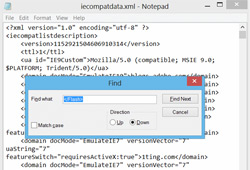
A few weeks ago, the Internet community discovered that the “Modern” version of Internet Explorer 10 would only run Adobe Flash on specific websites handpicked by Microsoft. The reasoning behind this is understandable: the Modern UI Internet Explorer 10 is to run on Windows RT tablets like Microsoft Surface, and Flash was never really made with touchscreens in mind, so Microsoft’s engineers went through hundreds of websites to determine which offer Flash content that works fine on a touchscreen and doesn’t affect battery life. Read More

How To Install Adobe Flash Player On Any Android 4.1/4.2 Jelly Bean Device

Almost every smartphone enthusiast knows the story. Apple refused to include Adobe Flash in Mobile Safari. Google did. Steve Jobs published an open letter on Apple’s decision to not support Flash. Earlier this year, after repeated, failed attempts to make Flash work well for the mobile web, Adobe announced that they won’t support Flash for Android 4.1 and above. HTML5 – an “open” alternative to Adobe Flash – emerged victorious, becoming the go-to technology for displaying rich media on mobile browsers. But that didn’t stop folks from Android’s vibrant developer community to get the technology to work on the latest versions of the OS and latest devices like the Galaxy S III, HTC One X+, Nexus 4, Nexus 7 and Nexus 10, as there are still plenty of places on the internet that still use Flash and Flash only. Yes, there is a very simple way to get Adobe Flash back on your Android 4.1 or 4.2 Jelly Bean device. Check out how after the jump! Read More

xDownload: iPhone Download Manager With Support For Flash Videos, Simultaneous Downloads & More

It is possible to download and use a lot of file formats in iOS, but not all of them are compatible with Safari, and you might need a plethora of third-party apps in order to use those files on your iDevice. This can prove to be cumbersome, as you might not even be aware whether a particular file can be used with your device. xDownload for iPhone, iPad & iPod touch is one very simple solution to this problem. It is a download manager supports a staggeringly large number of file formats. Probably the best feature offered by xDownload is its ability to download flash videos, which are automatically converted to MP4 to facilitate playback on your FLV-crippled iOS device. Apart from that, you can archive whole websites with the app as well. Details to follow. Read More

Convert PDF Documents To SWF In Bulk Using 3DPageFlip PDF to Flash

Just a few days back, we featured 3DPageFlip’s PDF to HTML converter. The program, along with CLI (Command line-interface) mode, lets you perform PDF to HTML conversion using a simple GUI-based Batch Mode. Recently, we came across another application from the same developer, called 3DPageFlip PDF to Flash. It offers somewhat similar PDF conversion options, but instead of converting PDF documents into HTML files, this particular application converts PDF file into the SWF format. It may come handy in situations where you need to convert multiple PDF document into SWF files and embed them into HTML pages. The program includes three different conversion modes, namely Batch Convert Mode, Hot Directories Mode and Command Line Mode. Read past the jump for details. Read More

Flashify: Quickly Switch From Chrome To Another Browser To View Flash Content [Android]

Chrome for Android debuted in February this year, and has since been lauded by many as the best Android web browser in the Google Play Store courtesy of its highly innovative and extensive set of features. True, it is still only available to the tiny portion of Android users rocking Ice Cream Sandwich or higher on their devices, but as Google’s latest OS expands its reach to more and more devices, and developers strive harder to create ICS-based custom ROMs, the browser might grow to become the default web browser for a vast majority of users. Though, when that happens, one gripe that we are most certain to hear is the browser’s lack of support for Flash. This brings us to the question at hand: how to enjoy Flash content on your Android phone while using Chrome as your default web browser? Nightshade Labs seem to have come up with a rather effective solution in the form of Flashify. Read More

App2zip: Create Flash-able Zip Files Of Your Favorite Android Apps

If you’re an avid Android fan boy, and frequently keep flashing new ROMs to your Android device, then you must be well-aware of the hassle involved in downloading and reinstalling your favorite apps one-by-one upon each flash instance. How about an app that alleviates the problem by allowing you to restore all the required apps right from the custom recovery of your choice immediately after flashing your favorite ROM? Enter App2zip – an extremely handy Android app that lets you achieve said purpose with utmost ease. Using App2zip, you can create a flash-able zip file containing as many individual system and third-party apps. The zip file/package thus created can be used through a custom recovery tool to restore all the included apps at once after flashing the required ROM. In this way, you can restore all your favorite apps at once immediately after flashing your favorite custom ROM. No need to download and install each and every single app individually, or resorting to any alternative data backup/restore methods. Instead, with App2zip, you have your favorite custom ROM readily available for use with all your favorite apps preinstalled on it.  The app currently works only on rooted Android devices, and as the developer himself suggests, try experimenting with a rather less important/used app before tinkering with your favorite apps in order to prevent any unforeseen data losses. It must also be noted that the app, as of now, is not compatible with the stock recovery. So, you must use a custom recovery tool, such as ClockworkMod recovery in order to restore apps from a zip file created via App2zip. Read More

MediaPlus: Resize, Pin & Add Effects To Images/Videos On Any Website [Chrome]

If you want to take full control of videos, images and other media on your favorite webpages, then MediaPlus, a Chrome extension, is just the right tool for you, as it lets you move, resize, turn lights off and maximize images and videos to full-screen. The extension adds multiple controls in a slick toolbar under each image and video. With it, you can move, resize and pin media content on pages like YouTube and Facebook. You can also maximize media content to the whole browser window or pop it out. Furthermore, you can add various effects to images, such as sepia, blur, glow and more. Darkening area around videos and watching them without any distraction is also made possible. MediaPlus makes it possible to customize embedded Flash videos on any website. Read More

FlashControl: Stop Sites From Auto Playing Flash Content [Chrome]

Sometimes when we visit websites, Flash videos are played automatically and this behavior can be really annoying not to mention the strain it puts on bandwidth. If you want to prevent this from happening to you then Flash Control, a Google Chrome extension, works perfectly and prevents the Adobe Flash Player from automatically spawning instances of itself, resulting in improved security, performance and overall functionality of your browser. This extension allows you to filter content by using blacklisting and white listing methods. Read More

MPlayerX Remembers Where You Stopped A Media File & Plays Flash [Mac]

Mac’s native media player, QuickTime Player, has a multitude of features, allowing you to do just about everything, from screencasting to publishing your videos directly to YouTube or Vimeo. While the application is rich in functionality, not everyone uses all those functions, and if you just want to watch a couple of music videos, tutorials or play songs from your library, a much lighter music player like MPlayerX might be more suitable. This Mac app does what you would expect of a media player; it plays audio and video files of practically every format (even Flash), but additionally remembers the last position a file was played at and reopens them at it. It can be used to stream live broadcasts, and unlike QuickTime Player, you can drag & drop a file onto an already open window to play it. Read More

Play Flash Videos On Windows Phone 7 With Metro Browser

If you own a Windows Phone 7 device, it is likely that your friends who are on Android are quick to point out the shortcomings of your platform. In most cases, the criticism is somewhat justified, but Microsoft and WP7 developers are always trying to ensure that they keep pace with other smartphone operating systems. One of the bigger advantages that Android, and even iOS, enjoy over Mango is that, both of them have apps that let users play Flash content on their device. However, that’s one thing WP7 users don’t have to long for anymore, to a limited extent, at least. Metro Browser is a web browser for WP7 that allows you to play Flash videos from a number of sources. Details to follow. Read More

WeeFlashlight For iPhone: Control LED Flash From Notification Center

Prior to iOS 5, Apple's mobile platform treated the iPhone's camera LED just as an ordinary and plain camera LED. But now things are changing and people are realizing that the flash can be more than just a camera support tool. The use of LED as notification alerter has been around for Android devices for quite a long time, but now even Apple seems to have acknowledged that the camera flash can be put to some extra use, as now you can use the camera flash as LED notification light if you are on iOS 5. Whatever Apple does, the jailbreak community is never too far behind in taking it one step further. That’s what WeeFlashlight is all about. It is a Cydia tweak that provides users with an LED flashlight, controllable right from the Notification Center. Read More

How To Make iPhone Camera LED Notifications Work [Complete Guide]

The notification system in iOS, prior to the latest update, was always under fire by critics as it was quite inefficient and no match for a universal notification center like the one Android has always had. But iOS 5 saw to that issue, and even added a few pretty neat enhancements to the whole concept. In addition to adding widgets to notification center, it is now also possible to make the LED flash every time you get a new notification. The camera light is pretty bright and almost impossible to miss so that kind of reinforces the purpose of a notification. So if you have an iPhone (the ones having a camera LED, i.e. iPhone 4 or iPhone 4S) and you are running iOS 5, then this tip is perfect for you. Read More

Fix Flash Issues In Ubuntu With Advanced Flash Control Panel

Flash related issues arise due to the frequent updates which change different components of Linux operating systems. It can be quite tricky to be able to install the right Flash Player version for a Linux distribution, as users often end up installing unstable beta versions of Flash which cause functionality issues. Lately, we came across a script known as Flash Doctor which attempts to fix these problems. It automatically fixes Flash related problems, installs flash safely on your Linux operating system such as Ubuntu and, provides an advanced flash control panel to perform differnet Flash specific actions, including, assetcachesize, disable device font enumeration, disable product download, etc. Read More

Fix Low FPS Flash Issue On Asus Eee Pad Transformer With FlashFix

Asus Eee Pad Transformer Android tab has managed to get a massive fan base in couple of months following the initial release. Although the tablet comes jam packed with various features and boasts of Android 3.x Honeycomb on board, but there are still certain glitches and tiny issues that need to be addressed. If you’ve ever tried playing YouTube or Flash videos in Honeycomb browser on your Eee Pad, you must have noticed a certain lag and video distortion that comes with it.

Read More

Overclock Xperia Arc To 1.9Ghz With DoomKernel Custom Kernel

The Sony Ericsson Xperia Arc is a beautiful piece of hardware, that did not get the attention it deserved in terms of development effort. With not many custom ROMs or mods out there for this Android device, releases like custom kernels, rather OC kernels fast make headlines amongst the Arc fans. One of these kernels is the new DooMKernel OC kernel by XDA-Developers forum member DooMLord which pushes the phone’s CPU to a massive 1.9Ghz! The kernel is meant for the stock SE 4.0.A.2.368 firmware. Read More

How To Install Copyright Restricted Packages In Ubuntu

Ubuntu Restricted Extras is a software package for Ubuntu that allows installing essential software which are not pre-installed due to legal or copyright reasons. This meta-package installs support for MP3 and unencrypted DVD playback, Microsoft TrueType core fonts, Flash plugin, and a number of codecs for common audio and video files. It depends on some commonly used packages in the Ubuntu multiverse repository. In this post we will tell you how to install Ubuntu Restricted Extras for your Ubuntuversion. Read More

TubeCast Uploads YouTube Videos From Desktop, No Flash Required

TubeCast is a portable application which enables uploading multiple videos simultaneously to YouTube from desktop, without the need of a Flash based uploader. Using this open source application you can eliminate the need of having to visit YouTube. Before videos are uplaoded, you are provided with detailed options to set the category, title, tags, etc for the video and sharing options. The uploading process merely includes logging in with a YouTube account and selecting respective files for uploading them with your custom settings. Read More

Resolve Firefox Flash Issues In Ubuntu Linux With FlashAid

Flash issues have been quite frequent on Ubuntu systems. The problem has been often associated with installation of faulty plugins and difficulty in identifying the right flash version for an operating system. Flash-Aid is a Firefox extension for Ubuntu and Debian Linux users which helps remove conflicting Firefox Flash plugins and allows installing appropriate Flash versions. Flash-Aid has the ability to detect required settings automatically, such as, your system architecture, OS version, plugins to be removed and helps select the best plugin to be installed on your system. It also provides Flash update alerts, that detects new beta versions from Adobe Labs. It’s advanced mode allows installing Flash from Google Chrome browser or from a local file. You can also use Flash-Aid to apply some tweaks to improve performance and for fixing common issues. Read More